I was able to get OMV setup after executing the JMicron controller fix outlined in the main troubleshooting area of the instructions here:
https://wiki.radxa.com/Dual_Quad_SATA_HAT
After that I set up a raid 5 manually because OMV doesn’t handle usb automatically. For this I used these two commands:
sudo mdadm -Cv -l5 -c64 -n4 -pls /dev/md0 /dev/sd{a,b,c,d}
sudo mkfs.ext4 /dev/md0
Following this I was able to setup and access the disks via SMB/CIFS. So far so good. But then decided to modify the /etc/rockpi-sata.conf file and execute sudo systemctl restart rockpi-sata.service
Unfortunately after reboot I’ve lot ssh access entirely. OMV works and I’m able to view the logs to see what’s happening. I think that the main pi memory isn’t mounting or booting properly.
I got the hint from a comment on this youtube video >>>https://youtu.be/Eix0PCB0byQ

This backed up by a missing disk that I can’t mount in OMV. Ordinarily this would be the sd card.

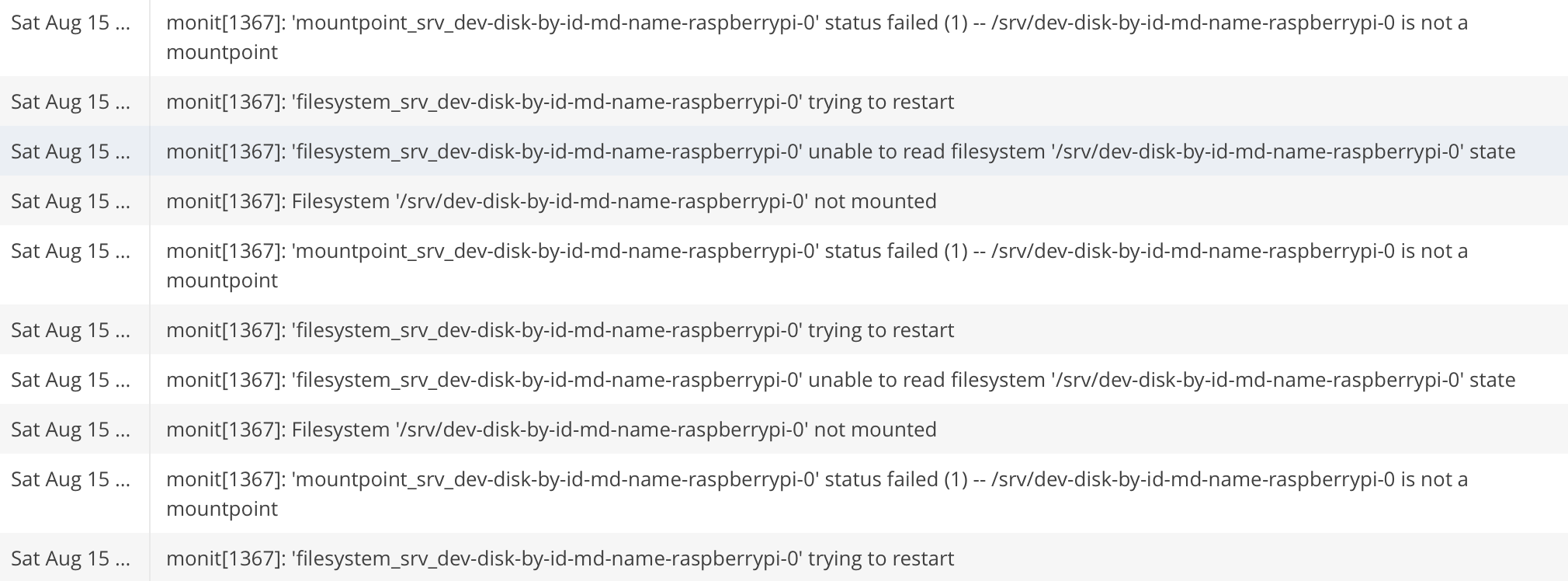
Lastly, when I check out the OMV logs it’s clear that there’s the volume that needs to be mounted to run the pi and ssh isn’t getting mounted. I’d be super grateful if anyone could tell enlighten me about a workaround to change the mount order so that the pi system disk mounts before the HDDS.