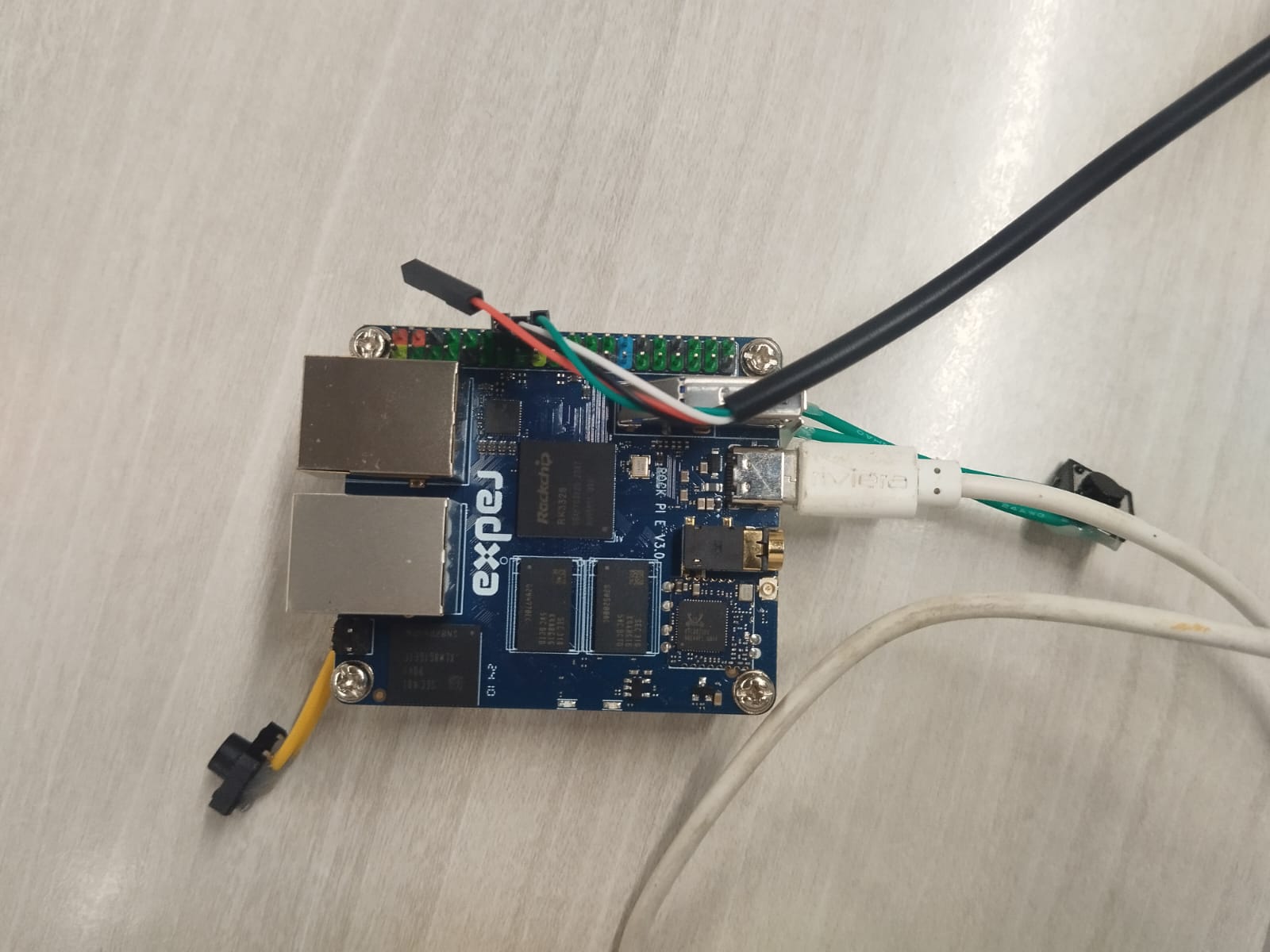
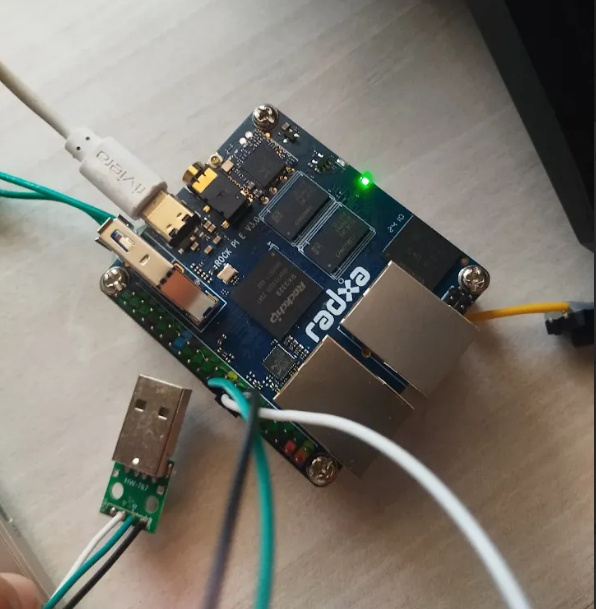
I’m currently working with a ROCK Pi E Version V3.00 , which has embedded eMMC . I’m trying to put it into maskrom mode using a USB Male A to Dupont cable , based on the instructions from https://wiki.radxa.com/RockpiE/dev/usb-install#Boot_the_board_to_maskrom_mode link (which appears to be for ROCK Pi E V1.21 ):
It would be great helpful if anyone could share the correct procedure or point me to any official documentation specifically for the ROCK Pi E V3.00 regarding how to enter maskrom mode .
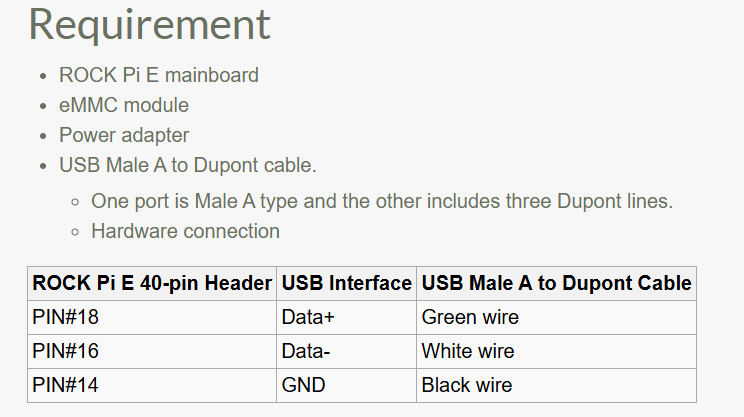
First, make sure you have correctly connected the USB Male A to Dupont Cable to the board’s pin 14, pin 16, and pin 18.
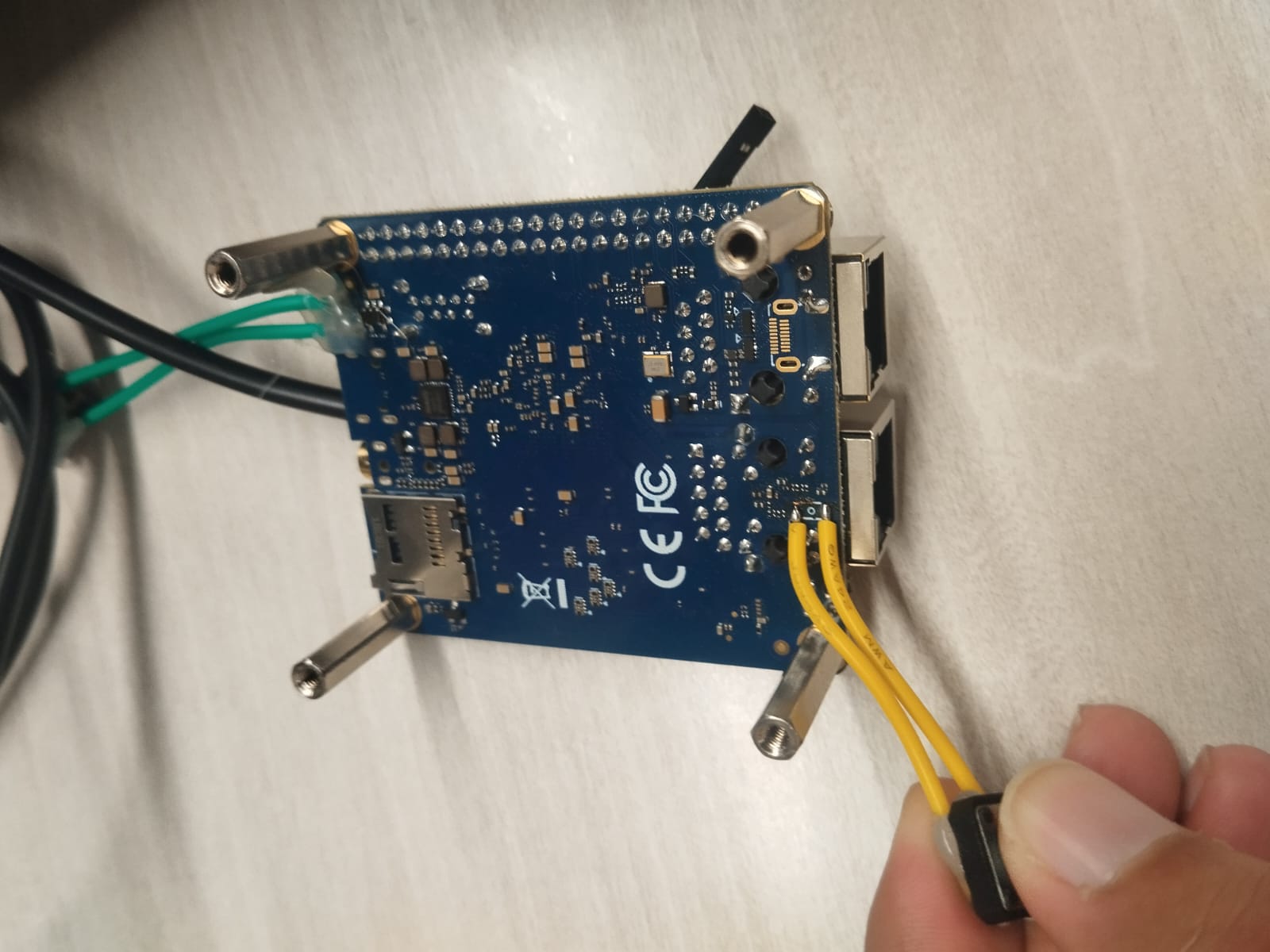
If the connection is correct, press and hold the recovery button on the board (located on the bottom side beneath the Ethernet port) before powering on the board. Once powered on, your computer should recognize a Maskrom device.
Depending on your operating system, refer to the following documentation to choose the appropriate flashing method:
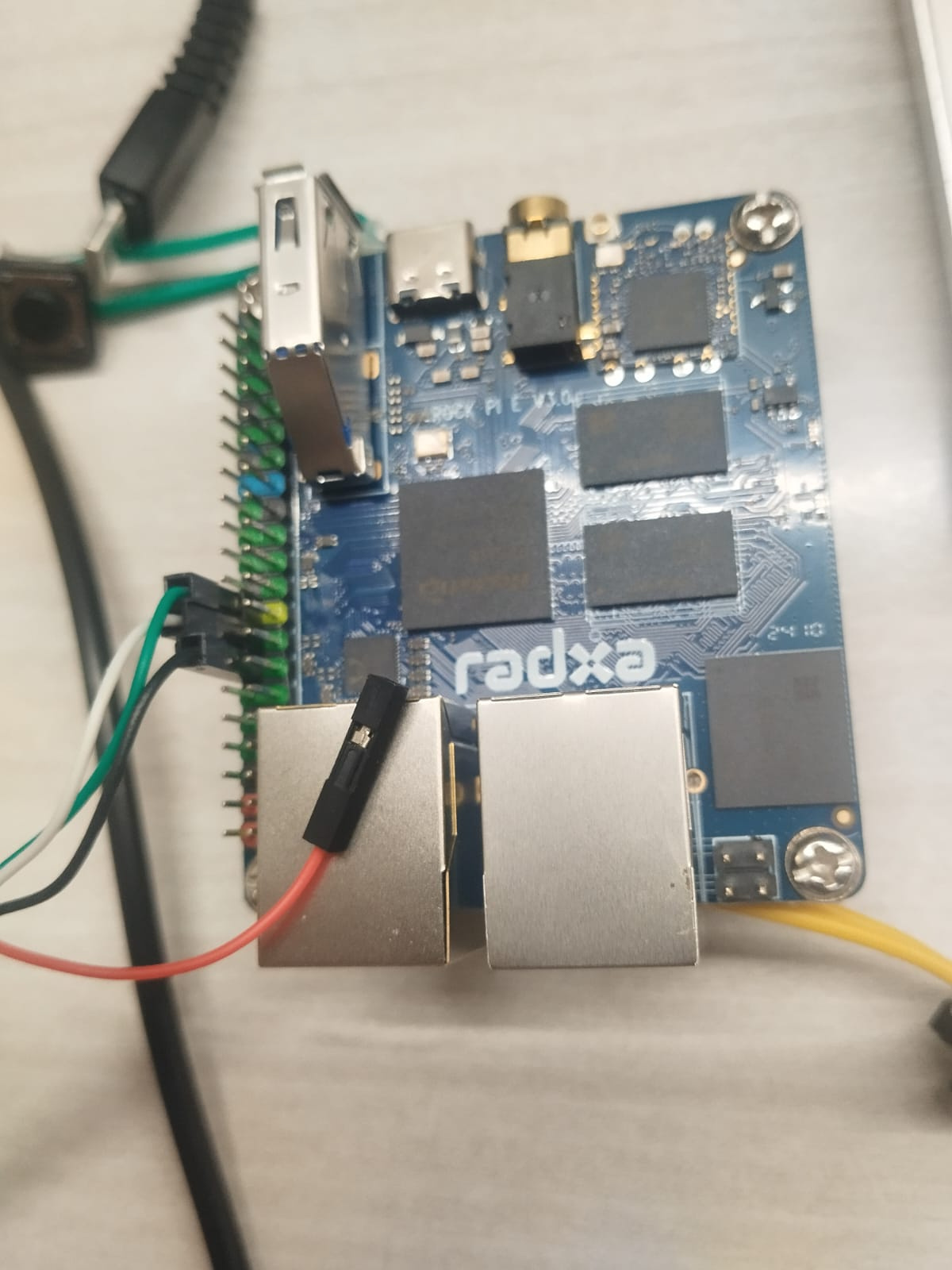
I connected the black (GND) wire to Pin 14 of the GPIO header. I counted the pins starting from the Ethernet port side (Pin 1 being closest to the dual Ethernet ports).
The green (USB D+, Pin 18) and white (USB D-, Pin 16) wires are connected right next to the GND (Pin 14).
I then held down the recovery button (located on the bottom side beneath the Ethernet port) and powered on the board.
I believe the issue is with the USB Male A to Dupont Cable you’re using. What you have is a USB to TTL cable, which provides GND, UART-RX, and UART-TX signals—not USB data+ and data- lines.
@Mitchell
Im also working with a Radxa Rock Pi 4C+ , and on that board, I’m able to enter maskrom mode by removing the eMMC and using a USB A to USB A cable and connecting power cable.
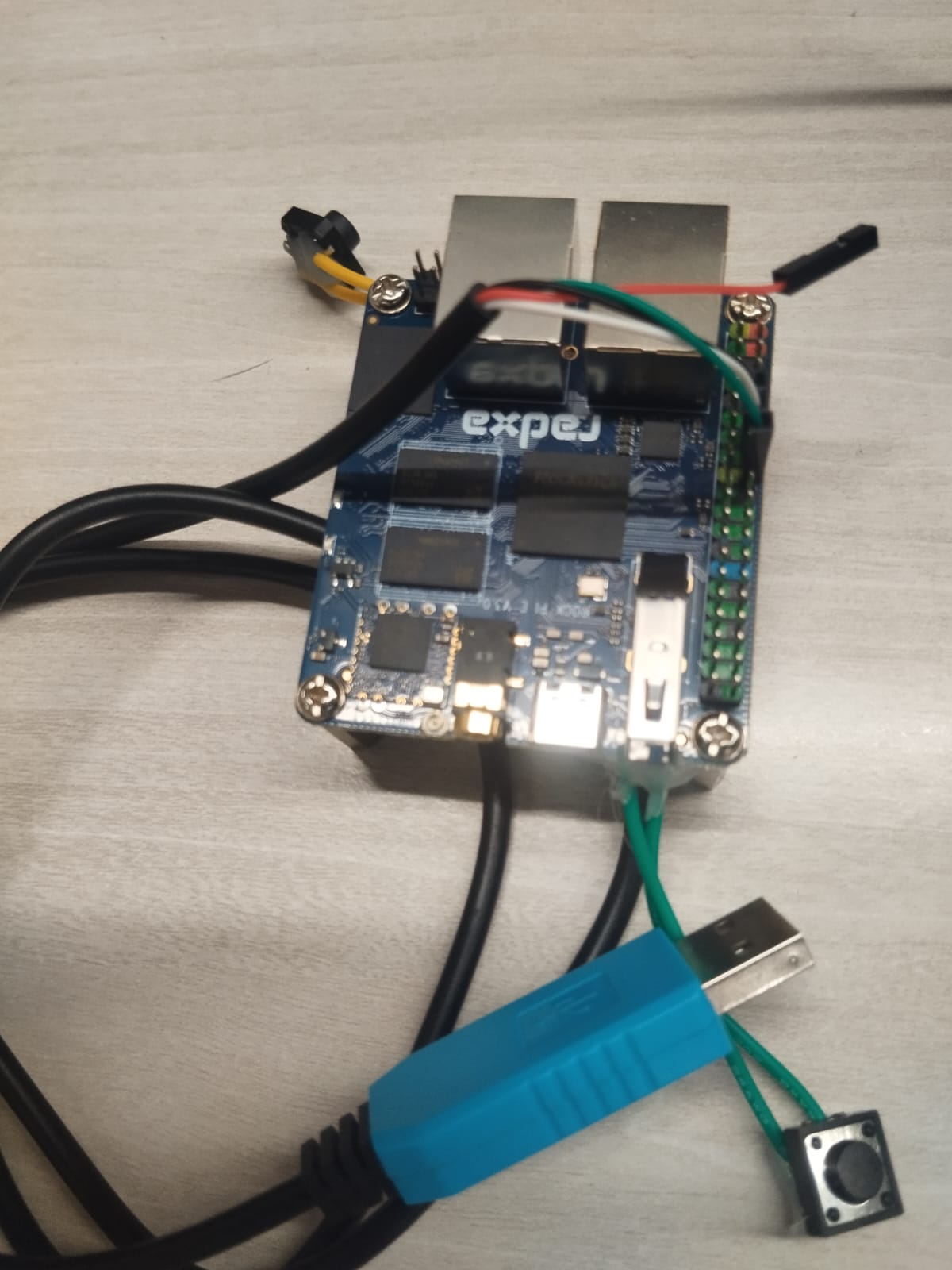
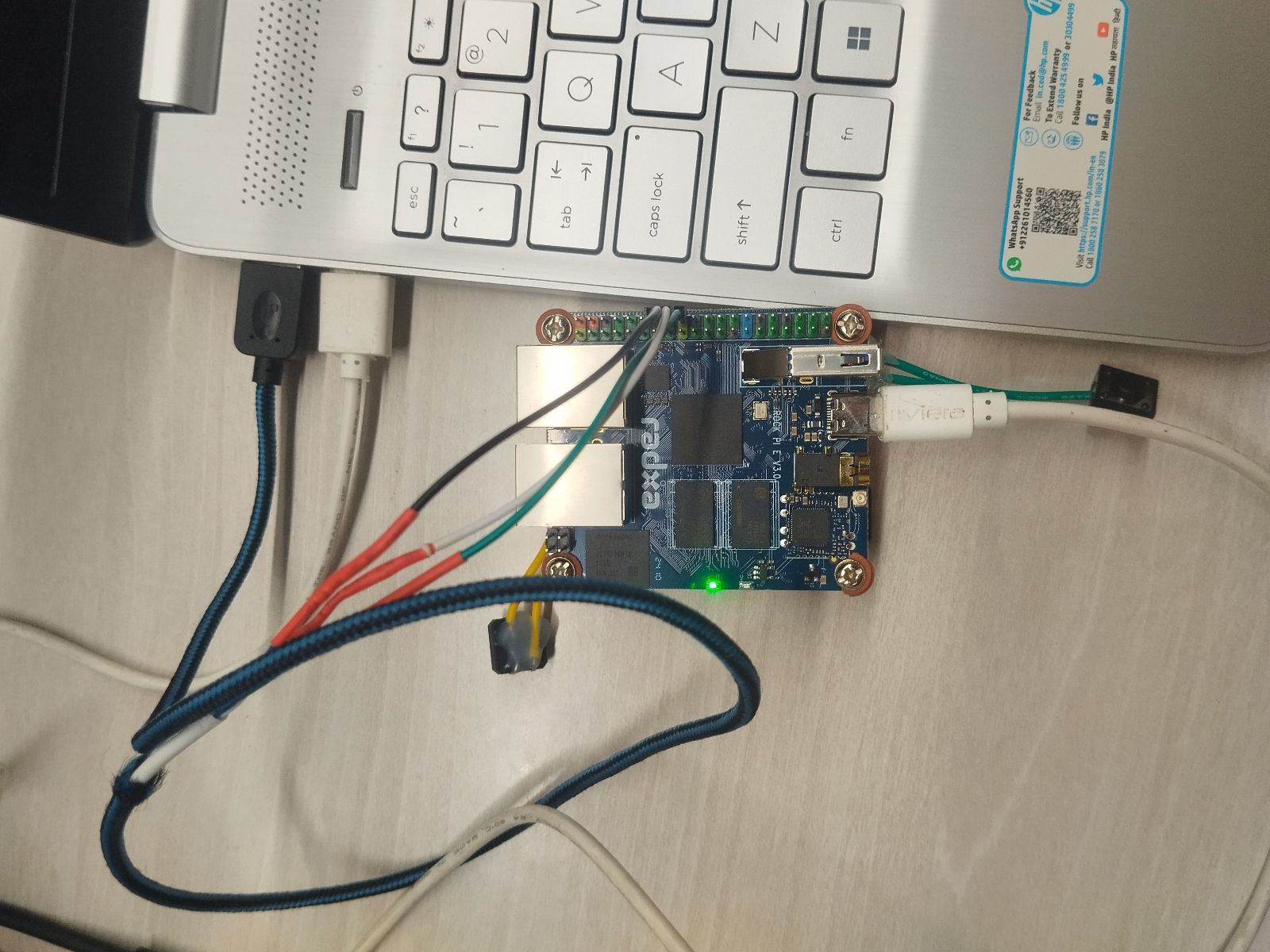
Now I’m trying the same with the Rock Pi E , but using a USB A to Dupont cable (see attached image).
The board is able to boot up using an SD card , but I’m not sure how to properly enter maskrom mode . I have also tried the steps suggested by you but failed .
Could you check that USB A to dupont cable that I am using is correct?
Yes, your USB to Dupont cable looks correct. If it doesn’t work, try swapping the white and green wires. Remember to press the button under the Ethernet port before powering it on.
We’ve tried swapping the wires, but unfortunately, it’s still not working. We’ll need the board for several different tasks, so getting it up and running is important. Could you please help us troubleshoot this?
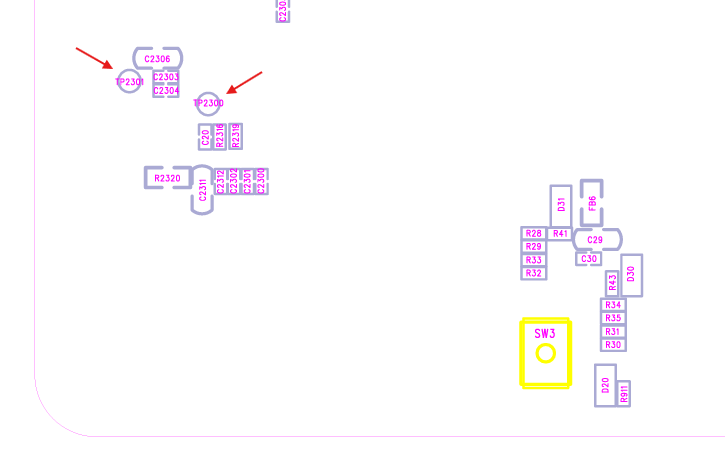
The RECOVER key (SW3) is wired to SARADC_IN0 and that will not affect where the BootROM tries to load initial bootloader from, it typically only affect logic inside a running bootloader loaded by BootROM.
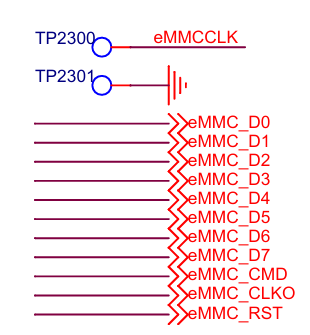
Instead try connecting the TP2300 and TP2301 test-points for a short period when connecting power, that should short the eMMCCLK and result in BootROM failing to load bootloader from eMMC and instead will try to load bootloader form SD-card or if that also fails, fall back to maskrom mode.