tea
May 12, 2025, 7:30pm
1
Hi all !
Based on docs install-os nvme i made steps :
boot from SD card
download from https://github.com/radxa-build/rock-3a/releases the rock-3a_debian_bullseye_cli_b25.img.xz
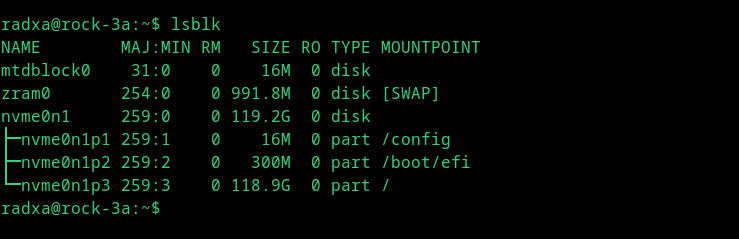
write image to nvme: xzcat ./rock-3a_debian_bullseye_cli_b25.img.xz | sudo dd of=/dev/nvme0n1 bs=1M
poweroff , remove SD, poweron - boot OS ok; LOG https://pastebin.com/7Freymr0
poweroff, poweron - not boot OS; LOG pastebin h40iAWdw [second link not allowed for me]
what is the reason for the failure boot and how to fix if possible ?
i can again boot from SD, write same img to nvme and boot from nvme first time, but not second
Nasca
May 14, 2025, 9:23am
3
Does the xfce image also fail to boot? If so, please post the serial port log.
tea
May 14, 2025, 6:05pm
4
wrote rock-3a_ubuntu_jammy_xfce_b25.img.xz, then power off, remove SDhttps://pastebin.com/eTHR1JKG https://pastebin.com/naft30rW
1 Like
tea
May 14, 2025, 6:08pm
5
tried rock-3a_debian_bullseye_xfce_b25.img.xzhttps://pastebin.com/QYmrpv7V https://pastebin.com/DnW6mYVT
Nasca
May 15, 2025, 1:49am
6
okay, I’ll try to reproduce and fix the issue
1 Like
Nasca
May 16, 2025, 9:05am
7
I can boot from nvme successfully every time.
Nasca
May 16, 2025, 9:11am
8
tea
May 19, 2025, 6:46pm
9
thanx for answer, but my try was not successful
update && full-upgrade && reboot
with rsetup update SPI bootloader
write image to nvme as above, poweroff
unplug SD card and poweron
boot log here https://pastebin.com/p5aWkNz8
so here is bootloop
am i miss some step ?
Nasca
May 20, 2025, 2:33am
10
you need to update the system by rsetup-> System Maintenance-> System update.
in detail:
tea
May 20, 2025, 8:06pm
11
made update via rsetup: https://pastebin.com/fwrWTRZ8
remove SD, but NVME dont boot, same bootloop again
hmm, i dont understand how updating system on SD card will helps to boot from NVME ?
hoko
May 23, 2025, 12:32am
12
I use this command.
xzcat rock-3a_ubuntu_jammy_xfce_b25.img.xz | dd of=/dev/mmcblk0 status=progress
2333668352 bytes (2.3 GB, 2.2 GiB) copied, 197 s, 11.8 MB/s
hoko
Nasca
May 23, 2025, 1:29am
13
It’s true that nvme can boot without updating the system, but updating the system may cause the u-boot flashed with rsetup to be updated as well.
Nasca
May 23, 2025, 2:02am
14
The error you’re reporting above looks like it’s because the filesystem type of the partition isn’t recognized, can you see if you have the same filesystem type twice before and after?
tea
May 23, 2025, 8:01pm
15
i tried it before, no boot at second time
Nasca
May 26, 2025, 1:56am
17
Have you tried to replace the ssd?
tea
May 26, 2025, 4:24pm
18
no, I thought that if the nvme is visible from “SDCard OS”, then everything is ok with it
what model of nvme should work successfully ?
Nasca
May 27, 2025, 1:49am
19
what I use is FORESEE SSD, you can have a try.
tea
June 1, 2025, 4:57pm
20
replaced nvme to model “WD PC SN740” and it boot ok !
1 Like