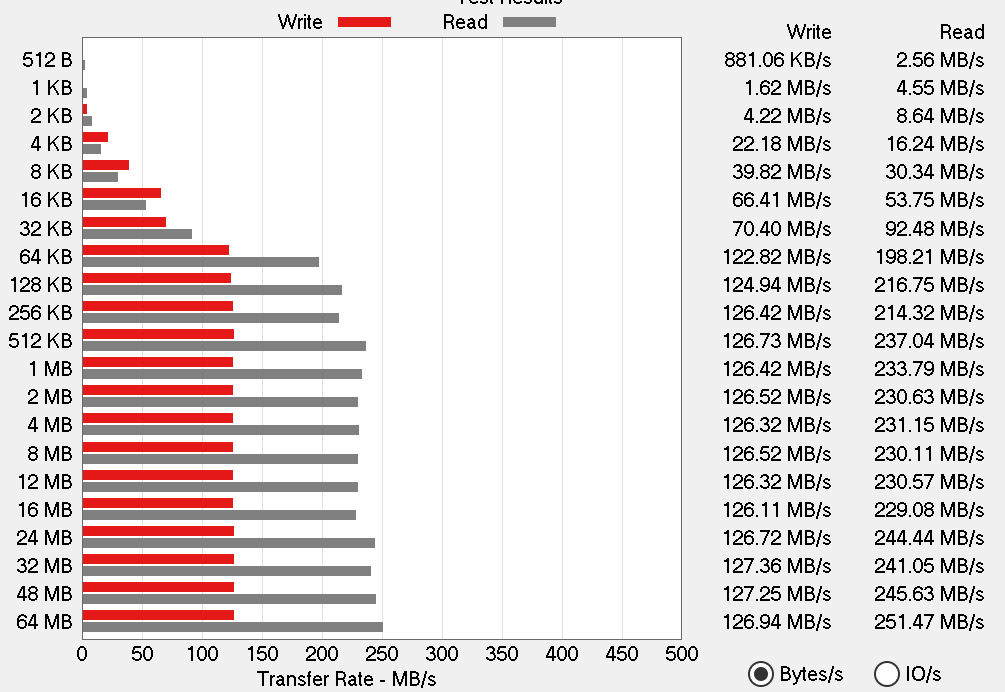
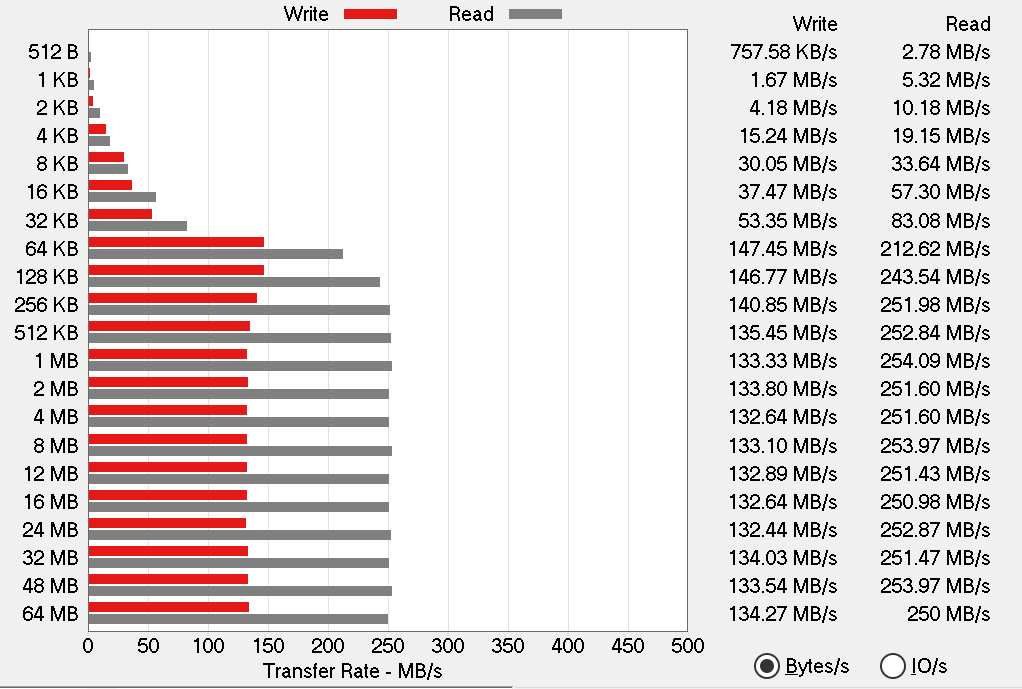
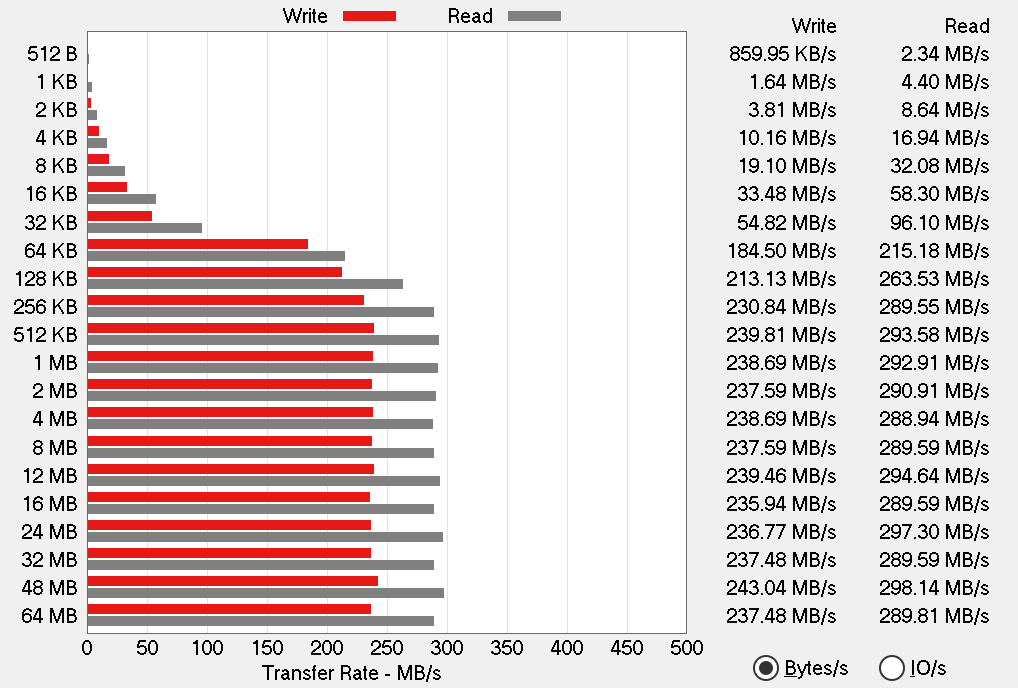
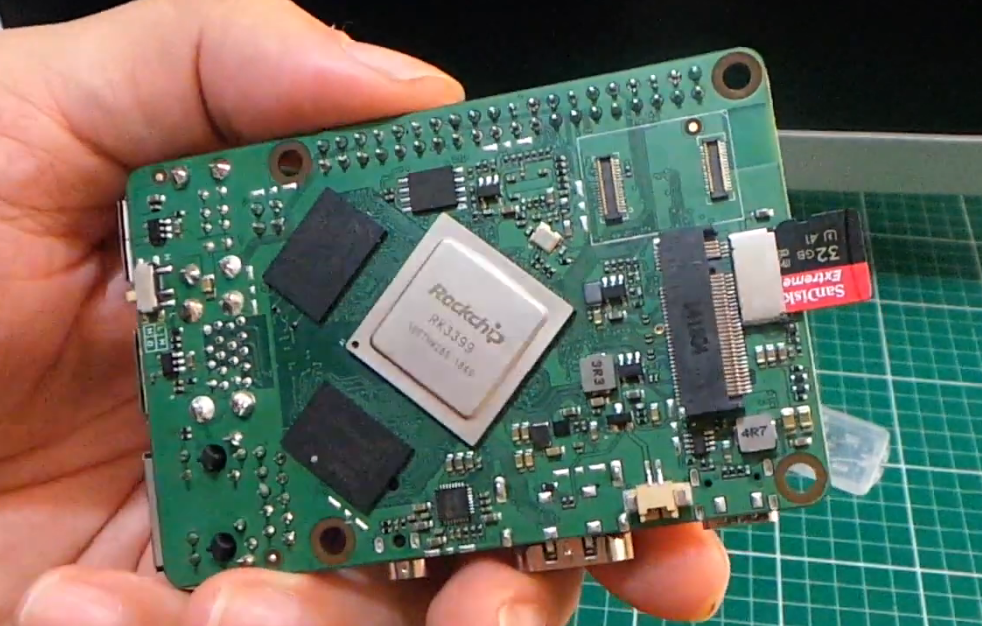
I had same consideration about that! there is no word about rock3a and what can be compatible. If You are new on this then it’s tricky to order right part. I decided to try that myself and sell modules if they don’t work. I just received four eMMCs - and some adapters that should work on rock3a and rockpro64.
The good news is that eMMC modules are compatible each other. You can use those from rock pi 4 (30+34pin) as well as those from rock pro 64 (they have only one connector - 34pin). Also You can use rock pi 4 eMMC on 34pin boards/accessories only. I briefly checked hdparm on both modules, and read speeds are are very similar (don’t know yet about writing). Additional slot may require additional drivers or some tweaks to get better speeds.
The bad news is that I probably received one faulty eMMC from allnet and broken uSD adapter. I don’t know yet if I can somehow bring those to live or do they require any initialization? I expected to use uSD adapter like micro SD card, but it’s just dead and there is no reaction when it’s inserted. Faulty eMMC gives me this on dmesg:
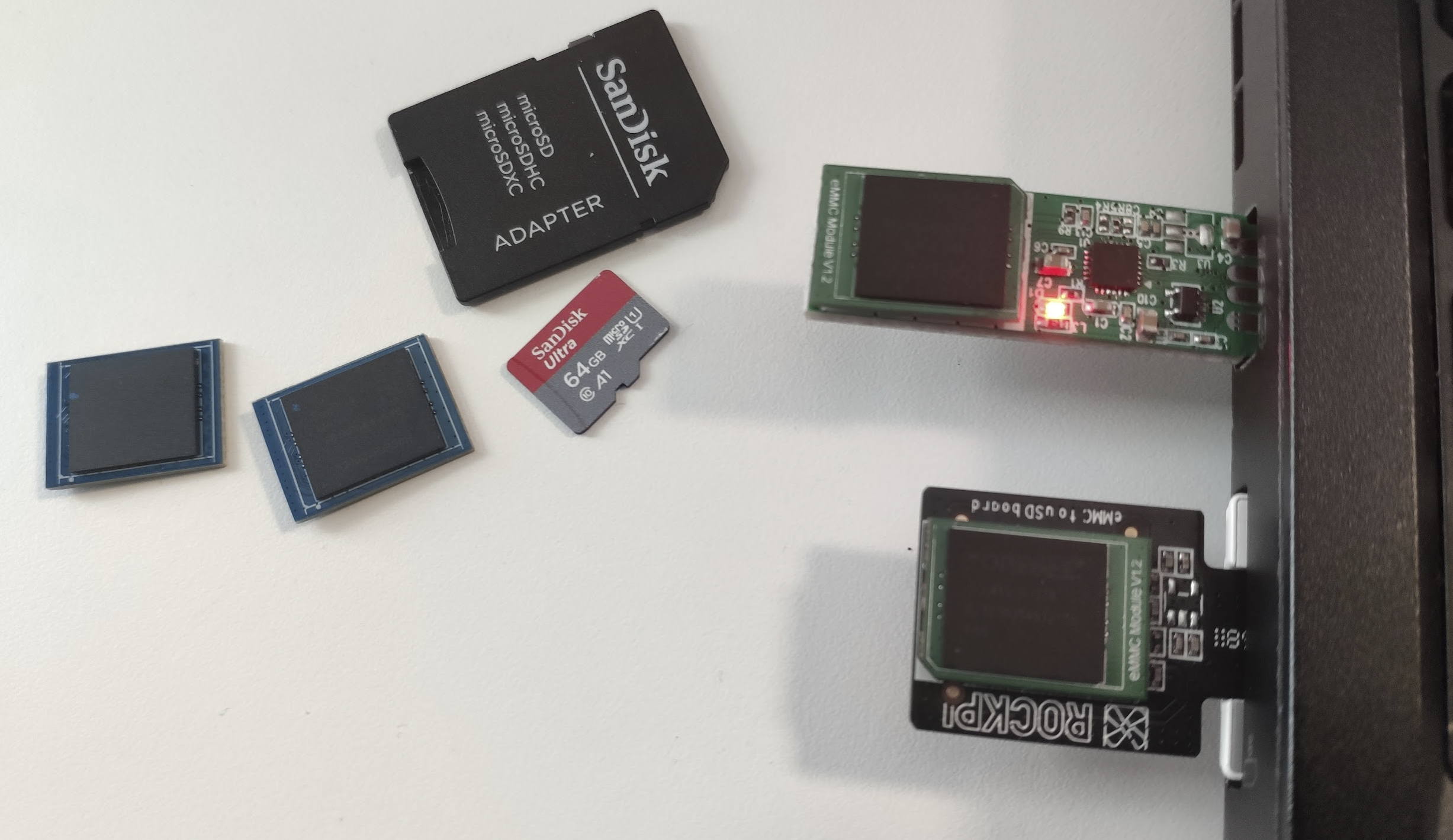
blue are sandisk 64GB eMMC for rockpro64
green are those from Your link (32G) - foresee,
uSD adapter (that is not working at all),
usb-eMMC adapter for rock pro 64 eMMC (works with two 64G and one 32G)
two SD-uSD adapters (black sandisk, and white samsung - inserted)
I’m still sure that the best option is nvme. For SD I can get about 80MB/s, for eMMC seems that it’s performing at about twice as that - 160MB, nvme via usb3 is about 460MB/s and nvme directly connected is about 1GB/s (2x pcie). @jack mentioned that radxa team is working on boot directly from nvme so nothing else should be needed. Right now small, read-only uSD card for bootloader is required but system fully works from nvme at full speed.
the page of rock 3 was edit by me , it’s the same as the page of rock 4 before, but i’s wrong, the connector on the emmc mod is socket type.
i had edit the page of rock 4 now.
the emmc module was compatible of rock 3 and rock 4
I found some photos of such adapters with and without this chip so I’m not sure if it’s required or not Any other idea what should I check on this adapter? I checked contacts on bottom and few slots (with and without sd adapter) and no luck
Jack - do You have such uSD eMMC adapter? should it work with eMMC just like uSD card? I’m trying to figure out if it is defective or am I missing something. - I got it working!
Also can I do anything to reset my second eMMC? One just work and one is not is there any test software I can try? the only clue I have now is that dmesg error
I actually edited that question - today I found odroid thread about same issues: https://forum.odroid.com/viewtopic.php?f=53&t=2725
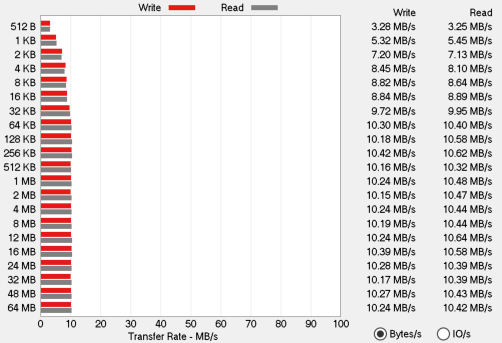
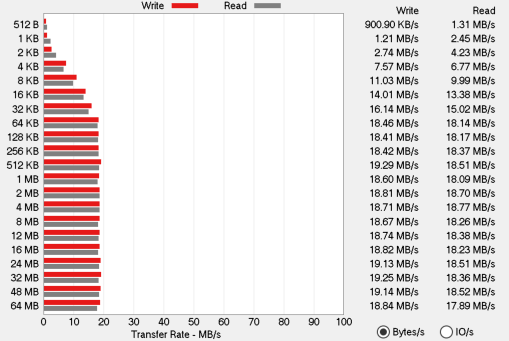
I used yet another card reader (usb-c/microSD) and that one worked, it is terribly slow I expected to use it with eMMC just like raspiKey. Yes, thinkpad sdhc reader is not compatible as well as two others I tested earlier. The one I used now works, but it’s 6-8x slower
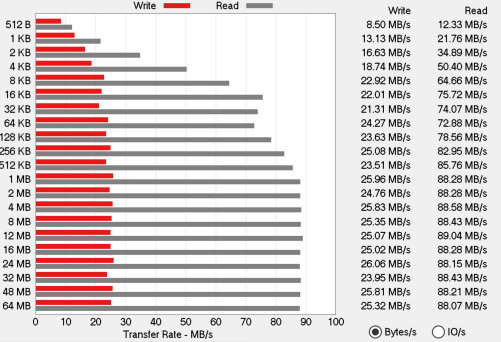
of course on rock3A it’s different, I will try to find some better microSD readers and reply tests with this adapter I hope to be somewhere at 90MB/s with good reader
To get the most of the eMMC read/write speed, use Radxa USB3 eMMC reader, it’s the only one on the market which support HS400 mode, the reading speed is more than 250MB/s on 32G/64GG/128G eMMC. Unfortunately the chip GL3227E supply is really bad that we can not manufacture it at the moment.
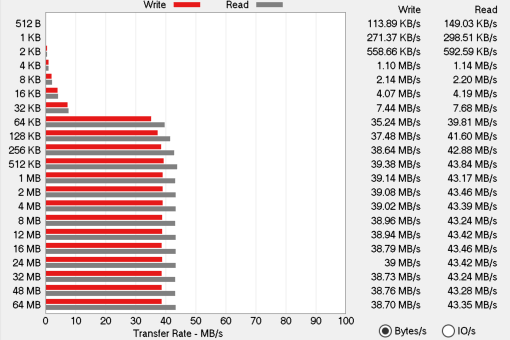
I expected that it would be slower, but not that much. Especially usb rock pro usb adapter is very disappointing with dedicated modules. Of course its way better on rock 3. I’ll get that raspi key for comparison.
Allnet still has this GL3227E usb adapter, it will take some time for delivery.
this makes that adapter somehow usable,
My built in card reader is Lenovo RTS525A PCI Express Card Reader [17aa:225f], it’s uhs-ii pcie reader/writer on realtek chip, probably it can be found on other computers and some accessories may be incompatible. This may be same thing as in dell computers.
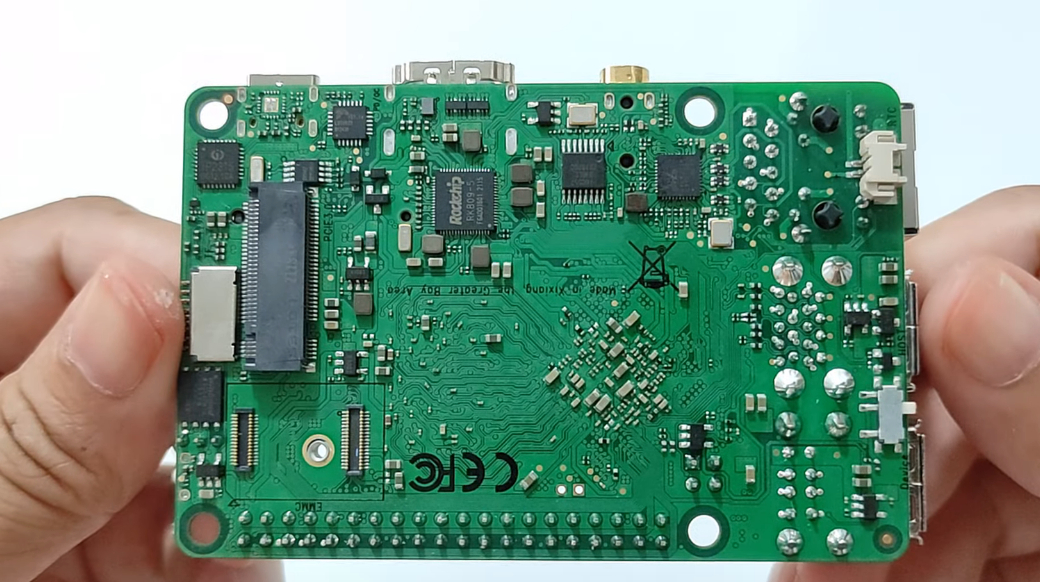
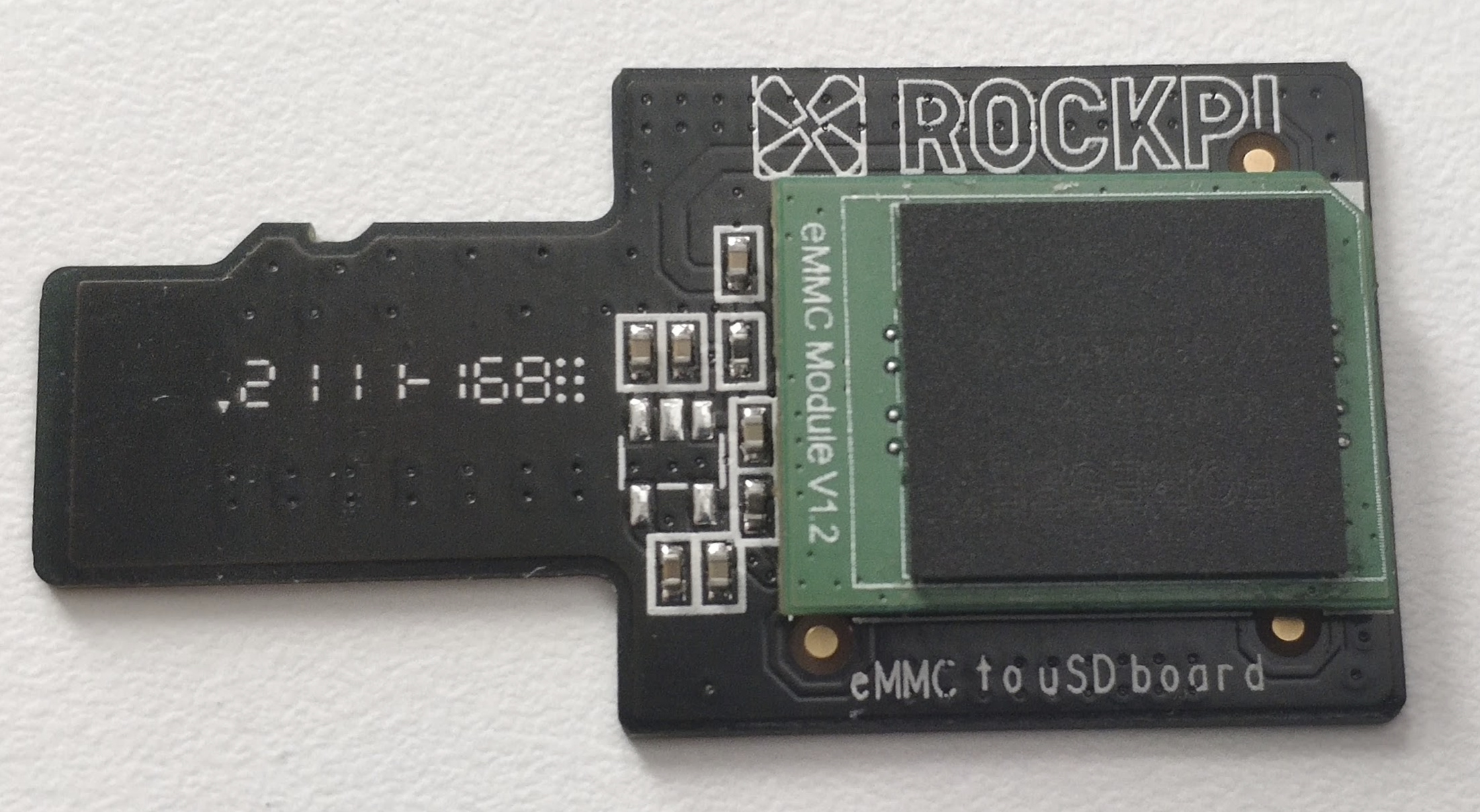
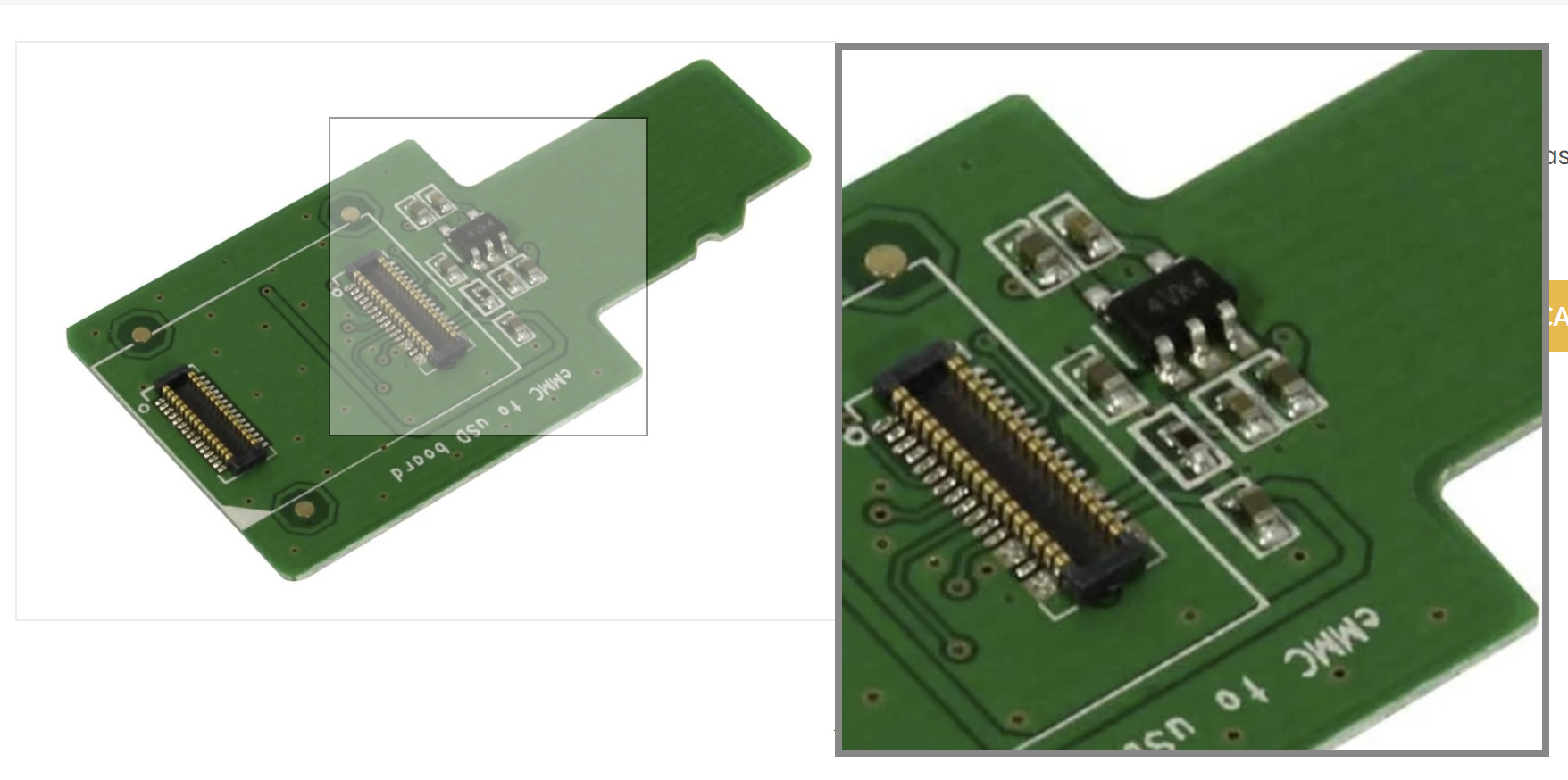
 Any other idea what should I check on this adapter? I checked contacts on bottom and few slots (with and without sd adapter) and no luck