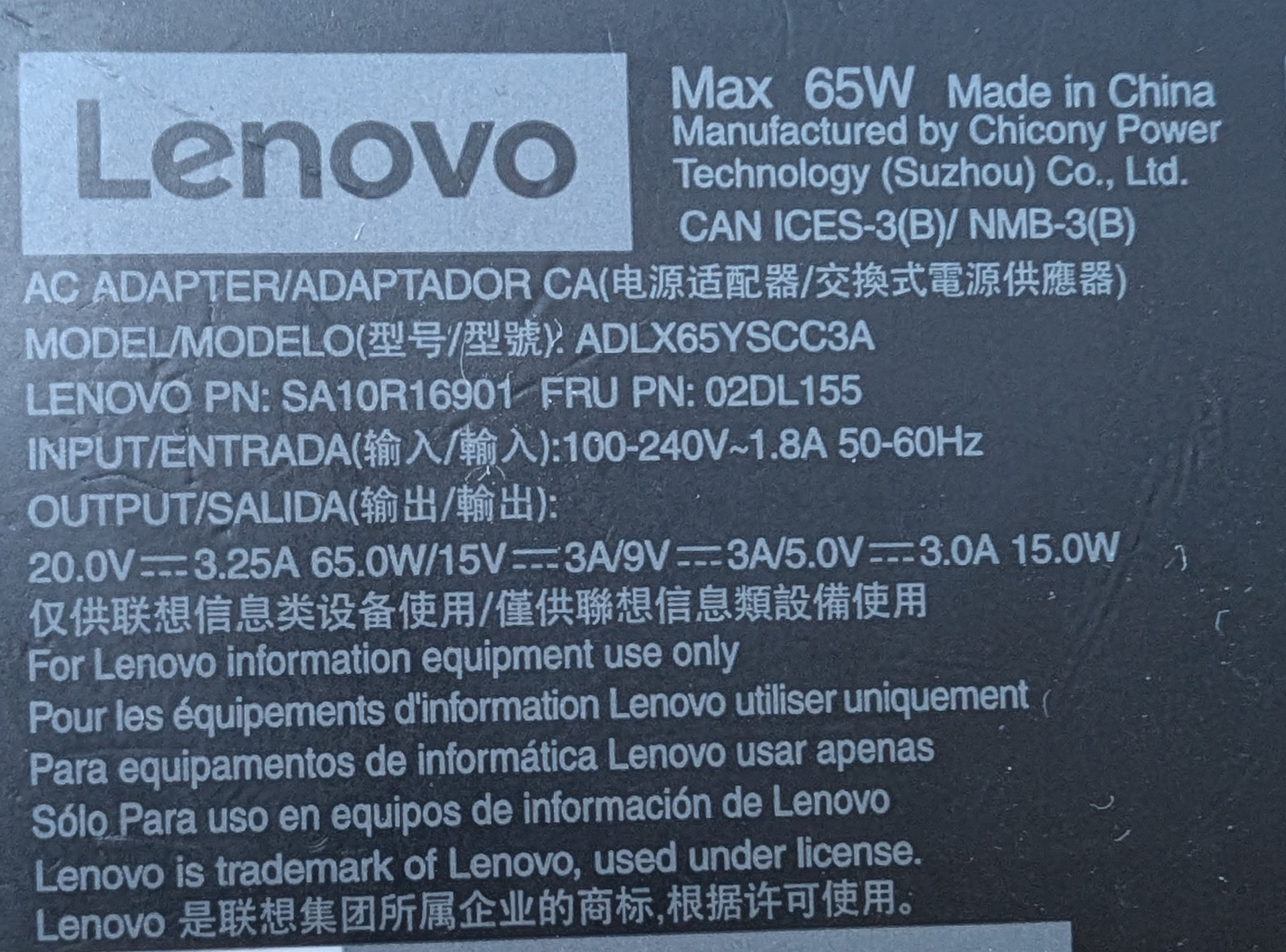
I’ve ordered a Rock 5B+ in Germany and I am looking for a fitting power supply, but currently I am having an argument with duck.ai about which one is good enough?
AI says a 65Watts power supply might be enough, but only if I don’t use a NVMe, because a NVMe SSD uses a lot of energy (up to 7 Watts more).
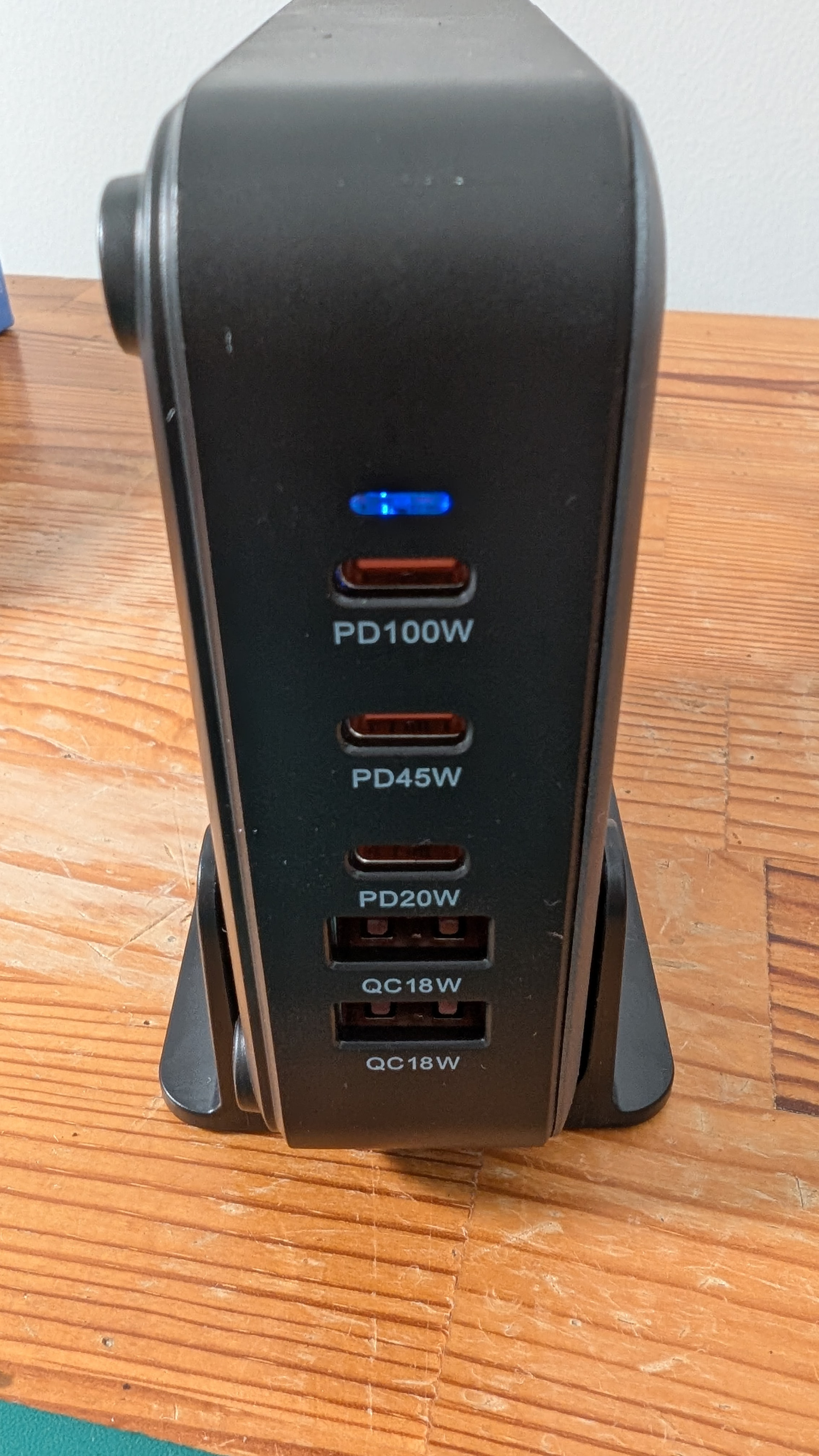
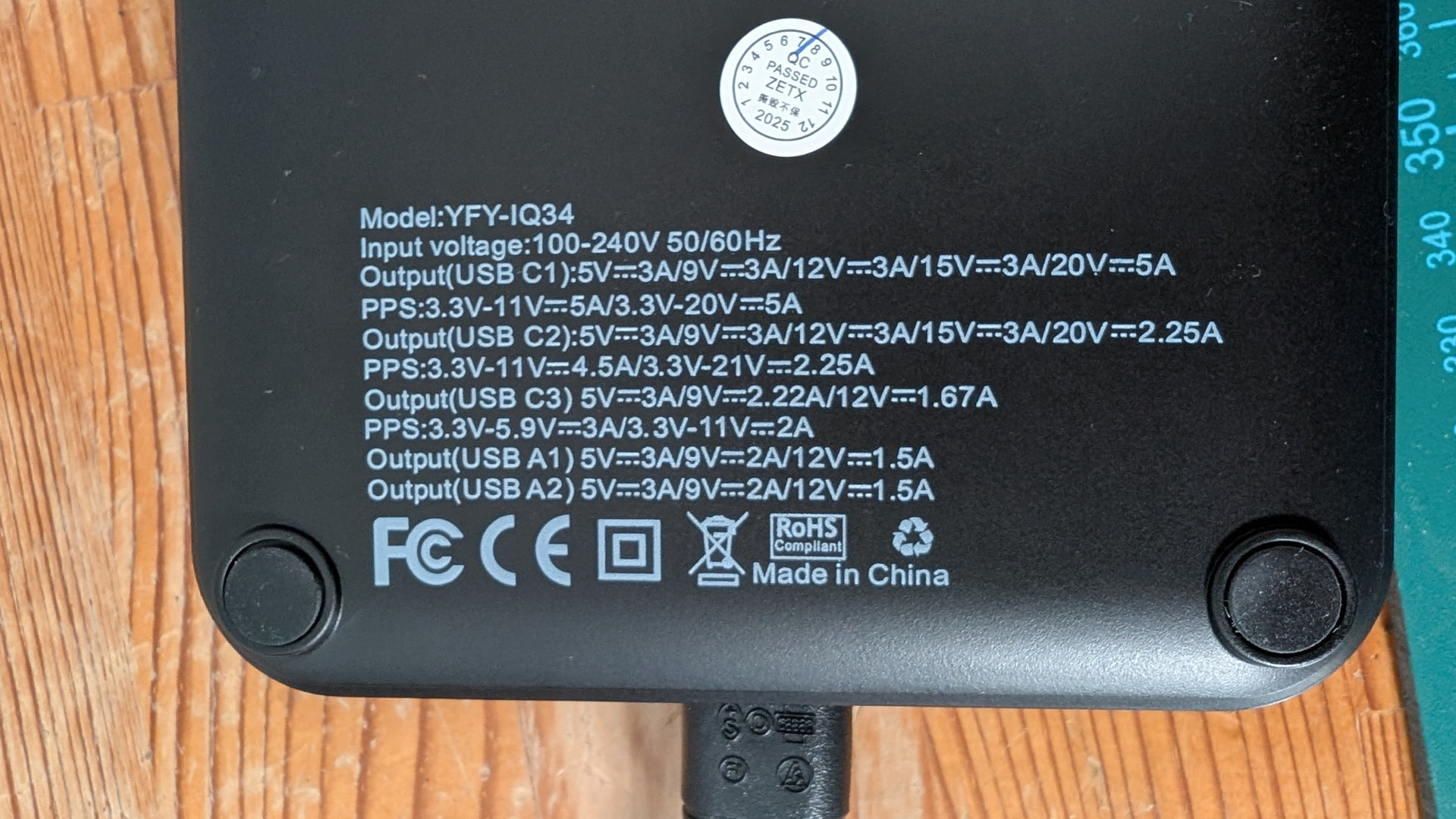
It has this output specs: PD1 / PD2: 3.3V-11V 3A, 5V 3A, 9V 3A, 12V 3A, 15V 3A, 20V 3.25A (65W max.)
The problem ai mentioning is, that the Rock 5B+ needs 12V and 5A, but none of them can do this. But they can do 20V with 5A or 20V with 3.25A.
Is ai hallucinating or will those power supplies work properly?
Do you have recommendations on which power supply should be used (in the EU)?
The Rock 5B+ should run 24/7 on full load (doing BOINC) and the power supply shouldn’t catch fire or explode… and I don’t want to damage the Rock ether.
Maybe you should stop relying on such crappy and stupid AI tools which know absolutely zero of the real world, and instead use common sense as implemented in your much more reliable own brain ? Given that these boards can run fanless with a moderately large heat sink, their maximum power draw is around 10-15W under full load. And in practice it’s less than 2W in idle. Add to this a few watts per NVME module and you get your response. You can also try to imagine the size of the fan the board would require if it drew 65W: it would be as large as an x86 CPU fan! Let alone the 200W version…
I’ve been using the same 65W power block to simultaneously feed both my Rock5B and my Rock5-ITX + 4 SATA SSD + 10G NIC and never faced any issue. So with 65W, you’re having a huge amount of headroom. In fact it’s more important that you find an efficient power block (GaN) than a powerful one, because the board consumes so little that a poor power block’s losses can easily be above the board’s power draw in idle. I think that a 45W GaN would be perfect for this board. But 65W are more versatile (often 2 outputs, convenient to feed another device at the same time).
I am trying to use my brain more, but in this case it’s more a knowledge thing, because I am a Software Developer and have only a little knowledge about electronics. That’s why I am really thankful to you and other pros, who can help me.
How large is this exactly? I’ve bought this one and hope it will be enough to have the Rock run 24/7 under full load.
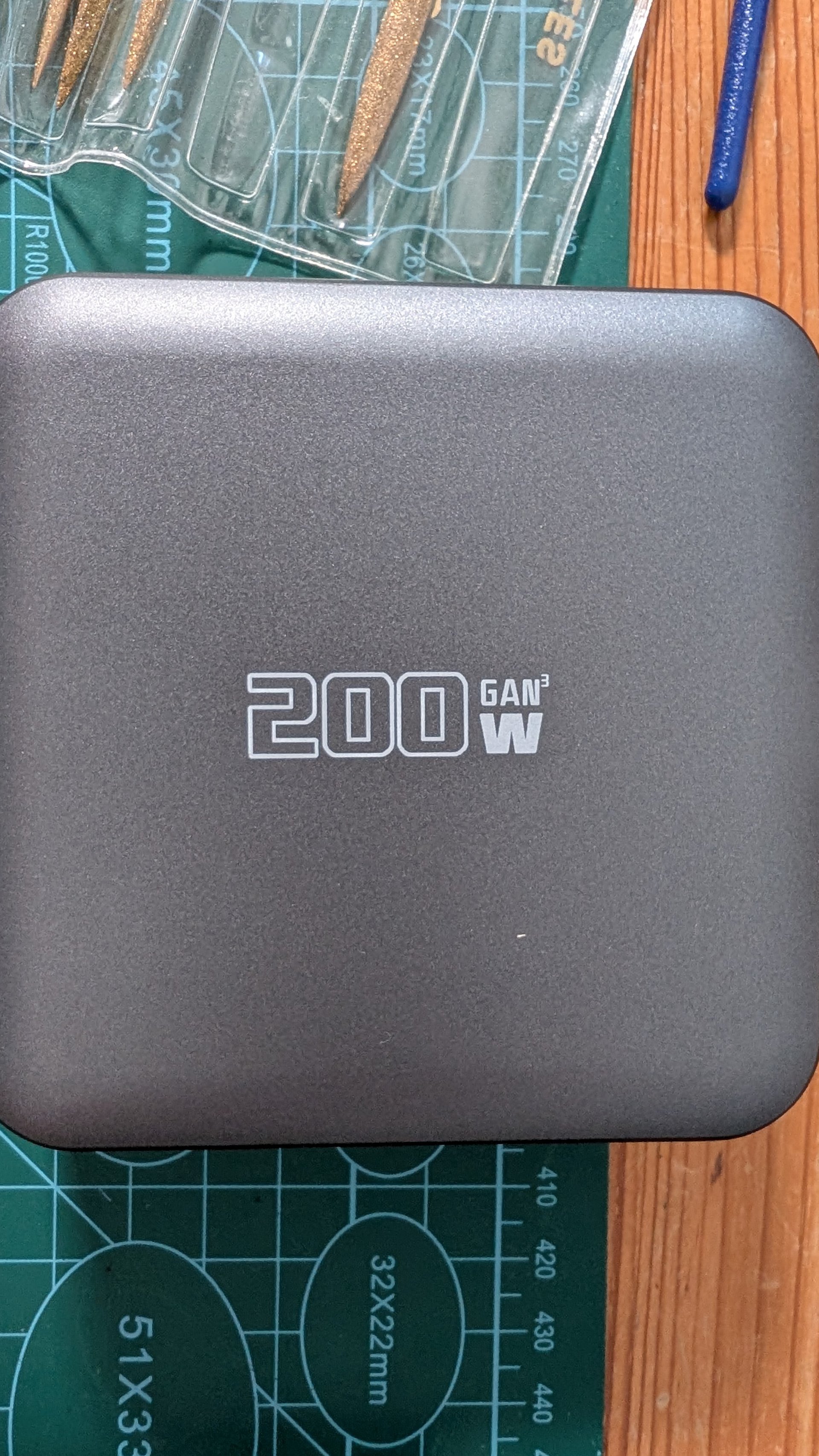
I’ve ordered 2 of those 200W versions, because they are cheaper than the 64W version and I really don’t know why? And because I am rebuilding my BOINC fleet buying used Raspberry Pis, Tinkerboards, Rocks, etc. I need a little bit more Watts and it might be future proof, because I don’t even know what projects I can do with those new Rock 5B+s?
The 200W version even has GAN III and the 65W only GAN II. I couldn’t figure out the exact differences, but I hope it’s just better.
Wow, I didn’t know arm already made it to the desktop market and that there are ITX boards for it. May I asked what projects you do with your Rocks? The one system looks like a really powerful NAS.
I mean, such AI tools know absolutely nothing about your board, yet they don’t know how to respond “I don’t know”, they’re trained to respond whatever but to respond. You can never trust their knowledge. See them as the annoying coworker who constantly brags and speaks loud to impress others but sometimes knows a thing or two. They’re similar. Just try them by asking facts about stuff you know well (e.g. your employer: who runs the company etc) and you’ll observe a terrifying mixture of some valid elements and total garbage. Use them to translate text, get cooking recipes or suggestions to then fact-check on a search engine, or to solve simple problems, but not to get facts, because that’s what they’re terribly bad at. That was my point.
I don’t read German but apparently it’s made for Rock 5B so it should be OK. In my case, I used a 4x4x4cm one with long fins and it’s sufficient. Ah I found the link to the photo I posted. The difficulty is to fix a heat sink that was not designed for a given board, of course. Oh by the way, if you end up with a self-made solution, be careful about the solution you use to attach the heat sink. In the past on other boards I’ve used silicon glue that’s made exactly for this, and regretted it: the glue is super strong, and when trying to pull the heat sink off, the SoC’s lid came with it. Some thermal pads are sticky enough to hold a heat sink in place. Or you can find some thermal thin double-sided sticking tape that works relatively well. But better use the vendor’s solution.
It can be a matter of brand or quality, or generation since prices are falling.
Be careful about one thing regarding multi-output power supplies: they’re often made for charging devices, and often when you connect a new port, during the power negotiation, they cut the power to other ports then re-enable it a second or two later. That’s not a problem when charging, but it’s extremely annoying when used to power an SBC. I’ve seen this with all USB-PD power supplies till now. My rock5b has been rebooting every time I plugged or unplugged my laptop from the PSU. So I’d advise you to be careful if you want to power multiple boards from the same power block.
It’s just marketing to make people buy new adapters they already have. It’s just that the technology is evolving and vendors figured it was better to stick a version on them. Look here for example. In short its “good”, “better”, “even better”…
But Arm is being used in all Macs since the M1, in Snapdragon-based Lenovo laptops, SoftIron’s Overdrive 1000 featuring AMD’s Opteron A1100, various boards such as SolidRun’s Honeycomb using NXP’s LX2K 16-core chip, Ampere Altra-based Gigabyte/Asrock/Supermicro boards that are both for servers and high-end workstations, and of course Radxa’s Rock5 ITX and Orion-O6 boards.
Essentially development and testing. I’m luck enough to receive some early samples from Radxa because apparently I torture them enough to help spot limitations that can be improved in the final model . But in practice they’re already perfectly good when I receive them so I keep them for development. I installed my Rock5 ITX in an enclosure and connected 4 SATA SSDs and a 10G NIC to it, planning to replace my file server, but never felt brave enough to definitely switch to it, because for me data are extremely precious and I tend not to change something which works. But eventually I will do. The O6 is nice for experimenting with AI on CPU. It is as powerful as a 2-3 year old x86 laptop with good memory bandwidth. It draws a little bit too much power (about 11W idle) but is overall a great board for various use cases including development. I even bought a second one .
i ordered my 5b+ from allnetchina.cn and the 30w power block was recommended as a add on to my purchase so i went with that. i am running a full bitcoin node and the ssd ran way hotter than i would like with less airflow to it while being mounted on the underside of the board in a small enclosure that came with it. so i attached the ssd via a rtl9210 nvme usb enclosure. then i started experiencing bus errors shortly after starting the node. i went thru the gamut of possibilities of the issues. after days of troubleshooting, i finally figured out the issue with the help of claude ai. had to add this line extraargs=cma=256M usb-storage.quirks=0bda:9210:u to sudo nano /boot/armbianEnv.txt file that finally solved it. could have been other issues like originally having the usb in the usb 2.0 ports because they were the only ports that had it mount without alot of issues. it still has issues, have to take it out, put it in a windows computer and then safely remove it. not sure what it does but the radka sees the usb 75% of the time with that trick. but to answer your question, in my journey to get fix my issues i came across radxa recommending a 65w power supply https://docs.radxa.com/en/rock5/rock5b/getting-started/power-supply
i didnt have power issues that were obvious to the issues i was having running the 30w power supply so im not totally sure its needed. i asked allnetchina for a refund on what they sent me and currently using a voltage adjustable power supply which is rated for 5A and i have had it set from 8-11volts and all has worked well. ill set it as low as i can to see what the least of amount of power it needs according to my setup without failing once i get the system totally tuned after multiple operating system deletions.
This is critical - the dmesg output shows catastrophic USB failure. Notice all the write commands failing with hostbyte=DID_ERROR and cmd_age=40s - the USB commands are timing out after 40 seconds, causing the filesystem to remount read-only.
This is not a software configuration issue. This is the USB connection completely dropping writes under sustained load.
The Real Problem
The Radxa Rock 5b Plus USB implementation has a fundamental incompatibility with the RTL9210 under write-heavy workloads. The 40-second timeouts indicate the USB host controller is losing communication with the device entirely.
Your Only Reliable Options
1. Keep the NVMe in the M.2 slot (recommended) This is your most stable solution. You’ve already confirmed it works perfectly there.
2. Buy a JMS583-based enclosure ($20-25) Search for “JMS583 NVMe enclosure” - these have significantly better compatibility with ARM boards and RK3588 specifically.
3. Try one last-ditch attempt with mount options If you really want to keep trying the RTL9210, you could try mounting with sync disabled to reduce write pressure, but I don’t recommend this for a Bitcoin node as it risks data corruption:
bash
sudo nano /etc/fstab
Add noatime,nodiratime to your mount options for the partition.
The Bottom Line
The RTL9210 + RK3588 combination is fundamentally unreliable for write-heavy workloads like Bitcoin Core. The quirks and tweaks can’t fix hardware-level USB controller issues. Given that:
Your SSD works perfectly in the M.2 slot
Your enclosure works perfectly on Intel systems
The Radxa consistently fails with this specific combination
I strongly recommend either using the M.2 slot directly or buying a JMS583 enclosure. The RTL9210 isn’t worth fighting with on this board.
As always, the AI fails terribly at analysing the real world. The problem you have is trivial and known. The board can’t supply enough power through USB for RTL9210 to work at USB3 speeds. You can connect it via USB2 and it will work. That’s what my enclosures do.
It will work perfectly if you connect it via a powered USB hub.
Oh and the other suggestion is likely also wrong. The power may be insufficient for that one too, and also some usb bridges on arm use the USB-storage driver instead of UAS (which is a faster new driver). Please trust your own brain, not the text generating utility!
oh the irony of down talking ai assistance and youre just as misinformed. the rtl9210b had the same error in all three ports. usb 2.0, 3.0 and the type-c port. it would work for several hours and then shut down with a bus error. doesnt seem like a power issue if it can work for several hours prior to shutting down. there is more to it than that. i have a jms853 arriving later today for further testing and if it works ill report back if it maintains working for a few days. as of now the ssd has been working fine on the motherboard and i have had an additional external samsung ssd simultaneously working without bus errors in the usb 3.0 so once again doesnt seem like a power issue and more to do with the rtl9210b and gives more hope that the jms853 will work better and you ai hating fools can keep their arrogant thoughts to themselves
I may be wrong, and no, I don’t hate AI but some uses of AI are less likely to work than others. If it categorically states that the chip is “fundamentally incompatible”, that’s quite a strong statement without any experimentation to check whether it’s valid.
well good news. the jms853 works flawlessly for over 48 hours so the ai was more than correct. there isnt a large selection of these chip controller models on amazon. i purchased a jacobsparts and maiwo which was the less ideal and cheaper brand. the jacobparts ran dangerously hot and i shut it down within 10 minutes. ridicilous that manufacturers cant get that right, ive had a instance before with the eagle brand. i only bought the maiwo to get the free shipping but glad i did. it exposes the ssd to damage so i wont use long term but it operates properly and only slightly warmer than the rtl9210b when it temporarily works. ill try a few more brands from aliexpress. to stay on topic i have operated the 5b+ with two ssd’s at 8 volts and 5A = 40watts which is the minimum radxa recommends so you can probably get away with it i havent run into any issues. it isnt alot of intensive computing though but for light use it will work.

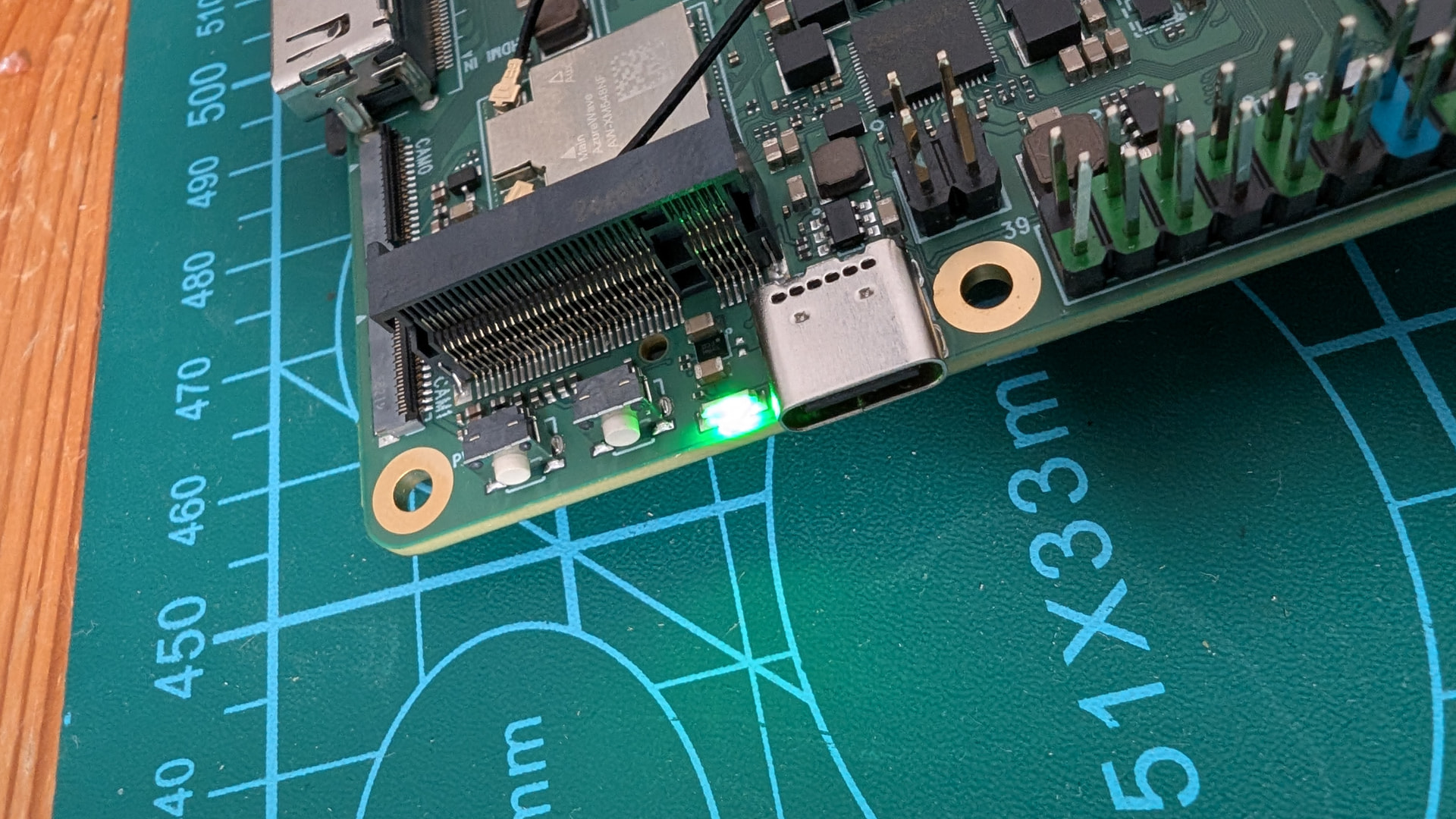
 green LED goes on. That’s it, no output on HDMI or anything.