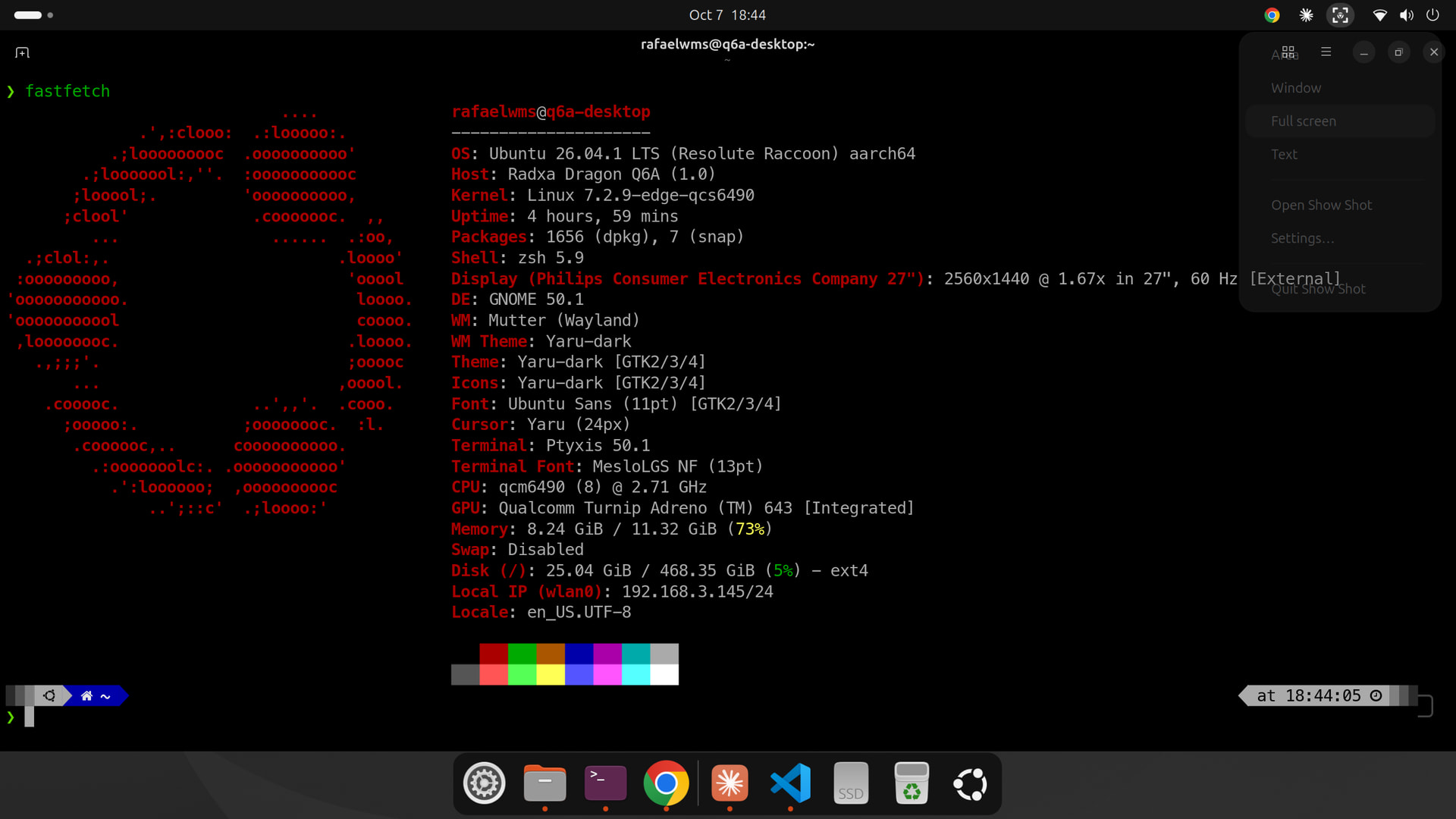
I’ve published v1.3.0 of my custom Ubuntu 26.04.1 LTS images (Server and Desktop/GNOME) for the Radxa Dragon Q6A (QCS6490). They exist because on this board the stock image has had two annoying problems for me: HDMI dying after an apt upgrade, and no working audio.
What’s new in v1.3.0: kernel 6.18.2 → 7.2.9
I’m using the Armbian edge branch for this board, pinned to the v7.2.9 tag. Earlier I had tried 7.0 and 7.2.3 and both broke HDMI on my board (same symptom other people reported on the Radxa forum). With 7.2.9 plus the DisplayPort/DPU patches Armbian carries for the QCS6490, HDMI works. Subjectively it also feels more stable and faster than 6.18.2 here, but that’s one person’s impression, not a benchmark.
If you prefer the older kernel, you can still build with 6.18.2 (KERNEL_BRANCH=current scripts/build.sh) or use the v1.2.1 images.
What I tested on real hardware (one board, mine)
| | Desktop | Server |
|—|—|—|
| Boots from native NVMe slot | yes | not tested (booted from a SATA SSD in a USB case) |
| Boots from USB (NVMe/SATA in a USB case) | yes | yes |
| HDMI | yes | yes (console) |
| Wi-Fi + Bluetooth (onboard, aic8800) | yes | yes |
| Audio (headphones + HDMI) | yes | sound card shows up; I did not listen to it |
| NPU device nodes (/dev/fastrpc-*, adsp/cdsp running) | yes | nodes present, user in fastrpc group |
| apt update && apt upgrade, then reboot | yes | yes |
Desktop extras: GNOME (ubuntu-desktop-minimal, no office suite or games), native Firefox from Mozilla’s apt repo (no snap), and the classic GNOME Software.
Known issues / honest caveats
-
Headphones: once, after a boot, only the right channel played until I re-plugged the jack (jack detection said “off”). Re-plugging fixed it. I couldn’t reproduce it yet, so the root cause isn’t confirmed.
-
The GNOME “Software Updater” sometimes looped on the same update in an earlier build. I traced that to Ubuntu’s Firefox transition package replacing the native Firefox via unattended-upgrades; the v1.3.0 images block that with an apt pin, and the loop is gone in my testing.
-
dmesgshows some audio/SoundWire/DSP errors (qcom-apm CMD timeout, port mismatch). They don’t affect the audio I tested. -
GNOME Resources shows the CPU as just “Cortex-A55”, most GPU fields as N/D, and has no NPU page. That’s how the app (and upstream Linux) exposes this hardware. GNOME Settings > About shows 4x A78 + 4x A55 and the Adreno FD643 correctly.
-
Converting your own AI models still needs the Qualcomm QAIRT SDK (free, account required). The runtime and device access are included.
-
Only tested by me, on one board. Feedback from other Q6A owners would be very welcome.
Download / install
Images are split into ~1.5 GB parts for GitHub’s asset limit. The easiest way is the interactive installer in the repo (it downloads the parts, verifies SHA256, reassembles and flashes, asking you to confirm the target disk):
git clone https://github.com/rafaelwms/ubuntu-26.04.1-dragon-q6a.git

cd ubuntu-26.04.1-dragon-q6a

./install.sh # Linux

./install_mac.sh # macOS (I have not run this one on a Mac myself)
Default login is radxa / radxa — change the password on first boot. The root partition grows to fill the disk on first boot.
The README and docs/pesquisa.md (in Portuguese) document the root causes and every dead end along the way.
Repo: GitHub - rafaelwms/ubuntu-26.04.1-dragon-q6a · GitHub