Please excuse my ignorance, I am very new to SBC’s and I’ve only been using Linux for about a year now so I still have a lot to learn there, but I’m having an issue with my rock5a 3588 with every single OS I’ve flashed. I can update and when I do, upon reboot the os becomes bricked. I am presently having the most successes with BredOS but I am struggling to import missing keys to update the system. Is this an issue that needs to be addressed in Maskrom mode?
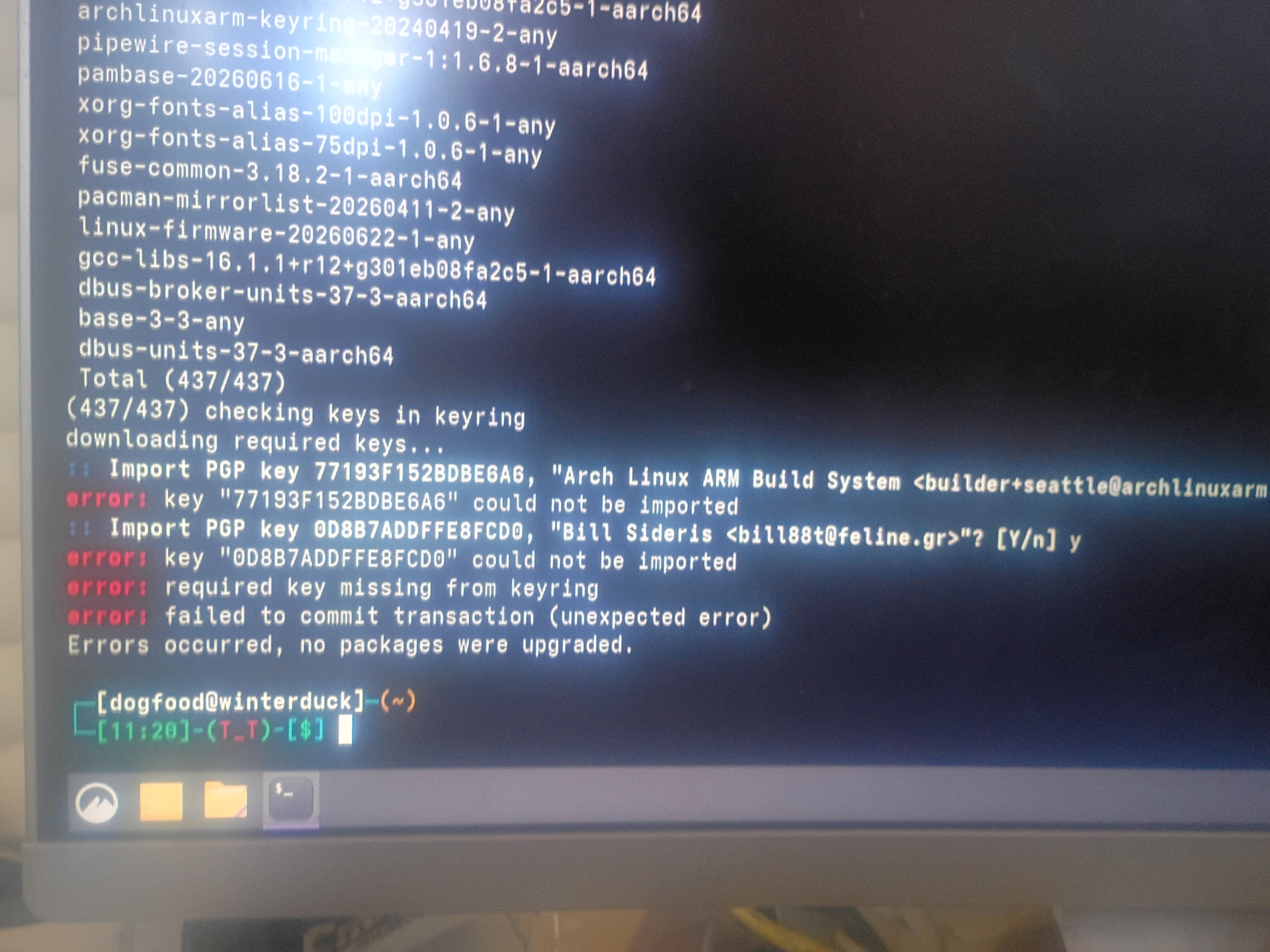
If you still can type commands at the command prompt, your SBC is not bricked.
But I see ‘Arch Linux’ and so it seems Arch Linux based distro that BredOS.
Don’t use Arch Linux if you are new to SBC’s and/or new to Linux. Arch is rolling release distro and updates constantly to latest versions for everything and that might break things every now and then.
You are supposed to be able to fix that yourself. So this case needs looking into Arch Linux documentation or just generic multi-year Linuc computing/manitaining skills. Also Arch can take new packages/updates from others, I see that Bill for example. Is very tricky and you should know what do did and do. I am not an Arch Linux user, so can’t really help you. Ask help on Arch forum I guess.
But you better take standard RadxaOS or Armbian for this Rock5A. If it still freezes then, check power supply and SD-card brand and quality. You and others here on the forum need to be sure that we are not wasting our time on some trivial problems that have been there as long as there are SBC’s for consumers.
I very much appreciate your time, I guess I didn’t articulate entirely what my problem has been. I’m worried I’m having an issue with the board because for instance when I flash a fresh diet pi onto a quality SD card, it goes into read only mode and when I run a fresh armbian or Debian, after I update upon restart it begins having problems again; I am also unable to update on this current os so I guess I was trying to ask if there is a known reason for this and where I should look.
I appreciate your feedback, I don’t mean to waste time whatsoever and I will look into the resources you mentioned.
Best to look into the journal what is happening. Something like:
sudo journalctl -e -f
shows current kernel messages.
sudo journalctl –boot
shows what has happened since boot
Or use armbianmonitor -u
and post the URL here
Here’s another instance: I switched my SD card back to RockOS and I ran a system update through Discover, upon rebooting I am met with a familiar error regarding /dev/mmcb1k1p3 requiting manual fsck
On rockOS, if I use rsetup I’m informed if I try and update my SPI bootloader system might be broken.
On this fresh radxaOS, on sudo-uodate I get informed I’m missing public keys 5D93177D0752732A and 67A474DD40402951
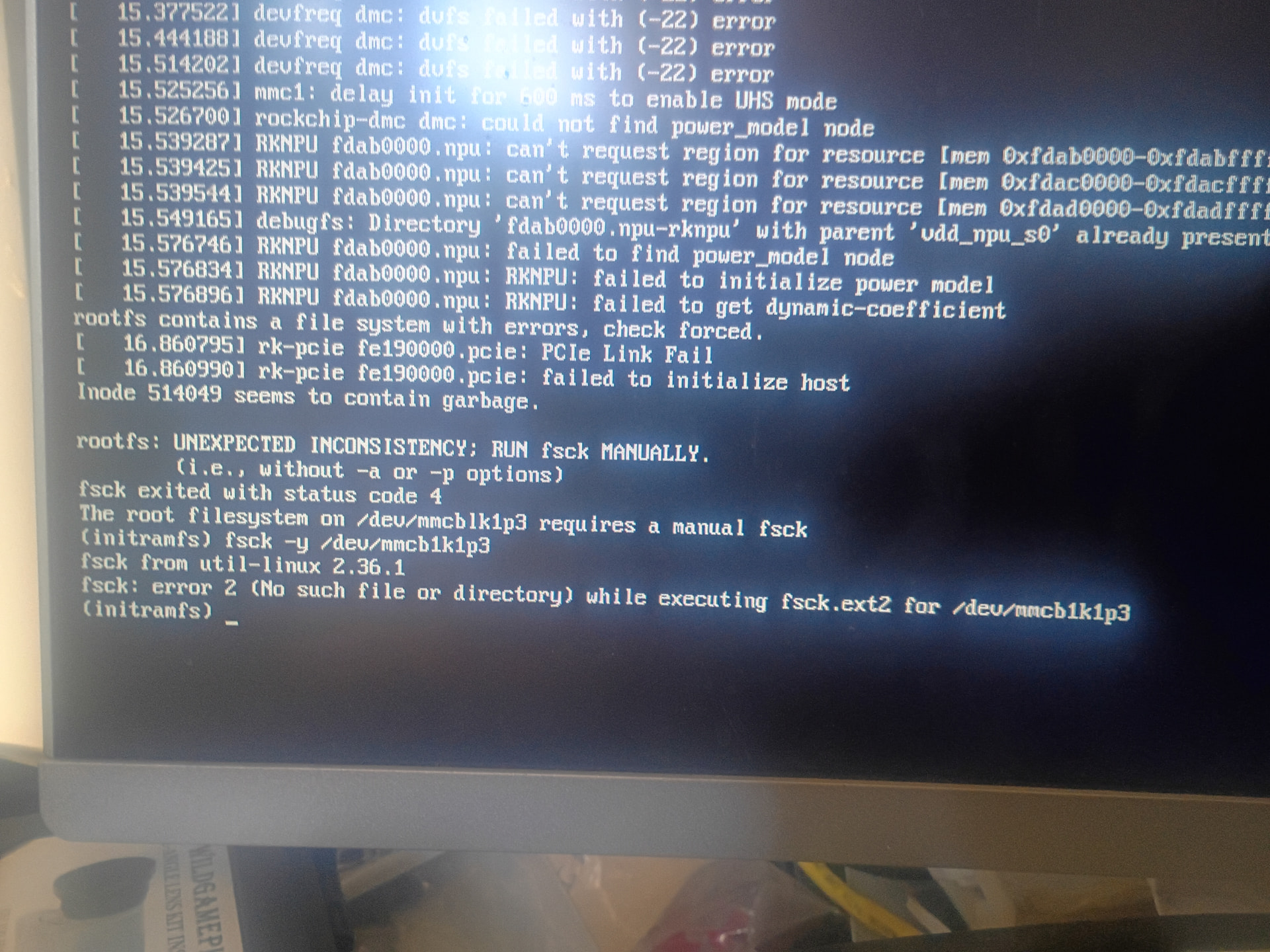
If the current contents of the SPI-flash is an old or corrupted U-Boot version, it won’t work well with new kernels. Then the filesystem corruption is explained. Wipe the SPI-flash so that the U-Boot from SD-card is used. You can then later write a new correct version.
But still can be a powersupply problem or still something with SD-card or SD-card adapter used to write the SD-card.
Thank you for pointing this out. In rsetup, I do not have the option to clear the SPI and I am presently struggling to work things out through Maskrom mode. I appreciate your feedback, I’ll see what I can do with that
Are there specific SD cards I should avoid?
I would use fresh RadxaOS and immediately (before corruption/troubles) use this:
If that does not work, then via maskROM.
I won’t try to remember bad brand SD-cards, is long time ago I had those. But fake good brands can be a really nasty problem. They look then perfectly like normal Samsung or Sandisk, but aren’t. Usually they are too cheap, that is mainly a warning sign.
I am unable to clear the SPI from rsetup, there is no option
Maybe list devices:
sudo lsblk
There should be:
/dev/mtdblock0
That is SPI-flash. Wipe by doing:
sudo dd if=/dev/zero of=/dev/mtdblock0
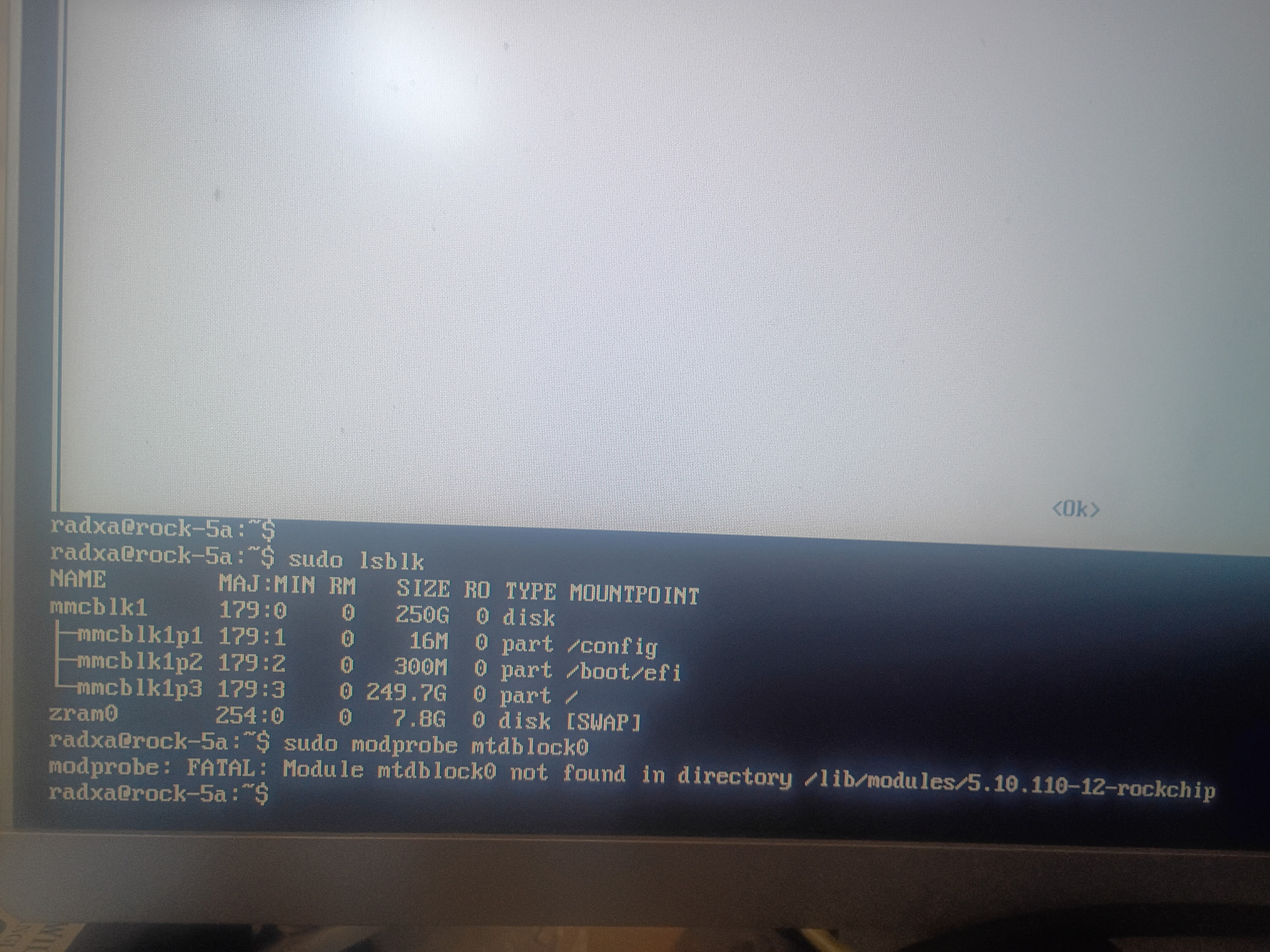
OK, I think RadxaOS probably does not have the MTD block emulation layer in the kernel. I never really used RadxaOS, only Armbian with various SBC’s and that has it by default.
It could also be the SPI-flash module is not connected (or flaky connector contacts), so maybe post pictures; of the underside of the Rock5A, the SD-card, the power supply, and maybe some overview how it is all connected. It even might be that the HDMI cable causes issues. When my old redundant/backup refrigerator switches off, 1 HDMI monitor connected to an SBC fed by a PI5 PSU blanks for a while. I know why that is, but don’t care.
So maybe check (on my Armbian Trixie 6.1.115 kernel):
root@rock3a:~# ls -al /dev/mtd*
crw------- 1 root root 90, 0 Jul 17 19:56 /dev/mtd0
crw------- 1 root root 90, 1 Jul 17 19:56 /dev/mtd0ro
brw-rw---- 1 root disk 31, 0 Jul 17 19:56 /dev/mtdblock0
If there is no mtd0block0, then see maybe:
root@rock3a:~# flashcp --help
Flash Copy - Written by Abraham van der Merwe [email protected]
usage: flashcp [ -v | --verbose | -A | --erase-all ]
flashcp -h | --help
flashcp -V | --version
-h | --help Show this help message
-v | --verbose Show progress reports
-p | --partition Only copy different block from file to device
-A | --erase-all Erases the whole device regardless of the image size
-l | --wr-last=bytes Write the first [bytes] last
-V | --version Show version information and exit
File which you want to copy to flash
Flash device node or ‘mtd:’ to write to (e.g. /dev/mtd0, /dev/mtd1, mtd:data, etc.)
Also that might not be installed. I might have installed it myself, forgot that. At least I never needed maskROM mode for RK35xx boards, although it should work. But you might need special USB(3) cable sometimes.
In addition, things would be easier if you could connect a USB serial console/debug UART cable on pins 6 8 10 of the 40-pin header and operate the Rock5A via putty or so on your PC (or any other computer that has an USB port). They cost about 1 Euro on Aliexpress, but most people don’t have one. Then you can also easily see what U-Boot version is loaded/started by de ROM in Rock5A. And maybe already errors there, so it is less guessing what is going on.