Hello!
Is it possible to solder UFS or eMMC chip on A7Z? What version is possible? (UFS 2.0? 2.1? 3.1? 4.0? eMMC 4.1-4.5, 5.0-5.1?)
Can A7Z boot from UFS/eMMC with stock Radxa OS?
Maybe someone did it?
Hello!
Is it possible to solder UFS or eMMC chip on A7Z? What version is possible? (UFS 2.0? 2.1? 3.1? 4.0? eMMC 4.1-4.5, 5.0-5.1?)
Can A7Z boot from UFS/eMMC with stock Radxa OS?
Maybe someone did it?
Still no answer… I am also interested in a A7Z with a UFS chip, preferably pre-soldered but at least a way to buy compatible chips. They had stated that boards with UFS would be available at the end September ( Availability of Radxa Cubie A7Z with UFS ), but 3.5 months later, still nothing. Having non SD storage is the reason I want to use the A7Z for my project. Maybe it is time to look at other brands for similar boards?
in the discord channel there is a guy that found a ufs module and soldered it on. I have as one well, I need a friend to solder the ufs module
Hello again! 
I read schematic for the A7Z and found answers for some my questions:
first of all, there is no eMMC interface on our board, so we need UFS chip only. Next, I bought UFS chip and now waiting for it. It will be a difficult task to solder it properly
Hello everyone!
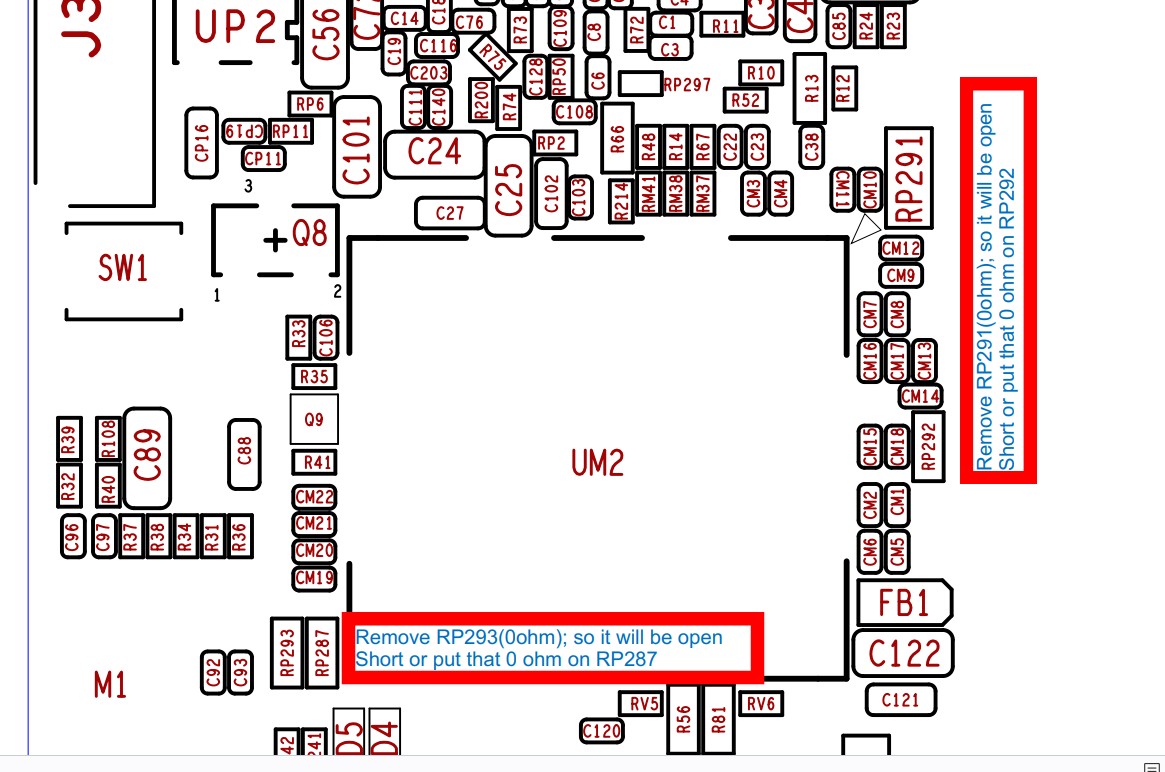
So, I found a cell phone repair shop, where they agreed to solder the chip onto the board. Unfortunately, the disk did not appear in the lsblk output. I compared the uart logs with the old ones, and found no differences. Then I opened the schematic of the board again and realized what the problem was. UFS modules are compatible from top to bottom, but different versions have different power supply. By default, the 3.0-3.1 module is installed on the board, but I bought a UFS chip version 2.1. Fortunately, Radxa engineers have provided this option. To make the 2.1 module work, you need to remove 3 resistors from the board and add 3 jumpers. After I did this, the /dev/sda device appeared in Debian, I uploaded a ufs-enabled image to this device, pulled out the SD card, rebooted, and the system booted from UFS.
I would like to note the excellent work of the Radxa engineers, without schematic and component placement map, I would not have succeeded.
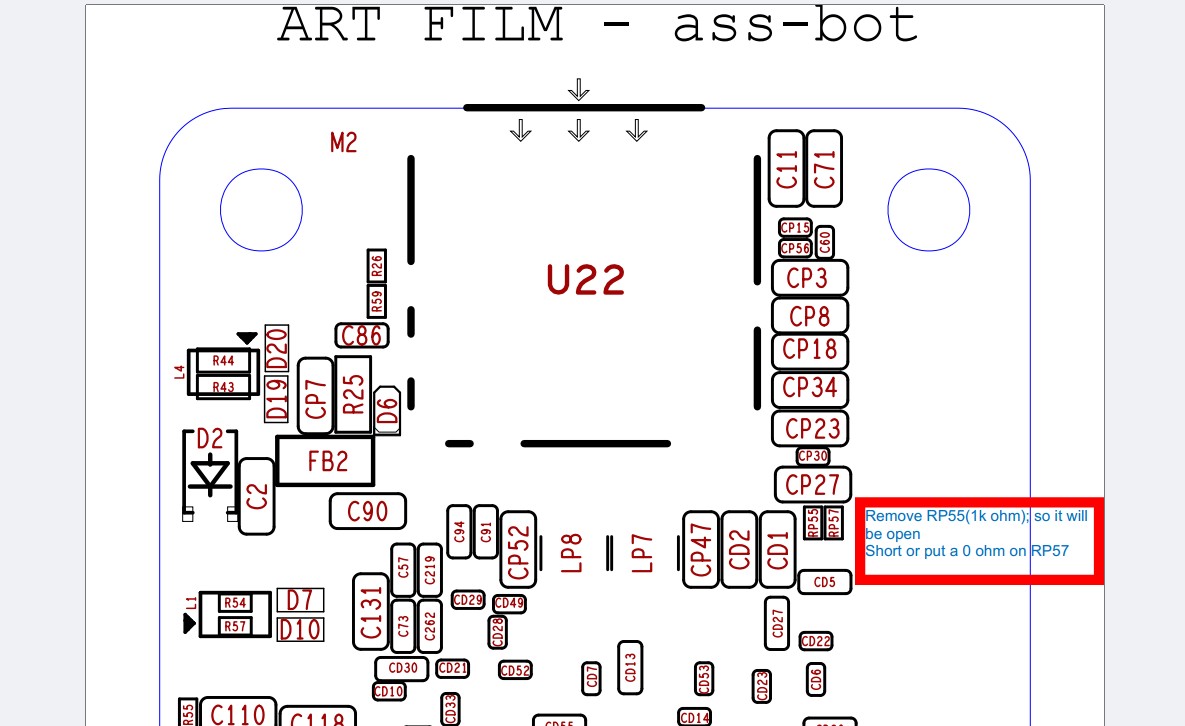
UM2 is UFS (bottom); U22 is microsd (bottom); source: pg4&9 of schematic v1.11 and component map v1.11; let me know if it is a success!!
did u find any solution with radxa a7z? i ve soldered a 8gb ram and 256gb ufs 3 , and i tried installing the ufs with a kde image but the bootloader was on the sdcard, then flahed other images on sdcard and messed it up, now it boots, put the password and it freezes. anyone knows a solution?
use r6 image for both ufs and sd
first use sd to boot then flash ufs with official ufs r6 img; then partition if necessary; turn off remove sd; boot from ufs; you can boot from the sd later if change is needed in ufs filesystem;