Arm Windows virtualization via Qemu can easily obtain the graphics support through ramfb. However, this mode has many limitations such as fixed screen resolution and poor performance.
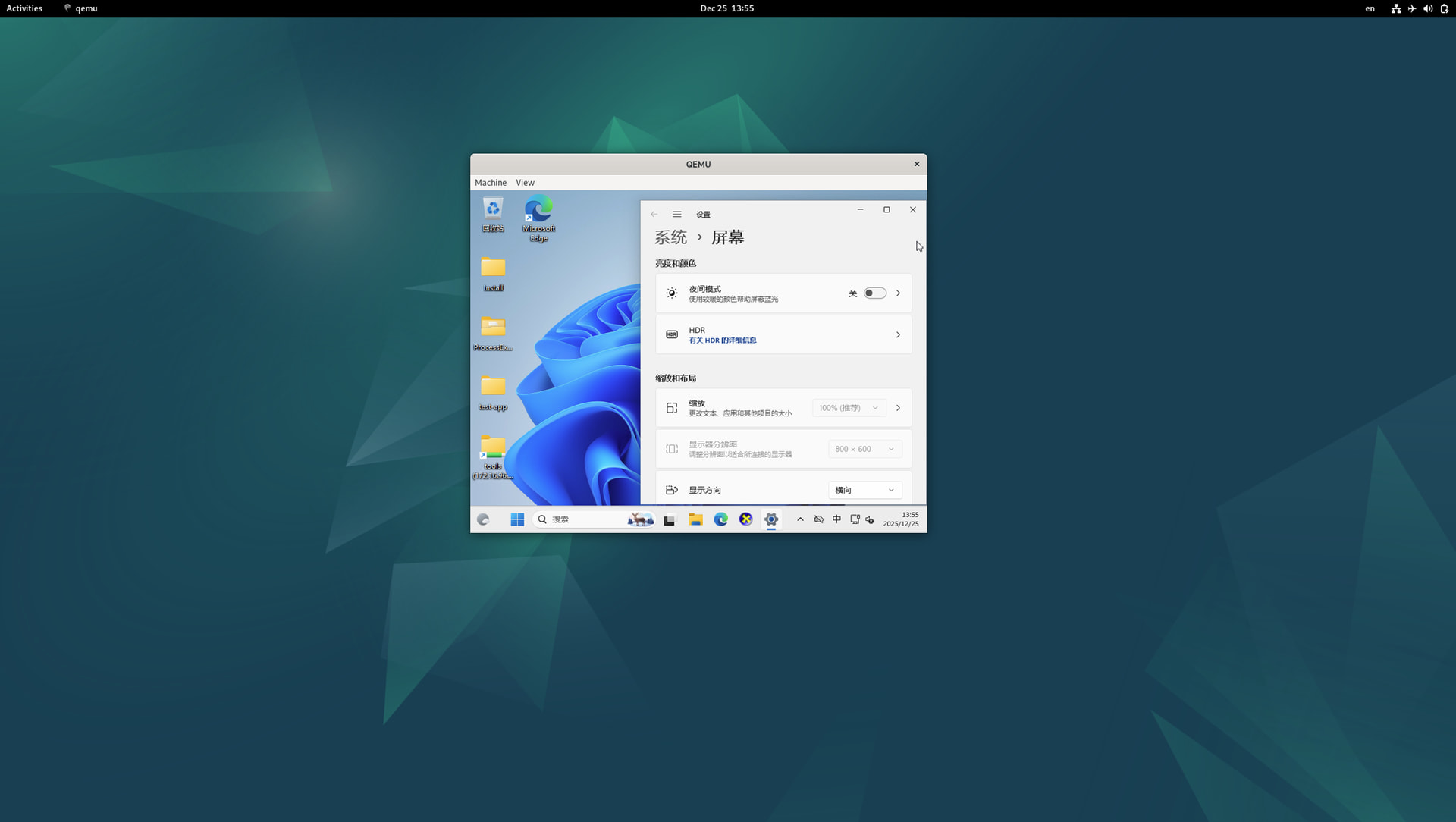
The virtio-win ARM version virtio-gpu driver - viogpudo helps to improve the user experience.
Configuration
Host OS: Debian12
Qemu Version: 7.2+dfsg-7+deb12u16
Arm Windows ISO:
Download from Download Windows 11 Arm64
virtio-win driver:
Download from https://fedorapeople.org/groups/virt/virtio-win/direct-downloads/archive-virtio/virtio-win-0.1.262-1/virtio-win-0.1.262.iso
Qemu command:
taskset -c 6,7,8,9,10,11 /usr/bin/qemu-system-aarch64 \
        -M virt --enable-kvm -m 8G -cpu host -smp cores=6 \
        -bios ./QEMU_EFI.fd \
        -device ramfb \
        -device virtio-gpu-gl \
        -display gtk,gl=on \
        -device qemu-xhci -device usb-kbd -device usb-tablet \
        -nic user,model=virtio-net-pci \
        -device usb-storage,drive=virtio-drivers \
        -drive if=none,id=virtio-drivers,format=raw,media=cdrom,file=./virtio-win-0.1.262.iso \
        -drive if=virtio,id=system,format=qcow2,file=./e2d24d60-2cfc-4ffa-a727-6a34a19a56d9_run.qcow2
Install viogpudo
- The following parameter mounts
virtio-win-0.1.262partition to the guest,
-drive if=none,id=virtio-drivers,format=raw,media=cdrom,file=./virtio-win-0.1.262.iso \ - Install the
viogpudodriver from the mountedvirtio-win-0.1.262folder,
- There will be two displays once the driver is installed successfully. Select to only show on screen 2,
- The following parameters enable
viogpudodriver,-device virtio-gpu-gl \ -display gtk,gl=on \ - Select “virtio-gpu-gl-pci” under “View” menu in QEMU GUI,
- The
viogpudodriver is now available in the Windows guest,


Experimental - viogpu3d
The RP https://github.com/virtio-win/kvm-guest-drivers-windows/pull/943 provides 3d accelerated virtiogpu in Windows guest. To use this,
- Build and install viogpu3d driver in the Windows guest,
GitHub - max8rr8/kvm-guest-drivers-windows at viogpu3d - Build and install Mesa in the Windows guest,
https://gitlab.freedesktop.org/max8rr8/mesa/-/tree/viogpu_win - Use the latest virglrenderer, which contains the following commits on the host,
https://gitlab.freedesktop.org/virgl/virglrenderer/-/merge_requests/1185/commits
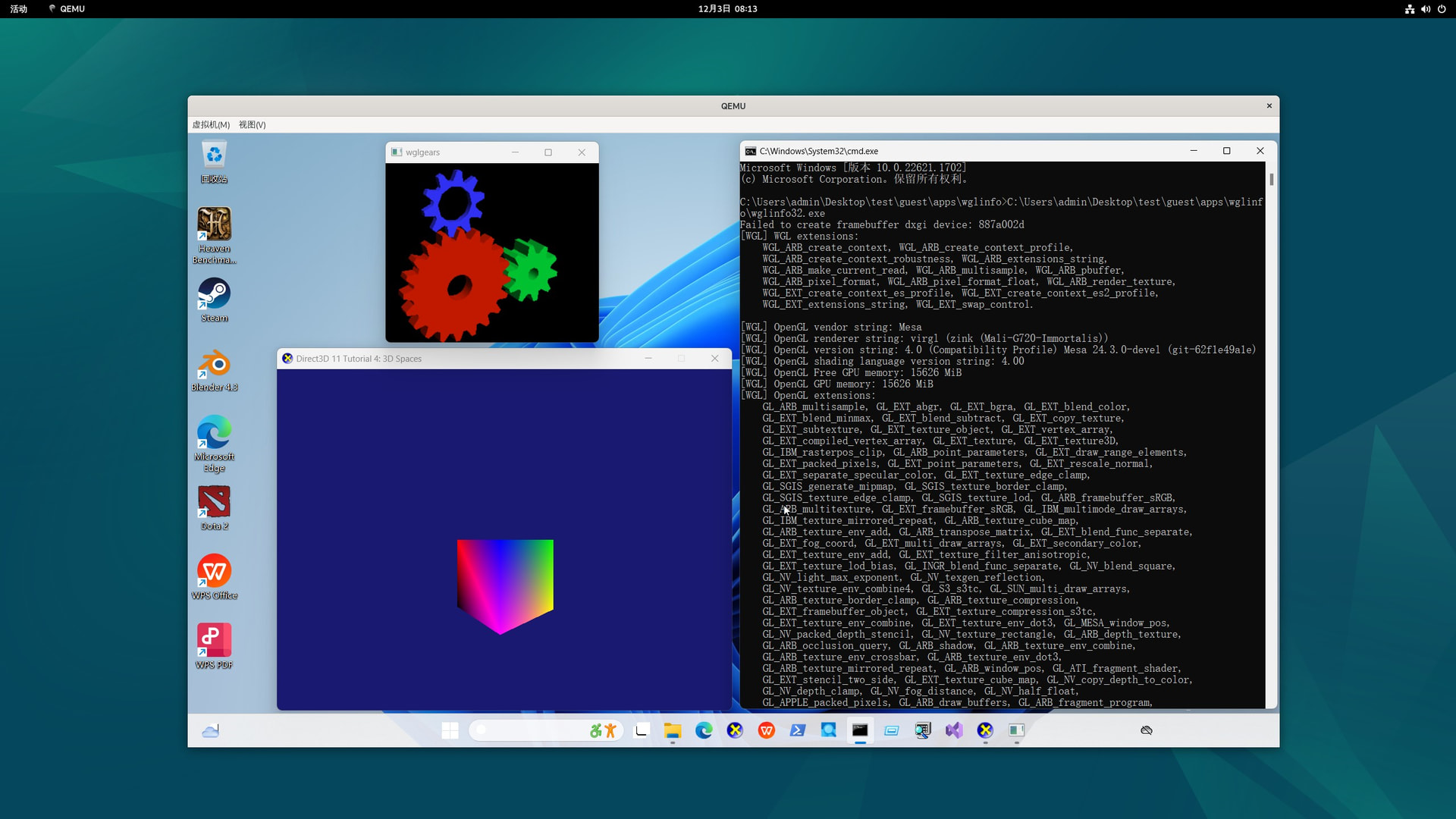
The 3D application can now be run in the guest,
Note:
viogpu3d is only for experimental use as it still has numerous stability issues.