First, I see if the PCIe to M.2 + NVMe is fine. So, I hooked it to a Pi5 and it works.
pi@PiCam1:~ $ lspci -tv
-[0001:00]---00.0-[01]----00.0  Samsung Electronics Co Ltd NVMe SSD Controller 980 (DRAM-less)
-[0002:00]---00.0-[01]----00.0  Raspberry Pi Ltd RP1 PCIe 2.0 South Bridge
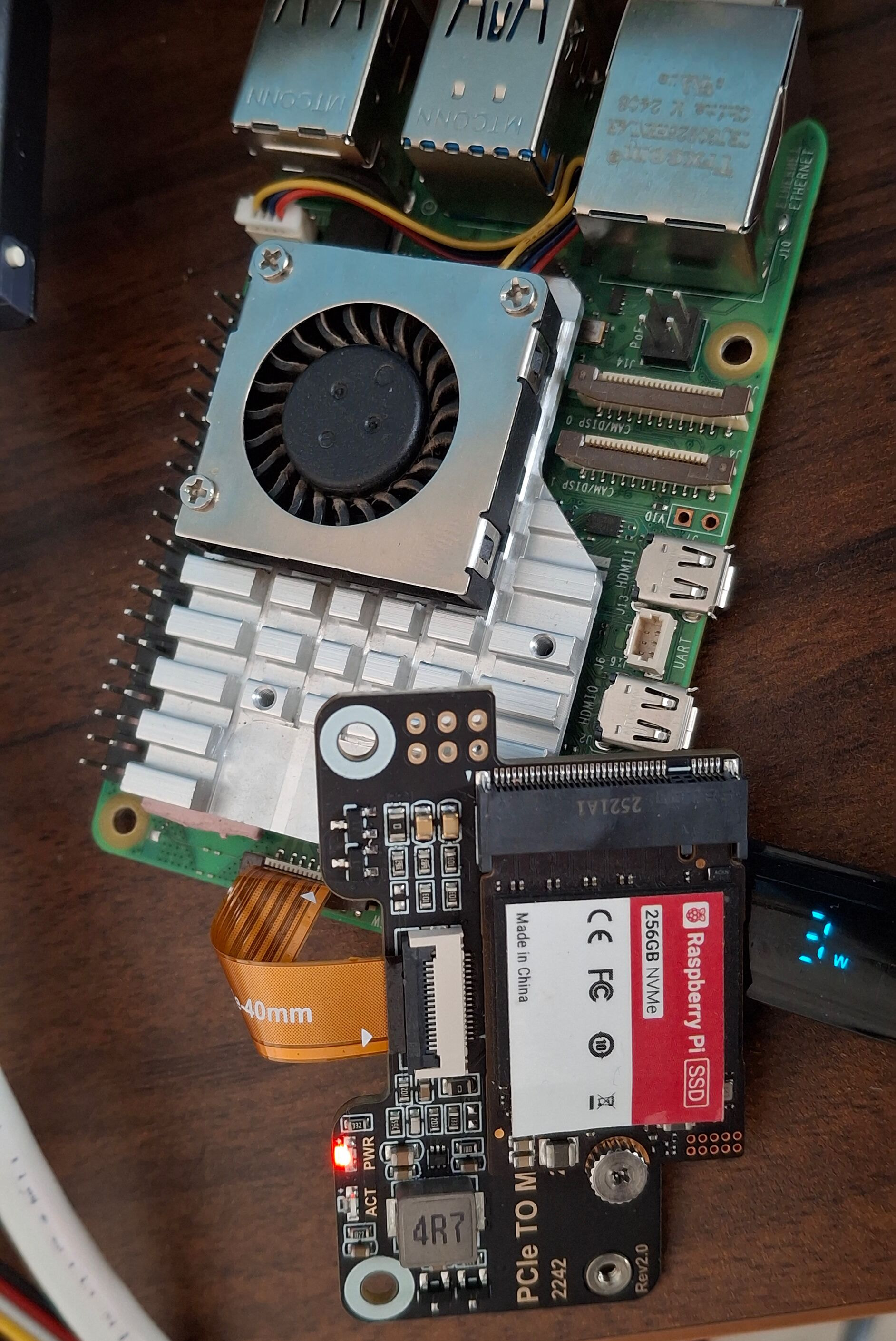
Now, keeping the FFC attached to the M.2 board end (since we know that is the correct orientation), I connect the other end to the 2.5G router board as in Jeff’s post, which did not work. Jeff too reported that this didn’t work for him.

I flipped the FFC on the 2.5G hat’s end - didn’t work either.

In either case, I get
pi@piroute:~ $ lspci -vt
-[0001:00]---00.0-[01-06]----00.0-[02-06]--+-00.0-[03]----00.0  Realtek Semiconductor Co., Ltd. RTL8852CE PCIe 802.11ax Wireless Network Controller
                                           +-02.0-[04]--
                                           +-06.0-[05]----00.0  Realtek Semiconductor Co., Ltd. RTL8125 2.5GbE Controller
                                           \-0e.0-[06]----00.0  Realtek Semiconductor Co., Ltd. RTL8125 2.5GbE Controller
-[0002:00]---00.0-[01]----00.0  Raspberry Pi Ltd RP1 PCIe 2.0 South Bridge
pi@piroute:~ $ Connection to 192.168.2.1 closed by remote host.
Note the RTL8852CE module connected to the M.2 M key (via a A/E to M key adapter) is working fine. But anything connected to the router board’s FFC connector is not recognised.
Unfortunately, I can not find any official documentation on this. Since all the hyperlinks of the documentation page (https://radxa.com/products/accessories/dual-2-5g-router-hat/#documentation) of the hat gives “找不到页面”.
The silkscreen says “Radxa Dual 2.5G Router HAT V1.5”. What are we missing here?
The discussion in this forum where Jeff encountered this issue seems inconclusive as well. Let us fix together now… @geerlingguy did you remember what you did (unlikely… but )?
PS: I believe, this is a very useful board for those who want all-PCIe network device (router, gateway etc.) build. To my knowledge, this is the only board using ASM2806 (= gen3 speeds) that fans out 2 downstream PCIe ports alongside 2*RTL8125. Seed Studio’s dual M.2 hat too uses an ASM2806 switch but only gives access to 2 downstream ports (M.2).