As customer support isn’t responding (Norah), I’m posting here.
I’m planning to buy an Radxa E25 but I have a few questions; I’d be grateful if you could help me sort them out.
I plan to use the Radxa E25 as a router running OpenWRT
I was planning to buy a NanoPi R5C as these devices have the same RK3588 chips, but the R3 board turned out to be more functional as there’s no need to buy a 4G USB Wi-Fi adapter since this feature is already built into the board.
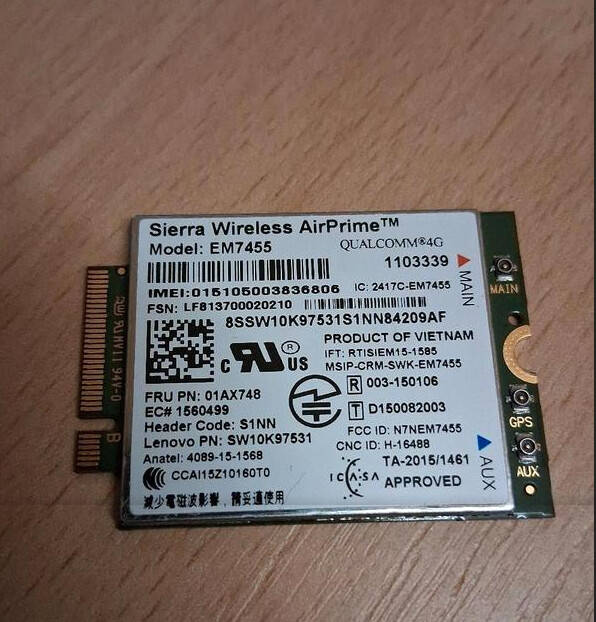
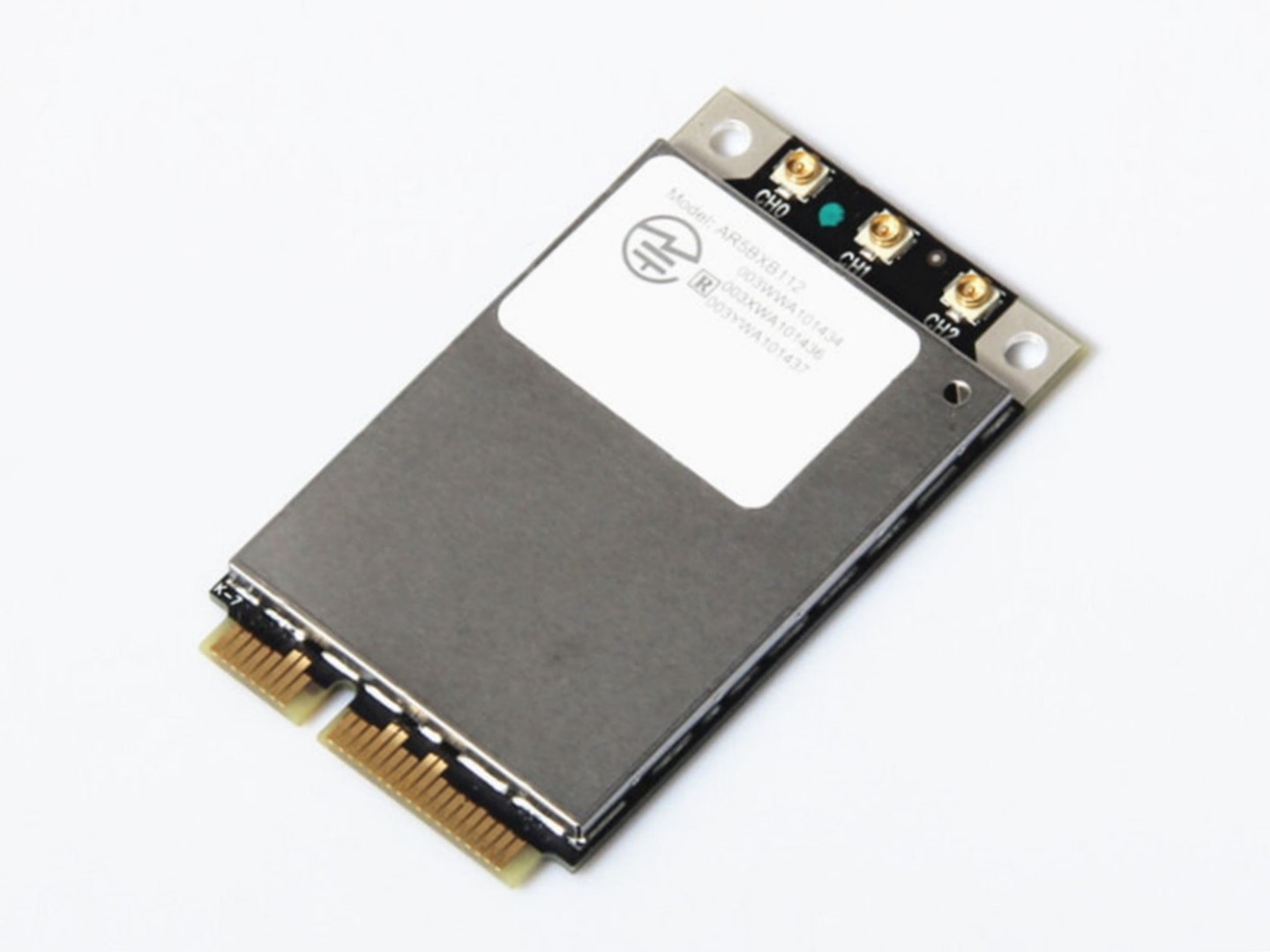
I want to use two modules: the Quectel EC25-G 4G LTE module (Mini PCIe socket) or the 4G Sierra Wireless Airprime EM7455 (M2 Interface), and Wi-Fi modules such as the Qualcomm Atheros QCA9565 (M2 Interface) or Qualcomm Atheros AR9462 (M2 Interface).
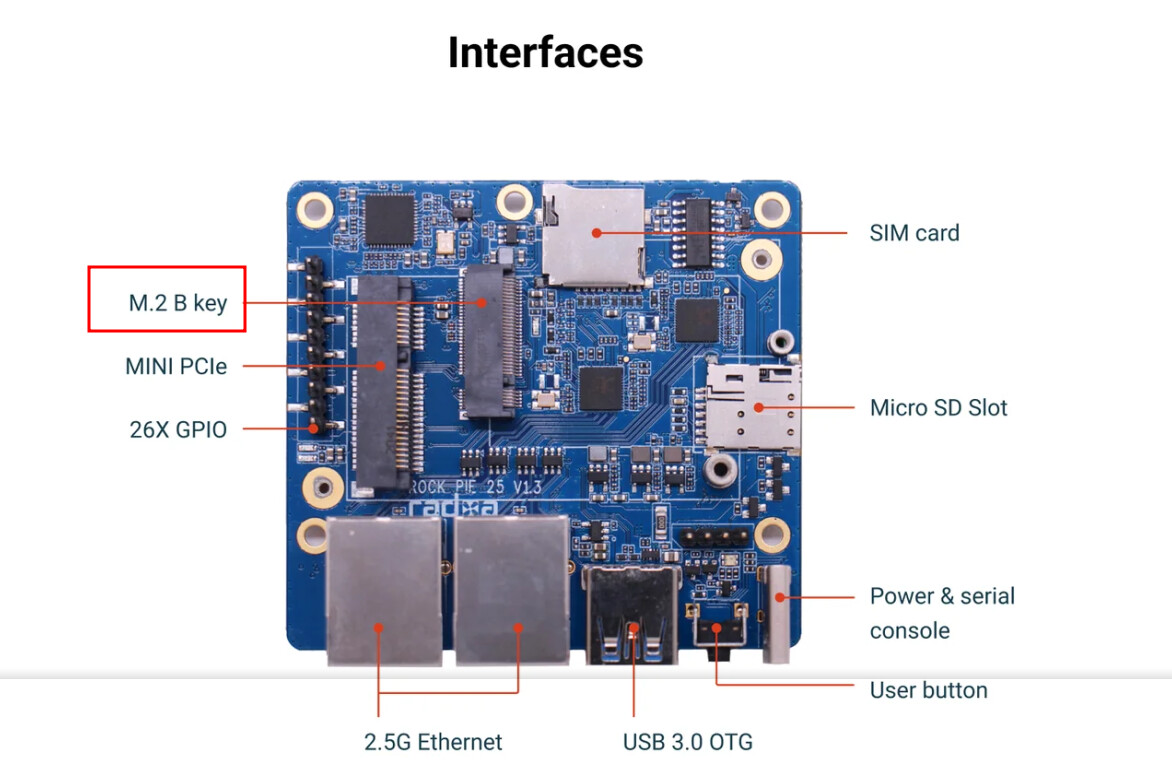
However, I can see different key slots on the board and on the Wi-Fi modules.
Let’s say I’ll use the Mini PCIe slot for the 4G modem, as this module has a Mini PCIe interface, but as for the Wi-Fi modules, I’m not sure if they’ll fit or not, or whether I can buy an adapter, etc.
If that option isn’t possible (as I mentioned above) for whatever reason, then I’d like to know if this alternative will work? Please understand that I’d rather not buy the device only to find out later that the modules aren’t compatible, and so on. I’m sure this post will be useful to many people.
M2 slot for 4G => Sierra AirPrime EM7455 4G LTE ( blob-free)
MiniPCie for WI-FI => Qualcomm Atheros AR9380 (blob-free)
@Nasca Hello.
I’d be grateful if you could answer my question above.
I’d also like to clarify: does the Radxa E25 have internal antennas? Or do I buy a Wi-Fi module and use it without antennas? What is the Wi-Fi range without antennas?
The documentation states that the power supply is 5V/2A.
The Radxa E25 is a smart converter; if I have a 5V/3A power supply, will the R25 take as much voltage as it needs, or do I need exactly 5V/2A – no more, no less?
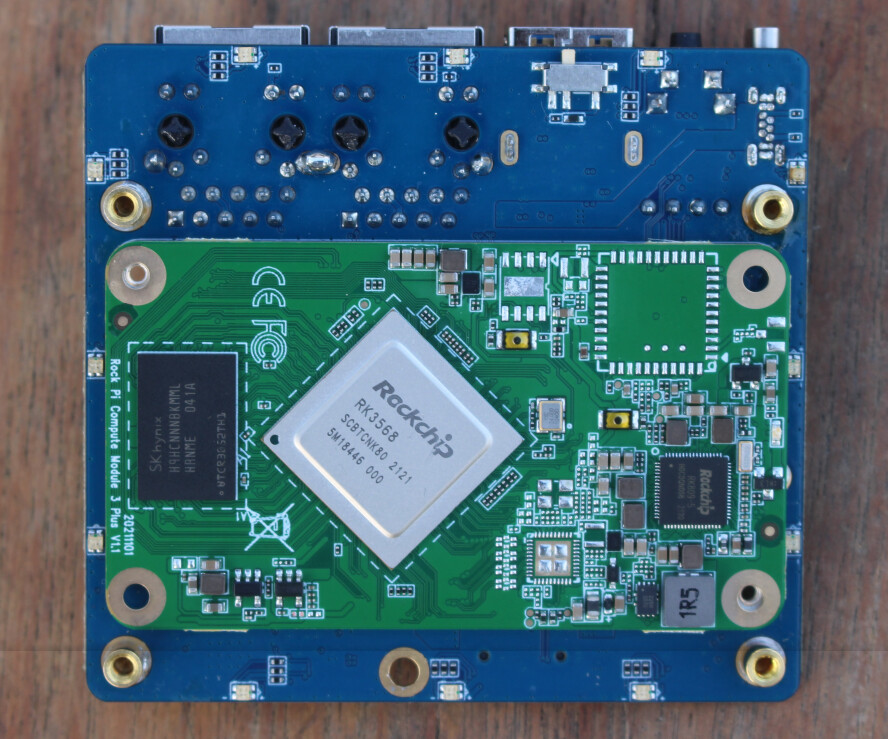
Hi @stiv The Radxa E25 is based on the Radxa CM3I core board. The Radxa CM3I has an onboard Wi-Fi module, but it does not have a built-in antenna. There is an external antenna connector, so an external antenna needs to be connected.
Sorry, we have not tested the Wi-Fi module’s coverage range yet.
Both 5V/3A and 5V/2A power supplies can be used, but please make sure the voltage is stable at 5V and does not exceed 5V.
Thank you so much for your reply and the information.
I really like this device because it outperforms the NanoPi R5c NanoPi R5C in terms of functionality—which I had planned to buy until I happened to learn about the RadXa E25))
Being able to use 4G plus a power bank is very convenient if I go somewhere far outside the city.
I also like the design. The backlight is stylish, and it has a good, powerful chip—maybe a bit too powerful for a router, but the price of the device isn’t that high when you consider everything.
I looked into Wi-Fi and 4G modules a bit and came to the conclusion that the modules I chose (Sierra AirPrime EM7455 4G LTE and Qualcomm Atheros AR9380) are probably the best option available!
Thanks for the info on the antennas. Once I buy the device and modules and install OpenWRT, I’ll leave feedback on how everything works.
Thanks for the info on the voltage!
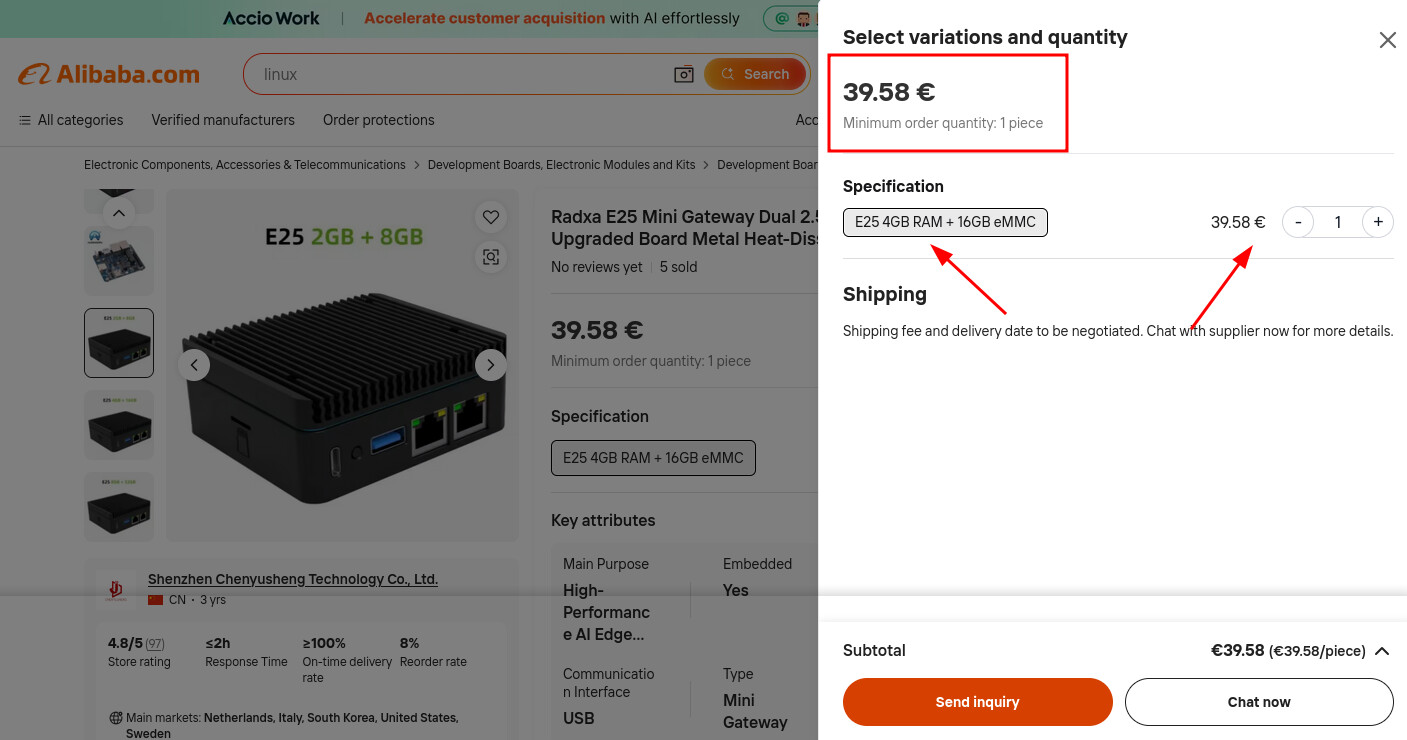
I’ve found two sellers on Alibaba, but I’m not sure if they’re official distributors.
Please could you send me the website of a company in Europe, Turkey or Dubai where I can buy at the price shown in the screenshot, or perhaps even cheaper🙏
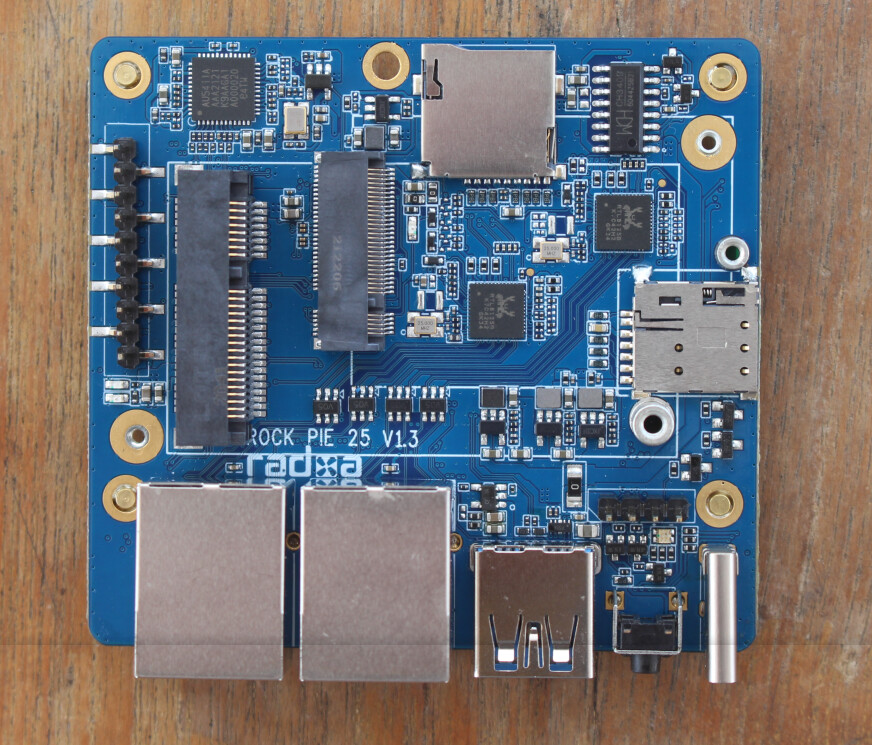
Could you please tell me where the antenna connectors are located on the board?
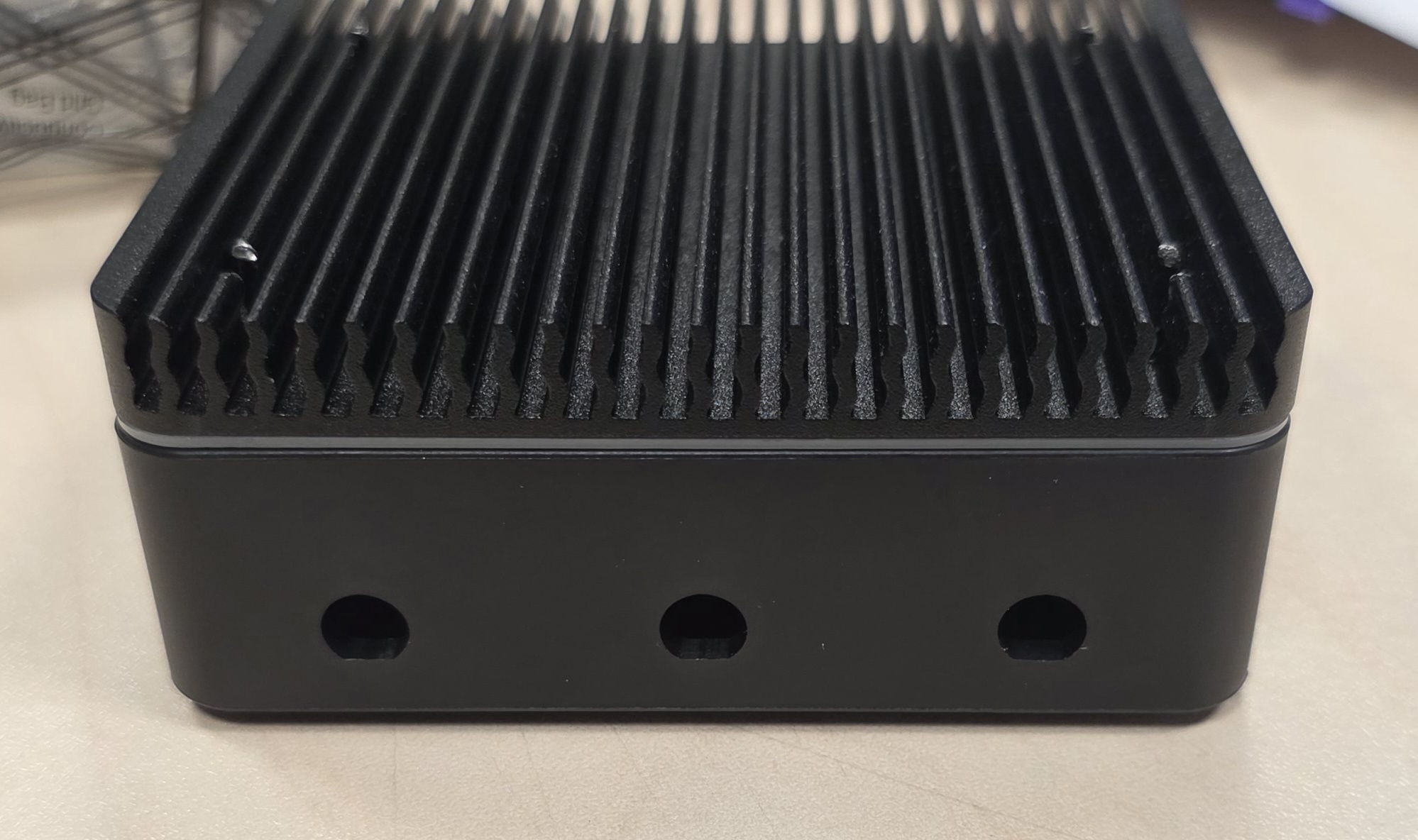
There are three holes in the case, but I don’t see any connectors on the board.
And what types of antennas can I install that will be compatible with this model, work reliably, and look aesthetically pleasing?
Is one antenna enough, or do I need to buy three?
If one is enough, where can I buy plugs for the other holes?
I see several options in the accessories section of the official store…
$5.30
$2.49
There are three holes in the case, but I don’t see any connectors on the board.
It’s a real shame that the customer support team (the actual people) lags behind AL in terms of politeness and responsiveness, and I have to turn to him for answers. That’s really sad…
Here’s what AL says (advises)
The Strategy: Prioritize 4G MIMO & WiFi Main
4G Module (Sierra EM7455): Needs 2 antennas for MIMO (fast speeds). Connecting only 1 works, but 2 is significantly better.
WiFi Module (Qualcomm AR9380): Needs 1 antenna minimum to function. It supports 3, but will work fine with 1 or 2.
Decision: Assign 2 antennas to 4G and 1 antenna to WiFi.
Exact Connection Map
A. Sierra EM7455 (4G LTE) - Use 2 Antennas
CH0 (MAIN): Connect Antenna #1. (Critical for signal).
CH1 (AUX): Connect Antenna #2. (Critical for speed/MIMO).
CH2 (GPS): Leave Empty. (You stated no GPS).
Note: Ensure you use the MHF4 to U.FL adapters for these two connections.
B. Qualcomm AR9380 (WiFi) - Use 1 Antenna
MAIN: Connect Antenna #3. (Critical for WiFi).
AUX: Leave Empty.
GPS/Third: Leave Empty.
Result: Your WiFi will operate in 1x1 SISO mode (single stream). It will work perfectly for general use, though maximum theoretical speed will be lower than 3x3. This is the necessary trade-off to give the 4G module the two antennas it needs for stable cellular data.
3. Alternative (If WiFi Speed is Higher Priority)
If you rarely use 4G and mostly use WiFi:
4G: Connect only CH0 (1 antenna).
WiFi: Connect MAIN and AUX (2 antennas).
Warning: 4G speeds may drop significantly with only one antenna, especially in weak signal areas. The first configuration (2 for 4G, 1 for WiFi) is generally recommended for SBC routers.