So i have spent quite a lot of time in this tool and it has opened a lot of new doors that was not possible previously.
Now it has a TUI. It has a great coverage of CRU / GRF regsiters of both CPU core and GPU.
Also can now clock gate a lot of frequencies and change the PowerDomains.
And that was the initial problem with accessing the PVTPLL registers, now they are wide open.
Now it is crystal clear how the PVTPLL works, edit, change and tune them.
Please note that for each given core, you need to enable to Power Domain of it, and activate the related clocks from CRU.
Here are some teaser what you can do with it.
My next target is to make the RK806 pmic completely unlocked so the device can be over or udnervolted in detail.
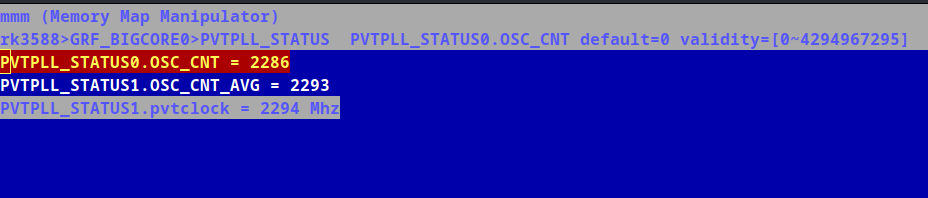
One interesting aspect of it, i think this is the only tool that exposes actual PVTPLL clock measurements first time ever. There is a hidden register that i could discover by reversing. And it seems this is not even available in neither open source or blob TFA (bl31). Now the device completely belongs to us.
Actual PVTPLL Cpu Core Clock
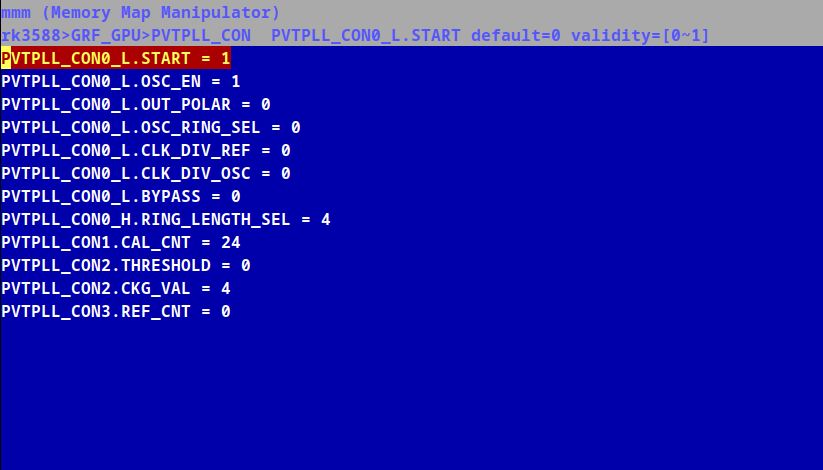
Modified GPU PVTPLL Ring Length to 1.1Ghz Gpu clock
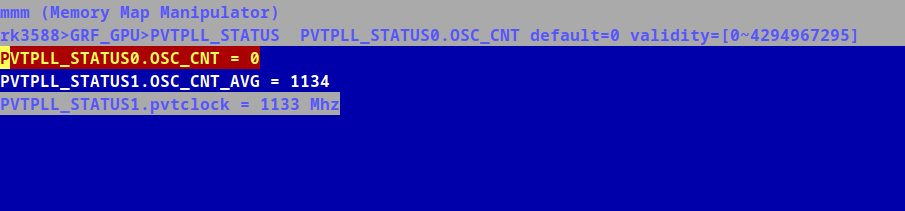
Actual PVTPLL Gpu Clock
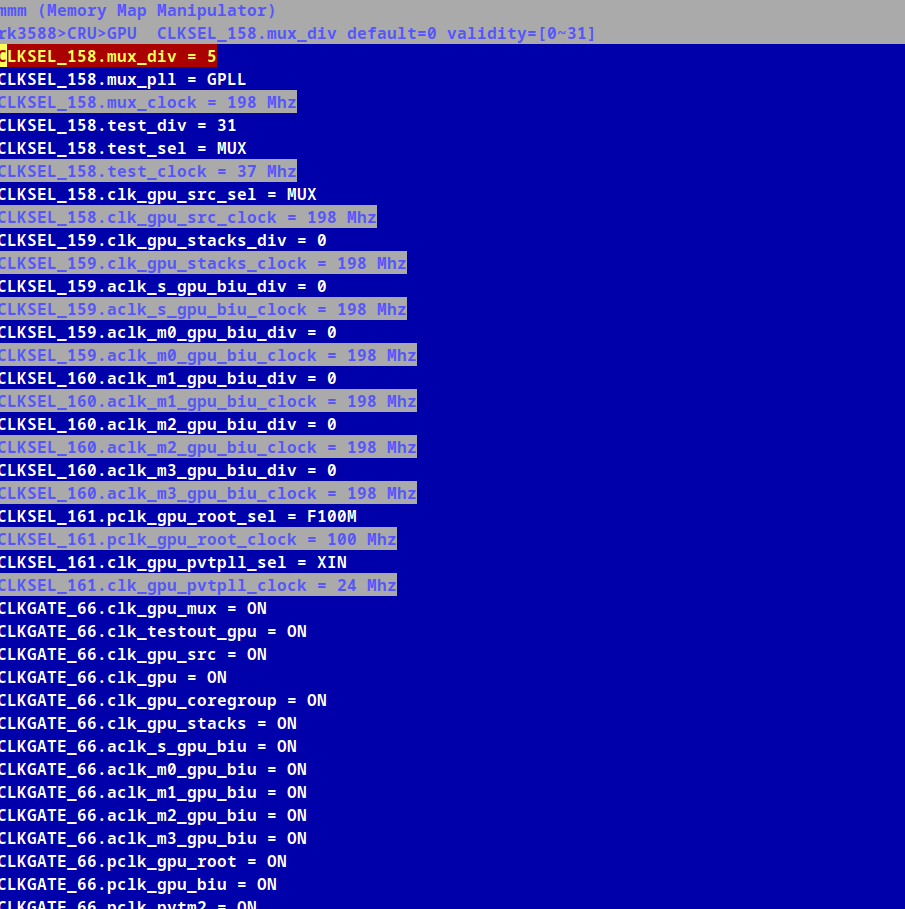
Detailed GPU clocks and muxes in between PLL and PVTPLL
EDIT: Here is a quick how to tutorial for GPU PVTPLL.
first make sure you set the gpu governor to userspace so that it wont interfere with the tool
first run the tool with sudo
then navigate rk3588->PMU->PV_DOMAINS->VD_GPU: and set to on
now the gpu is powered on, and we need to enable clocks
navigate to rk3588->CRU->GPU->CLKGATE_66->clk_gpu_all: and set to on
now all the clocks are also activated.
now we need to enable pvtpll
navigate to rk3588->GRF_GPU->GPU->PVTPLL_CON and set start=1, osc_en=1 ring_len=9 (you can tune this later on). and check the generated frequency from k3588->GRF_GPU->GPU->PVTPLL_STATUS.
and finally mux the gpu clock to PVTPLL from rk3588->CRU->clk_gpu_src_sel=PVTPLL
now the gpu is using the PVTPLL clocks where you can tune the ring len as you wish.
Please note that panthor driver does not really understand PVTPLL clocks. So i would suggest not using this when running a fully graphical environment when gpu is running and stopping. That would cause the system to freeze.
Process is similar for CPU, i hope this explains a little bit how to make use of the tool.