yes, now it works after reboot.
If I shut down and restart from the button on the board, everything is fine.
also in check dmesg.
but if I turn off the power on usb-C for a minute, the date goes back on reboot. So it seems that it is not maintained, as if the battery power is not there,
do I have to close some jumper somewhere?
Err, I did the same here and the date is back to 2017.
Maybe someone needs to have a look at hwclock and check why it is not really saving in the correct registers ( I suppose ). If I recall correctly, odroid have a special hwclock for one of their board (EOL).
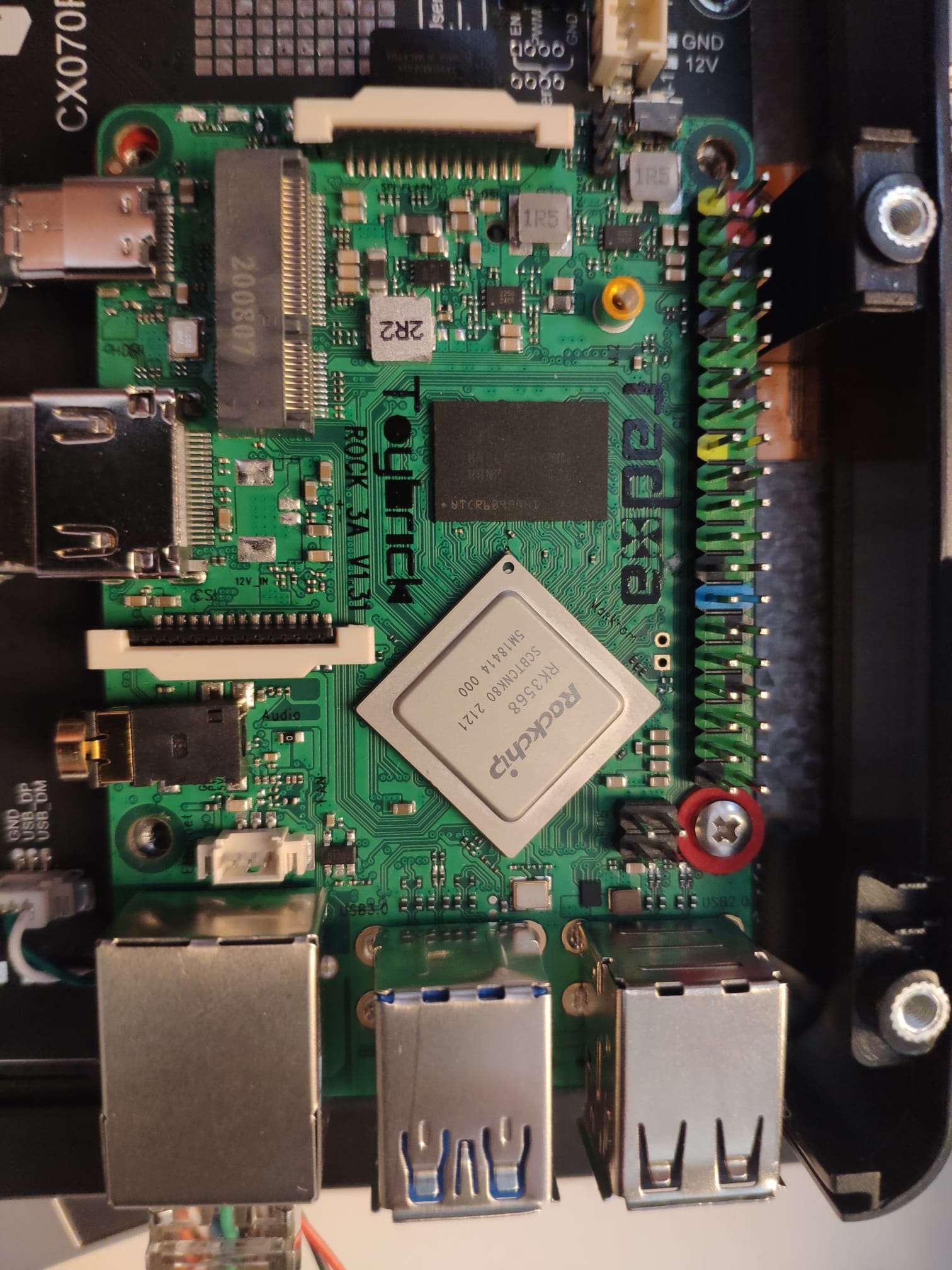
I tried, and on pin 8 of the HYM8563 IC we get 3.2 V so I would say it is not the battery, since I have the same fixed voltage with or without 12V power supply.
Now if I configure the rtc, everything works when switching off and on with the Power button, and so far everything is fine.
If I remove the power supply for less than a minute, I eliminate the voltage to the board but there are always 3.2 V. As soon as I insert the power supply the board starts and the time is wrong.
The only thing that comes to mind is that at boot linux sends some command to reset rtc, so it brings it back to 2017, if I didn’t send this command I should find the stored date.
Does anyone know at boot where the rtc is loaded to see what commands it executes?
I don’t know what image you are using.
I use Debian Buster, and as you can see the decompiled script is different from yours, there is no “&” character, also Rock 3A has no DT-Overlay on i2c5, perhaps because it is already active and for internal use.
I finded this: https://patchwork.kernel.org/project/linux-watchdog/patch/[email protected]/#24146885
does anyone have a Debian image for Rock 3A with rtc enabled?
Then I started creating .dtsi and .dtbo files too, but nothing.
Your first file isn’t good, my 7 inch LCD doesn’t work, and neither does the ethernet port.
With the second file _hdmi, the peripherals work again and I saw that taking out the dts, there is hym8563 inside.
In fact I find myself:
rock@rock-3a:~$ ls -al /dev/rtc*
lrwxrwxrwx 1 root root 4 Feb 14 2019 /dev/rtc → rtc0
crw------- 1 root root 251, 0 Feb 14 2019 /dev/rtc0
crw------- 1 root root 251, 1 Feb 14 2019 /dev/rtc1
Even changing /dev/rtc → rtc1, I find myself again /dev/rtc → rtc0 on reboot
But following this guide, I solved:
now on reboot even if it resets rtc0, it goes to point the kernel = rtc1 and even 10 minutes off, it returns me the correct date.
I just don’t understand why we have to have two clocks, we can’t use rtc0 directly. Maybe because it is already being used by the CPU?
Anyway I would like to thank avaf for your help, we hope that in the future it is already included in the release, or at least they add a dt-overlay for rtc to be enabled, so it will be easier
then
sudo dtc -O dtb -I dts -o rk3568-i2c5-hym8563.dtbo hym8563.dts
in
overlays = rk3568-fiq-debugger-uart2m0 rk3568-can1-m0 rk3568-pwm8-m0-fan rk3568-i2c5-hym8563
and I get rtc1
rock@rock-3a:~$ ls -al /dev/rtc*
lrwxrwxrwx 1 root root 4 Feb 14 2019 /dev/rtc → rtc0
crw------- 1 root root 251, 0 Feb 14 2019 /dev/rtc0
crw------- 1 root root 251, 1 Feb 14 2019 /dev/rtc1
In /lib/udev/hwclock-set comment out the lines below
#if [ -e /run/systemd/system ]; then
exit 0
#fi #if [ -e /run/udev/hwclock-set ]; then #exit 0 #fi
then change the HCTOSYS_DEVICE=rtc0 line to be HCTOSYS_DEVICE=rtc1
In /lib/udev/rules.d/50-udev-default.rules change the SUBSYSTEM==“rtc” line to:
SUBSYSTEM==“rtc”, KERNEL==“rtc1”, SYMLINK+=“rtc”, OPTIONS+=“link_priority=-100”
In your hwclock udev rule make sure you have (/lib/udev/rules.d/85-hwclock.rules):
That’s right, the kernel optionally reads an RTC into the system time at
boot (CONFIG_RTC_HCTOSYS) and the name of the RTC to use is also part of
the kernel configuration (CONFIG_RTC_HCTOSYS_DEVICE).
So, may be changing the compile parameter when officially release new kernel is the best solution.