-
I have already installed libmraa.
-
I have already settup /boot/hw_intfc.conf
intfc:pwm0=on
intfc:pwm1=on
-
reboot ROCK pi 4 SE several times.
-
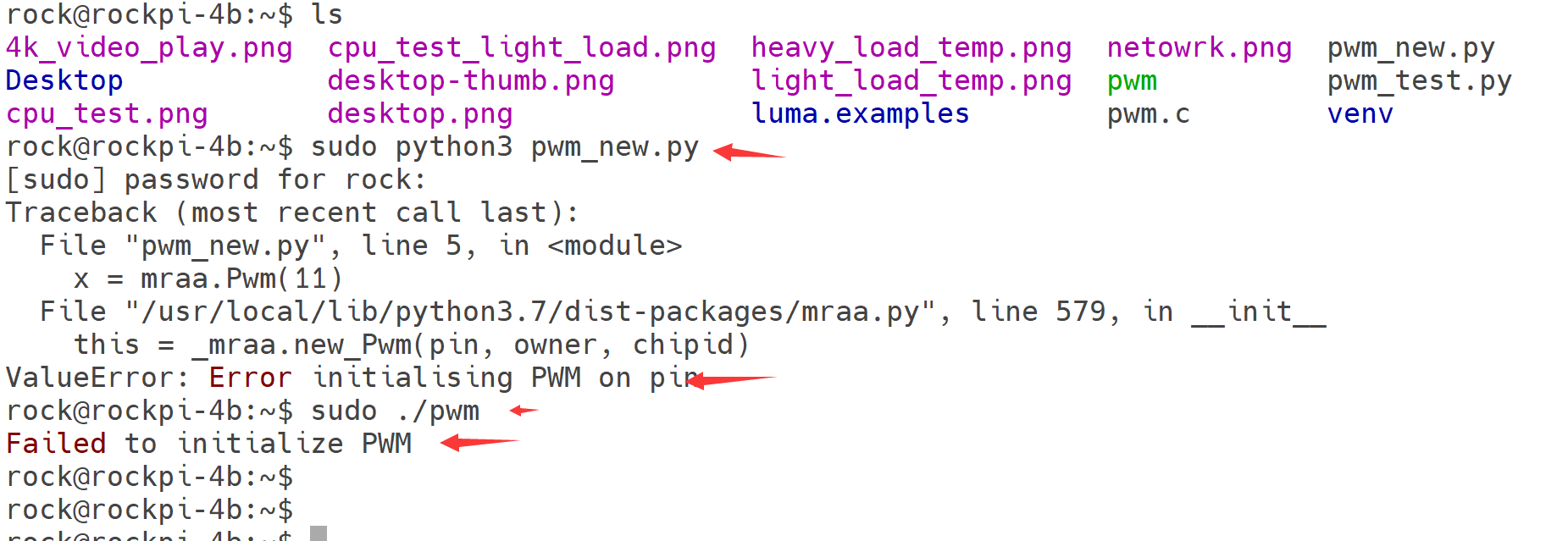
Testing pwm.c in /usr/local/share/mraa/examples/pwm.c and compile it with:
sudo gcc -o pwm pwm.c -lmraa
sudo ./pwm
Failed to initialize PWM
-
Trying to using python to test.
import mraa
import time
x = mraa.Pwm(11)
x.period_us(700)
x.enable(True)
value = 0.0
while True:
x.write(value)
 time.sleep(0.05)

 value += 0.01

 if value >= 1:
     value = 0.0
but no luck …
Is there something wrong with the low level library?
[SOLVED] by flashing a new image: rockpi-4b-debian-bullseye-xfce4-arm64-20221018-1430-gpt.img.xz
and then connect to wifi, update and upgrade os, configure hw_intfc.conf and reboot again, test it without any trouble…
I get the same problem with a similar image: rockpi-4b-debian-bullseye-xfce4-arm64-20221109-1447-gpt.img.xz (I can’t find the quoted image anymore, but this is a bit later)
Any ideas?
[SOLVED}
You have to run the mraa/examples/c in root as root! This is rather inconvenient, as my application will have to run as root too in order to call call mraa code. Unless there is a method of running them from home/… ?
I have already added rock user to root group, so that is may not the privilleges problem. but it works right now, I can adjust my fan speed anyway. thanks for your tips LoL.