After power-on, please measure the voltage.
Sorry, I misread it. It’s the voltage. It’s 0v when it’s powered on or off.
It needs to be around 3.3V to be normal; otherwise, it will enter FEL mode.
So as you said, it’s a hardware problem, right?
It seems so. Could you please provide some clear photos of the area around the button, both front and back?
sure, but sorry I only have this one at the moment because I’m not at home. This one I took before should be clear enough.
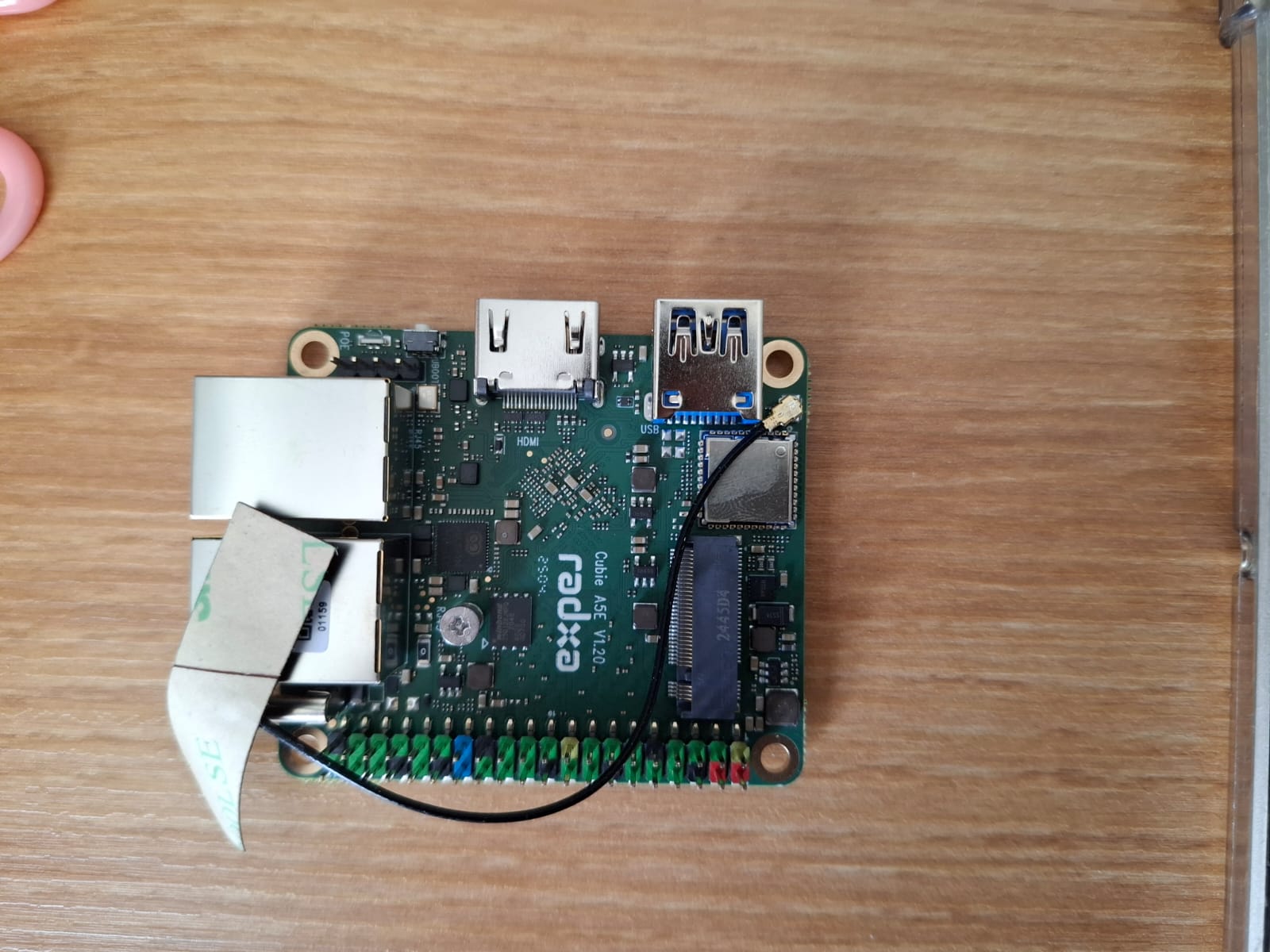
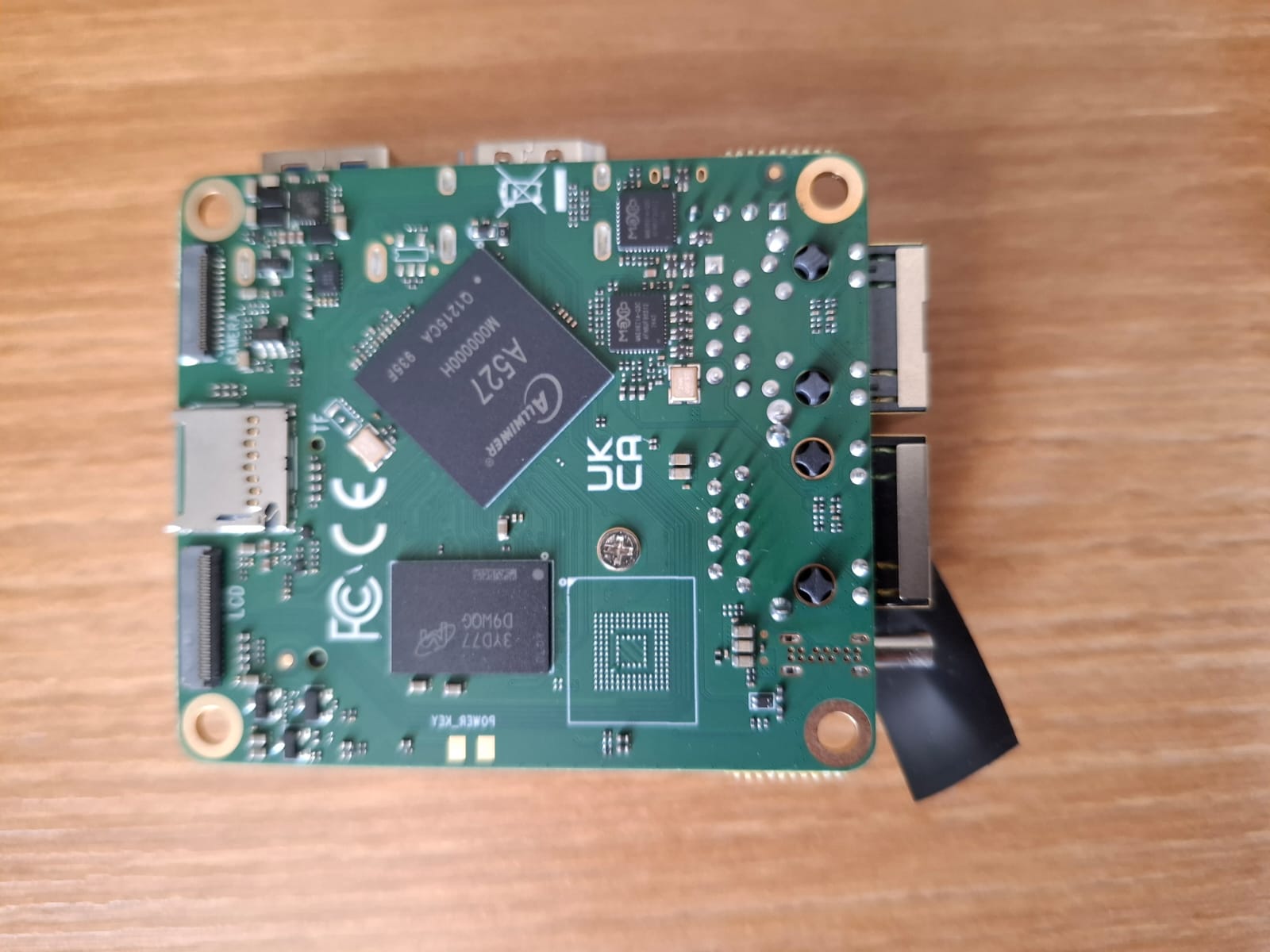
I can’t see clearly from this photo, and I don’t notice any issues. However, considering there aren’t many components in the button circuit…,
When you get home, please use a multimeter to check if this button is shorted.
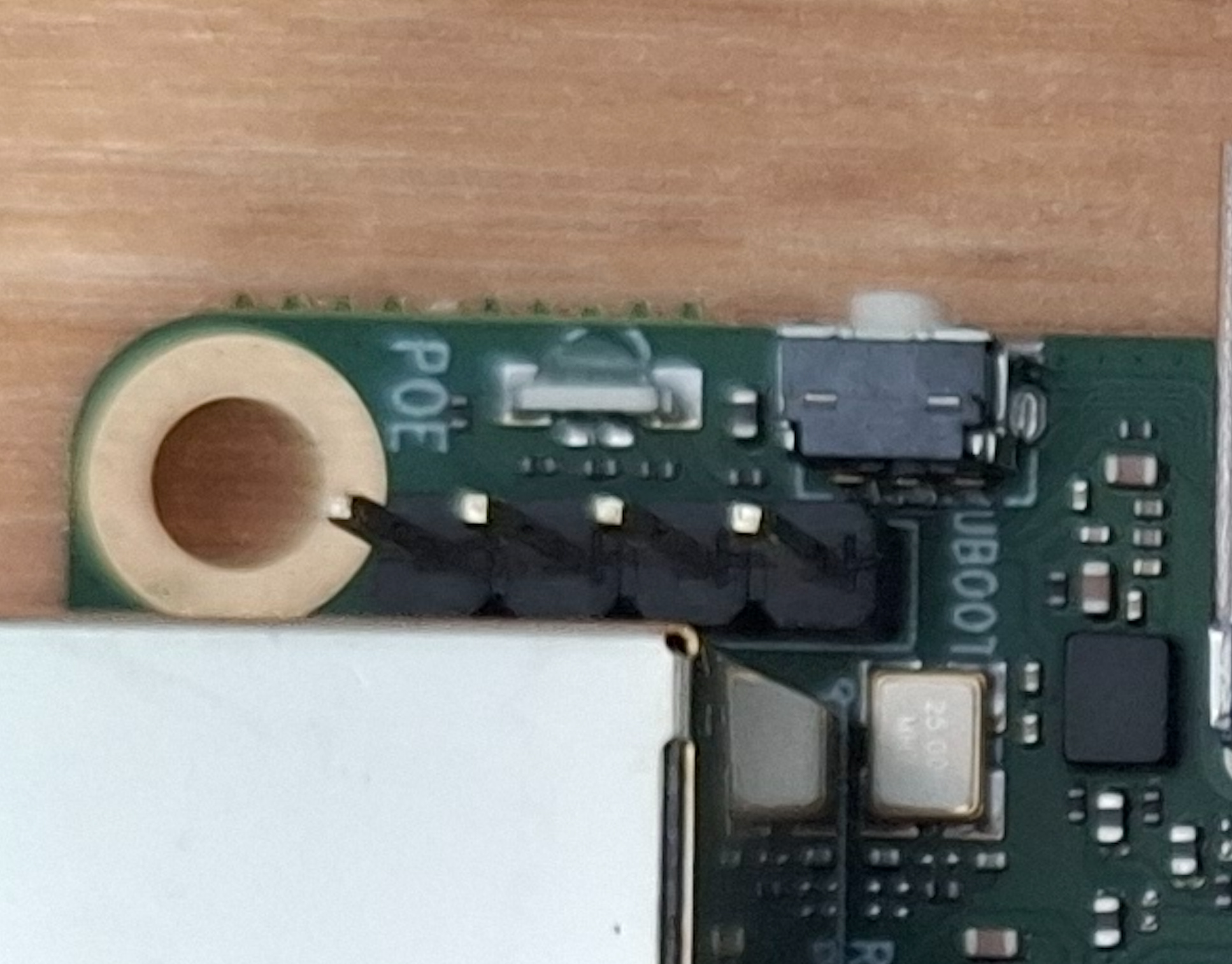
Could you also please provide some close-up photos of the button area?
The button is not shorted.
My camera doesn’t have macro mode, but this photo should be clear enough.
AliExpress Order Number: 3059684293034554
Communicated with:
[email protected] - Gave me access to this forum but never answered any followup mail.
[email protected] - Been speaking with you both on AliExpress and via email. You’ve been trying to help but it seems like you’re also struggling to get answers as it has been 10 days since you said you would try and get some.
Apologies for posting here in-between OP and feng trying to get to the bottom of this. I’ll leave it in your capable hands.
Hi,
Thank you for providing the AliExpress order number (3059684293034554) and your communication details—we’ve recorded this for follow-up.
We confirm we’ll formally initiate after-sales service for your board. We have contacted you via the AliExpress backend. Please check your AliExpress notifications and reply promptly to help advance the after-sales process.
Sorry again for the earlier delays. We’ll update you on the after-sales progress timely. Thank you for your patience.
1 Like
I don’t know who it was, but someone at Radxa stuck with this board and put their head down to release an image (1.07GB img.xz) that fixes almost all of my issues with this board.
I flashed it easily with normal software (Etcher) instead of needing the allwinner stuff. The image boots without fail every time. No hardware on the device is broken or randomly breaks (although I haven’t tested if NVME can be read/written). Performance is as expected and the board works as expected.
It is still running a 2 major release old version of Debian with an old Kernel and NVME cannot be booted from, but I have to thank whoever pushed this image. A serious thank you for making this board just work. As long as this image can be noted in the documentation and improved on then I don’t see anyone having issues like I did.
radxa-cubie-a5e_bullseye_kde_r3.output_512.img.xz
It does not work for me.
It only boots using android and only works using hdmi to hdmi… micro mini hdmi wont work.. I have mine getting dust…
Same on my side,
from time to time I’m checking if mainline linux gets any better, but without pcie and hdmi it’s just waiting for anything better 
Following up on this thread, I’m hitting the same issue on a V1.20 board.
History: Was running fine from NVMe on Radxa OS (Debian). Ran sudo apt upgrade for a kernel update (5.x → 6.x) didn’t know at the time this wasn’t supported over rsetup. After reboot, board stopped booting entirely.
Symptoms (matching this thread):
-
LED: long solid green, then a double red blink, then several single red blinks, then nothing every power cycle.
-
Same result regardless of boot media (NVMe alone, or NVMe + original install microSD inserted).
-
No DHCP/network activity ever appears (confirmed via nmap scan).
-
FEL mode works fine (
sunxi-fel version→AWUSBFEX soc=00001890(A523)).
I don’t have a multimeter on hand to check the resistor points from the diagram above
Given this matches other V1.20 boards in this thread and the engineer’s suspicion of a hardware defect, could you let me know if there’s a known fix, or if this is heading toward RMA? Thanks for looking into this.