Hello,
I was using my ROCK 5B+ by booting the OS from an SD card. However, after inserting a new SD card flashed with a new OS, the board got stuck with a solid green LED and started generating severe heat. It is also drawing an abnormally high amount of power.
Since then, it won’t boot even when I switch back to the original SD card that was working perfectly fine. I entered Maskrom mode and tried to reinstall the SPL Loader, but I keep getting errors.
How can I resolve this issue? Could you please let me know if this situation requires a hardware inspection or RMA/warranty service?
Thank you.
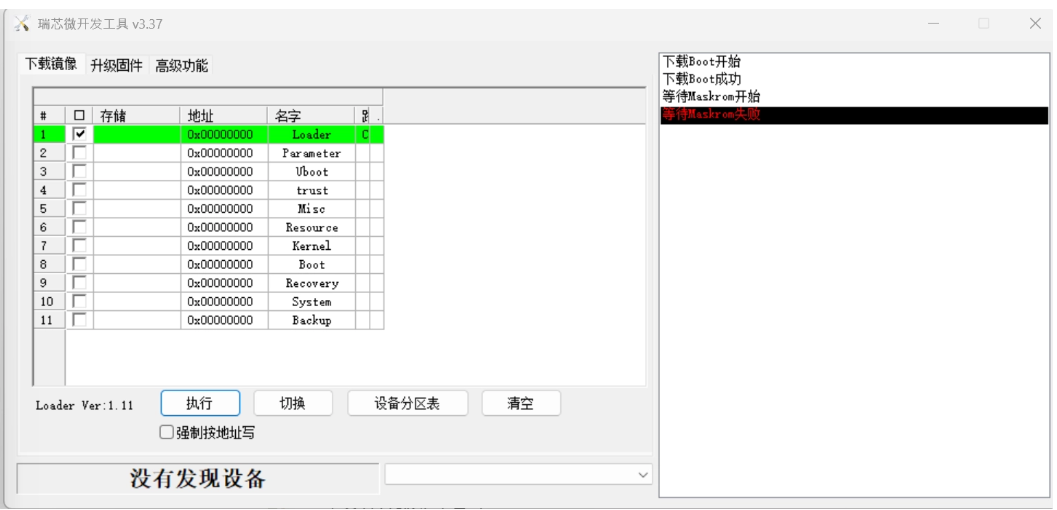
This is how it appears in RKDevTool.

So it says “Did not discover device”. Please make sure you have enter the Maskrom correctly, and plugged to the right USB port. If it still shows the same output (or you can switch the language to English, there should be a config ini in the RKDevTool folder), then you can contact your original seller for warranty options.
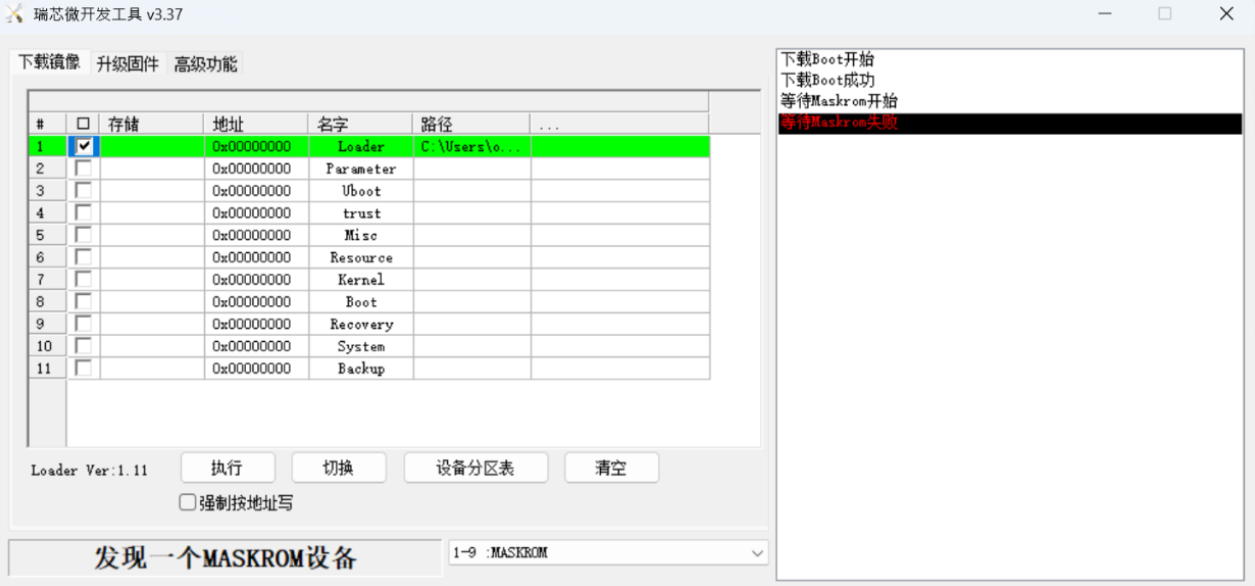
Even though it is recognized in MaskROM mode, an error still occurs.
The parameter you set in the tool does not match our documentation. But anyway please try the erasing procedure:
If that success you can try boot with microSD again. For what is worth you should also check the serial to see if there is any output during RKDevTool operation, as well as the microSD boot.
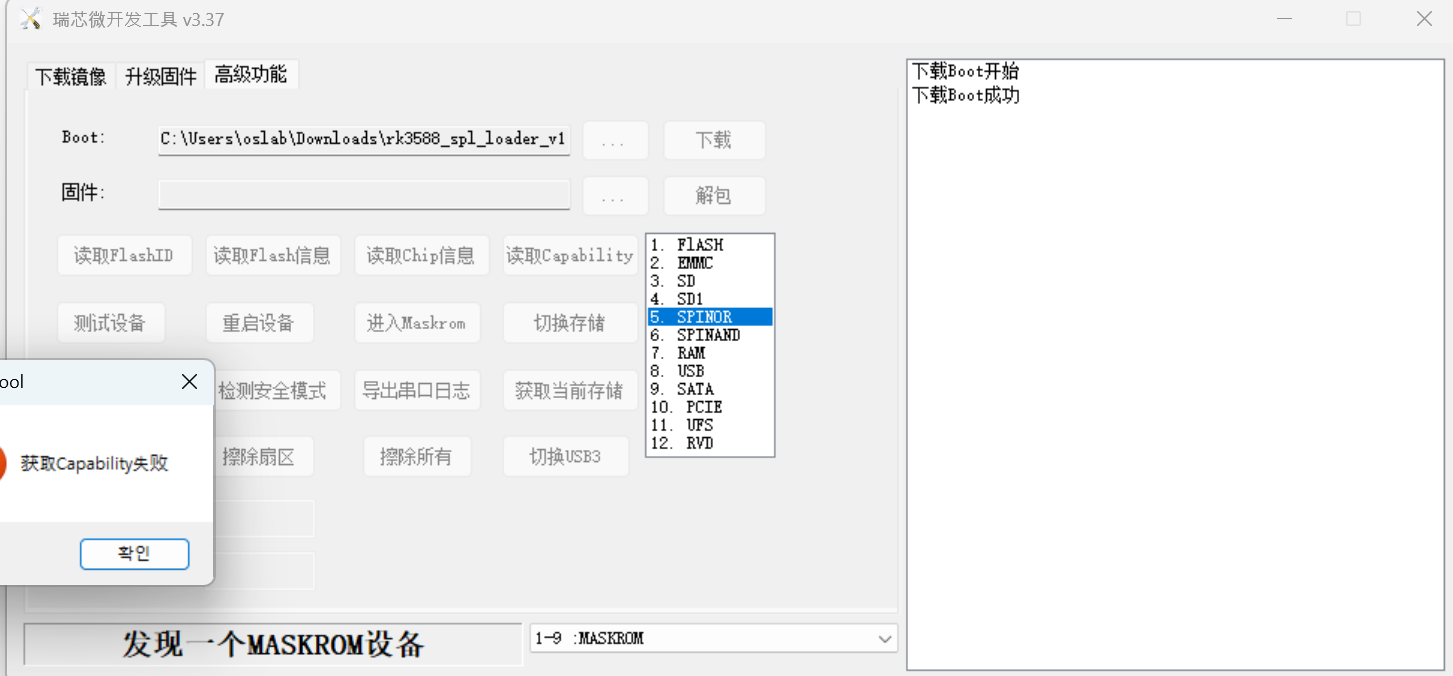
I tried the ‘Erase SPI Flash’ procedure exactly as guided in the link.
However, the operation doesn’t even execute starting from the ‘Switch Storage’ step and completely fails to proceed.
Could you please let me know what exactly is causing this problem and if there is actually any way to fix this on my end?
Also, as I mentioned previously, the board is generating severe heat. Would it be safe to proceed with Serial debugging?
Hi @mjss0120
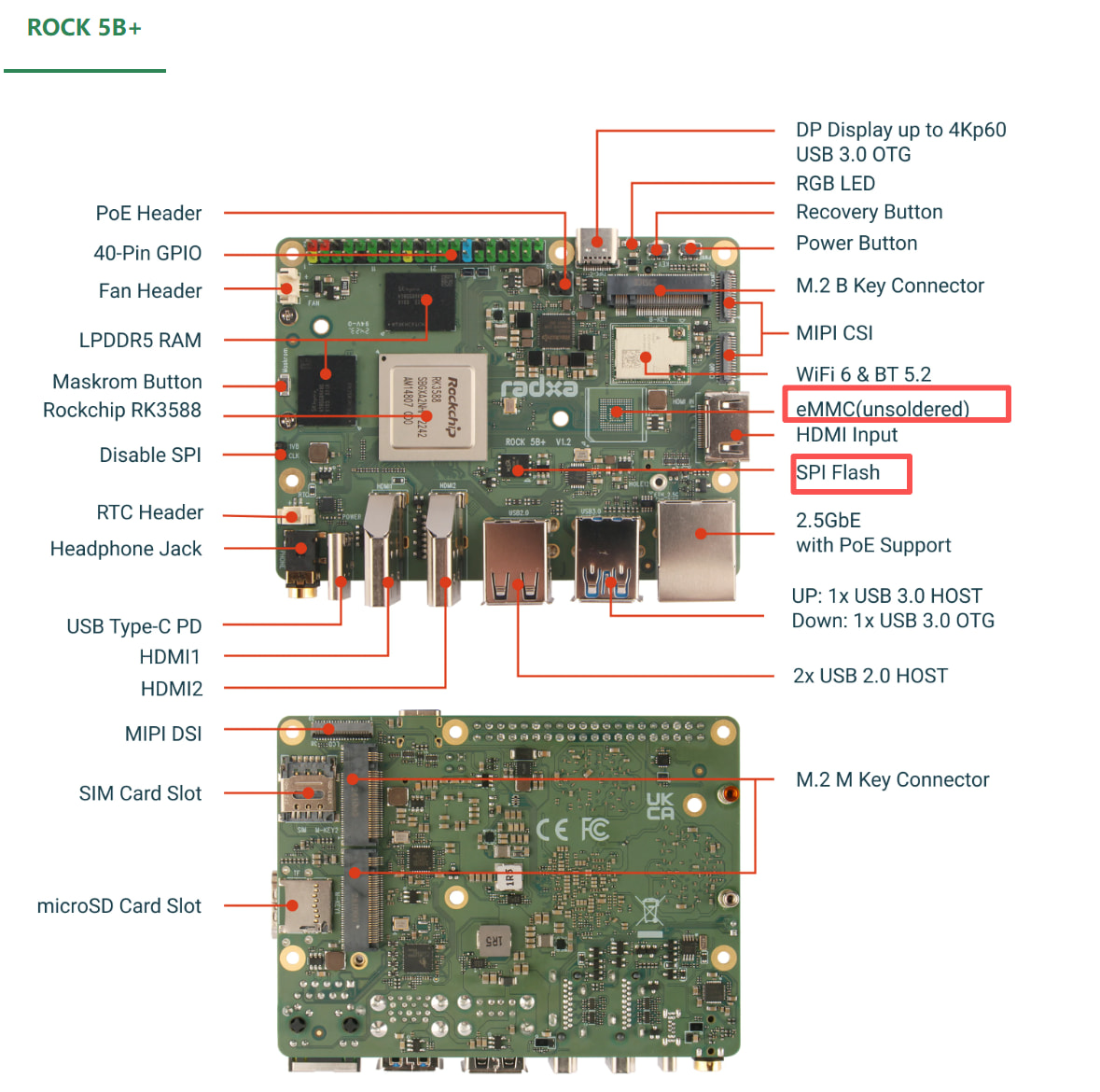
First, let’s confirm the hardware configuration. Please refer to the image below and check which eMMC and SPI Flash components are populated on your board. If convenient, please take a photo and send it to us.
“Also, as I mentioned previously, the board is generating severe heat. Would it be safe to proceed with Serial debugging?”
A → A serial port can be connected for debugging
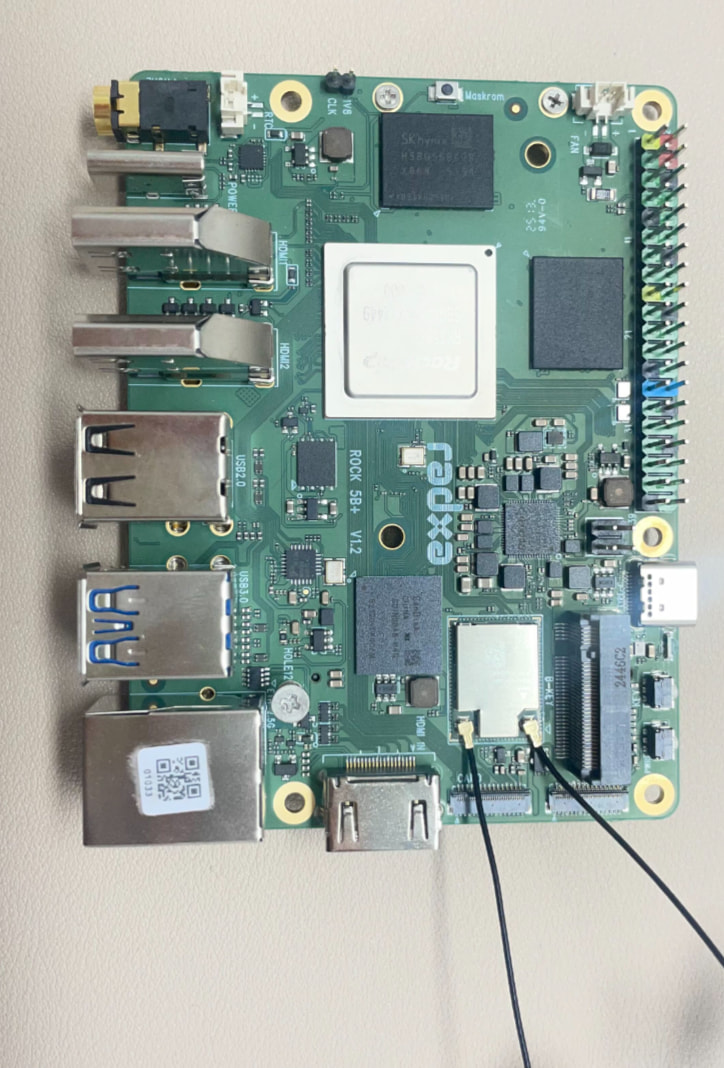
I have attached the photo of the board as requested. Please check it.
OK. Please remove the SD card, connect the serial port, power on the board, and check whether any boot logs are printed.
Here is the link I referred to for UART debugging:
I attempted serial debugging following the instructions in that guide. I removed the SD card, made sure all the wires were connected correctly, and configured all the settings identically. I used PuTTY, but absolutely no logs are appearing on the screen.
In this case, did you follow the instructions in the document below to flash the SD card? When booting from the SD card, please check whether there is any output from the serial port.
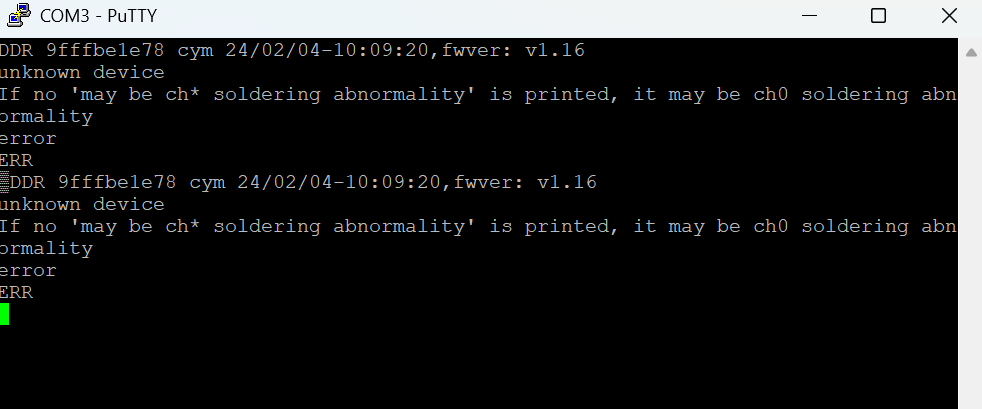
The attached image shows the PuTTY log output in both cases, whether I inserted the original SD card or the new one. Please check it.
Oh, it appears to be a DDR issue—the initialization failed. This is most likely a hardware problem. Please contact our after-sales support team for assistance.
Thank you for your support !
This is a LPDDR5 RAM speed selection issue between probably 6400MHz and 5500Mhz with the SPI/eMMC initialization code. I believe the board can be booted using the uSDCard and a version of linux with the RAM speed appropriately configured in the boot DTS. Then onboard SPI/eMMC then needs reflashing with the correct SPI image. Do not try resolding or refloating the chips as suggested elsewhere on forums !