Android won't boot from UFS on ROCK 4D

Hello, friends!
I bought a ROCK 4D and am trying to write an Android 14 image to a UFS via USB UFS Reader. I erased the SPINOR and used balena to write the official Radxa Android image to the UFS, but after powering it on, the board immediately goes into Maskrom, and there are no messages via UART. After rewriting the rk3576_spl_loader.bin bootloader, I get messages via UART saying the UFS is detected, but the blocks are 512B:

DDR 2f85f4b2d4 cym 24/11/07-19:07:28,fwver: v1.09
In
ch0 ttot6
ch1 ttot6
ch0 ttot7
LPDDR5, 2736MHz
channel[0] BW=16 Col=10 Bk=16 CS0 Row=16 CS1 Row=16 CS=2 Die BW=16 Size=4096MB
ch1 ttot7
channel[1] BW=16 Col=10 Bk=16 CS0 Row=16 CS1 Row=16 CS=2 Die BW=16 Size=4096MB
Manufacturer ID:0x6
CH0 RX Vref:24.9%, RX DQS Vref:31.2%, TX Vref:20.0%,20.0%
DQ roc:
p0 n0, p2 n0, p5 n0, p0 n1, p0 n0, p2 n0, p4 n0, p0 n0, p1 n0,
p0 n0, p0 n0, p2 n0, p3 n0, p1 n1, p1 n0, p0 n0, p1 n0, p2 n4,

DQ rds:l0 l0 l0 l0 l0 l0 l0 l0, l0 l0 l0 l0 l0 l0 l0 l0
DQS roc: p2, n0, p2, n0

CH1 RX Vref:23.7%, RX DQS Vref:29.2%, TX Vref:20.0%,21.0%
DQ roc:
p1 n0, p6 n0, p2 n0, p0 n2, p3 n0, p0 n1, p4 n0, p1 n0, p5 n0,
p0 n0, p1 n0, p0 n1, p4 n0, p6 n0, p0 n0, p4 n0, p4 n0, p2 n0,

DQ rds:l0 h1 l0 l0 l0 l0 h1 l0, l0 l0 l0 l0 l0 h1 l0 l0
DQS roc: p1, n0, p0, n0

stride=0x3, ddr_config=0x6
hash bank_mask0-3 0x0 0x2100 0x44200 0x88400, rank_mask0 0x800
change to F1: 534MHz
ch0 ttot6
ch1 ttot6
change to F2: 1320MHz
ch0 ttot8
ch1 ttot8
change to F3: 1968MHz
ch0 ttot6
ch1 ttot6
change to F0: 2736MHz
ch0 ttot7
ch1 ttot7
out

USB-PLUG 2017.09-g13ceb2afdcb-241106 #lxh (Nov 07 2024 - 16:10:03 +0800)

Serial: raw, 0x2ad40000
scanning bus for devices…
ufs_create_partition_inventory: WB_max_alloc_units = cb1d0000

—UFS Device Descriptor Config Param—

bLength: 0xe6
bDescriptorIDN: 0x1
bConfDescContinue: 0x0
bBootEnable: 0x1
bDescrAccessEn: 0x0
bInitPowerMode: 0x1
bHighPriorityLUN: 0x7f
bSecureRemovalType: 0x0
bInitActiveICCLevel: 0x0
wPeriodicRTCUpdate: 0x0
bSecureRemovalType: 0x0
bInitActiveICCLevel: 0x0
wPeriodicRTCUpdate: 0x0
bWB_EN: 0x1
WB_TYPE: 0x1
WB_alloc_units: 0x1dcb

—UFS Unit 0 Descriptor Config Param—

bLUEnable: 0x1
bBootLunID: 0x0
bLUWriteProtect: 0x0
bMemoryType: 0x0
dNumAllocUnits: 0x7726
bDataReliability: 0x1
bLogicalBlockSize: 0xc
bProvisioningType: 0x2
wContextCapabilities: 0x0

—UFS Unit 1 Descriptor Config Param—

bLUEnable: 0x1
bBootLunID: 0x1
bLUWriteProtect: 0x0
bMemoryType: 0x3
dNumAllocUnits: 0x3
bDataReliability: 0x1
bLogicalBlockSize: 0xc
bProvisioningType: 0x2
wContextCapabilities: 0x0
-------------------------------------UFS Unit 2 Descriptor Config Param—

                   bLUEnable: 0x1

bBootLunID: 0x2
bLUWriteProtect: 0x0
bMemoryTcUnits: 0x3
bDataReliability: 0x1
bLogicalBlockSize: 0xc
bPro2
wContextCapabilities: 0x0
----------------------------------nit 3 Descriptor Config Param—
------------------------------able: 0x1
bBootLunID: 0x0
bLUWriteProtect: 0x0
bMemoryType: 0DataReliability: 0x1
bLogicalBlockSize: 0xc
bProvisioningType:ities: 0x0

—UFS Unnfig Param—

bLUEnanID: 0x0
bLUWriteProtect: 0x0
bMemoryType: 0x0
dNumAllocUnitsility: 0x0
bLogicalBlockSize: 0x0
bProvisioningType: 0x0
wCon0x0

—UFS Unit 5 De—

bLUEnable: 0x0
bLUWriteProtect: 0x0
bMemoryType: 0x0
dNumAllocUnits: 0x0
bDabLogicalBlockSize: 0x0
bProvisioningType: 0x0
wContextCapabili-----------------------------------
—UFS Unit 6 Descriptor Co--------------------------------------
bLUEnable: 0x0
bBootLunt: 0x0
bMemoryType: 0x0
dNumAllocUnits: 0x0
bDataReliability:ize: 0x0
bProvisioningType: 0x0
wContextCapabilities: 0x0

—UFS Unit 7 Descriptor Config Param—

bLUEnable: 0x0
bBootLunID: 0x0
bLUWriteProte: 0x0
dNumAllocUnits: 0x0
bDataReliability: 0x0
bLogicalBlockingType: 0x0
wContextCapabilities: 0x0
-----------------------S Device Descriptor Config Param—
---------------------------th: 0xe6
bDescriptorIDN: 0x1
bConfDescContinue: 0x0
bBootEnab0x0
bInitPowerMode: 0x1
bHighPriorityLUN: 0x7f
bSecureRemovalveICCLevel: 0x0
wPeriodicRTCUpdate: 0x0
bSecureRemovalType: 0xLevel: 0x0
wPeriodicRTCUpdate: 0x0
bWB_EN: 0x1
WB_TYPE: 0x1


—UFS Unit 0 Descrm—

bLUWriteProtect: 0x0
bMemoryType: 0x0
dNumAllocUnits: 0x7726
1
bLogicalBlockSize: 0xc
bProvisioningType: 0x2
wContextCapab--------------------------------------
—UFS Unit 1 Descriptor------------------------------
bLUEnable: 0x1
bMemoryType: 0x3
dNumAllocUnits: 0x3
bDataReliability: 0x1
bL
bProvisioningType: 0x2
wContextCapabilities: 0x0

—UFS Unit 2 Descriptor Config Param—

bLUEnable: 0x1
bBootLunID: 0x2
bLUWriteProtect: 0x0
bNumAllocUnits: 0x3
bDataReliability: 0x1
bLogicalBlockSize: 0xype: 0x2
wContextCapabilities: 0x0
----------------------------UFS Unit 3 Descriptor Config Param—

bLUEnable: 0x1
bBootLunID: 0x0
bLUWriteProtect: 0x0
bMemorynits: 0x6
bDataReliability: 0x1
bLogicalBlockSize: 0xc
bProviwContextCapabilities: 0x0
-------------------------------------scriptor Config Param—

bBootLunID: 0x0
bLUWriteProtect: 0x0
bMemoryType: 0x0
dNumAtaReliability: 0x0
bLogicalBlockSize: 0x0
bProvisioningType: 0es: 0x0

—UFS Unit Param—

bLUEnable:
bLUWriteProtect: 0x0
bMemoryType: 0x0
dNumAllocUnits: 0x0
bLogicalBlockSize: 0x0
bProvisioningType: 0x0
wContextCapabilit--------------------------------
—UFS Unit 6 Descriptor Confi----------------------------------
bLUEnable: 0x0
bBootLunID: t: 0x0
bMemoryType: 0x0
dNumAllocUnits: 0x0
bDataReliability:e: 0x0
bProvisioningType: 0x0
wContextCapabilities: 0x0

—UFS Unit 7 Descriptor Config Param—

bLUEnable: 0x0
bBootLunID: 0x0
bLUWriteProtect: 0xdNumAllocUnits: 0x0
bDataReliability: 0x0
bLogicalBlockSize: 0pe: 0x0
wContextCapabilities: 0x0
compair_conf_desp: 0x0

—UFS Device Descriptor—

briptorIDN: 0x0
bDevice: 0x0
bDeviceClass: 0x0
bDeviceSubClassx0
bNumberLU: 0x4
bNumberWLU: 0x4
bBootEnable: 0x1
bDescrAccerMode: 0x1
bHighPriorityLUN: 0x7f
bSecureRemovalType: 0x0
bSackgroundOpsTermLat: 0x4
bInitActiveICCLevel: 0x0
wSpecVersionDate: 0x323
iManufacturerName: 0x0
iProductName: 0x1
iSerialN0x3
wManufacturerID: 0x1ce
bUD0BaseOffset: 0x16
bUDConfigPLenTCap: 0x2
wPeriodicRTCUpdate: 0x0
bUFSFeatureSupport: 0x3
bFFrea: 0x20
dPSAMaxDataSize: 0x9ee000
bPSAStateTimeout: 0x0
iPrUFS get ref clock 26 Mhz
UFS get boot W-LU-A
Device at ufs@2a2d0000 up at:[RX, TX]: gear=[3, 3], lane[2, 2], pwr[FAST MODE, FAST MODE], rate = 2
Device 0: (0:0) Vendor: SAMSUNG Prod.: KLUDG4UHGC-B0E1 Rev: 3203
Type: Hard Disk
Capacity: 122008.0 MB = 119.1 GB (249872384 x 512)
Device 0: (0:1) Vendor: SAMSUNG Prod.: KLUDG4UHGC-B0E1 Rev: 3203
Type: Hard Disk
Capacity: 4.0 MB = 0.0 GB (8192 x 512)
Device 0: (0:2) Vendor: SAMSUNG Prod.: KLUDG4UHGC-B0E1 Rev: 3203
Type: Hard Disk
Capacity: 4.0 MB = 0.0 GB (8192 x 512)
Device 0: (0:3) Vendor: SAMSUNG Prod.: KLUDG4UHGC-B0E1 Rev: 3203
Type: Hard Disk
Capacity: 8.0 MB = 0.0 GB (16384 x 512)
Scandev: scsi 0 m0
Bootdev: scsi 0
RKUSB: LUN 0, dev 0, hwpart 0, sector 0x0, count 0xee4c000
\usb device is high-speed
\

UPD:
I started Linux from an SD card. parted detects the sector size at 4096B, but it doesn’t detect the partition table:

sudo parted /dev/sda                                                                                                                                                                                                                                                        

[sudo] password for radxa:                                                                                                                                                                                                                                                  

GNU Parted 3.5                                                                                                                                                                                                                                                              

Using /dev/sda                                                                                                                                                                                                                                                              

Welcome to GNU Parted! Type 'help' to view a list of commands.                                                                                                                                                                                                              

(parted) print                                                                                                                                                                                                                                                              

Error: /dev/sda: unrecognised disk label                                                                                                                                                                                                                                    

Model: SAMSUNG KLUDG4UHGC-B0E1 (scsi)                                                                                                                                                                                                                                       

Disk /dev/sda: 128GB                                                                                                                                                                                                                                                        

Sector size (logical/physical): 4096B/4096B                                                                                                                                                                                                                                 

Partition Table: unknown                                                                                                                                                                                                                                                    

Disk Flags:                                                                                                                                                                                                                                                                 

(parted) quit                                                                                                                                                                                                                                                               

radxa@rock-4d-spi:~$ lsblk                                                                                                                                                                                                                                                  

NAME        MAJ:MIN RM   SIZE RO TYPE MOUNTPOINTS                                                                                                                                                                                                                           

sda           8:0    0 119.1G  0 disk                                                                                                                                                                                                                                       

sdb           8:16   0     4M  0 disk                                                                                                                                                                                                                                       

sdc           8:32   0     4M  0 disk                                                                                                                                                                                                                                       

sdd           8:48   0     8M  0 disk                                                                                                                                                                                                                                       

mtdblock0    31:0    0    16M  0 disk                                                                                                                                                                                                                                       

mmcblk1     179:0    0  28.8G  0 disk                                                                                                                                                                                                                                       

├─mmcblk1p1 179:1    0    16M  0 part /config                                                                                                                                                                                                                               

├─mmcblk1p2 179:2    0   300M  0 part /boot/efi                                                                                                                                                                                                                             

└─mmcblk1p3 179:3    0  28.5G  0 part /                                                                                                                                                                                                                                     

zram0       253:0    0   3.9G  0 disk [SWAP] 
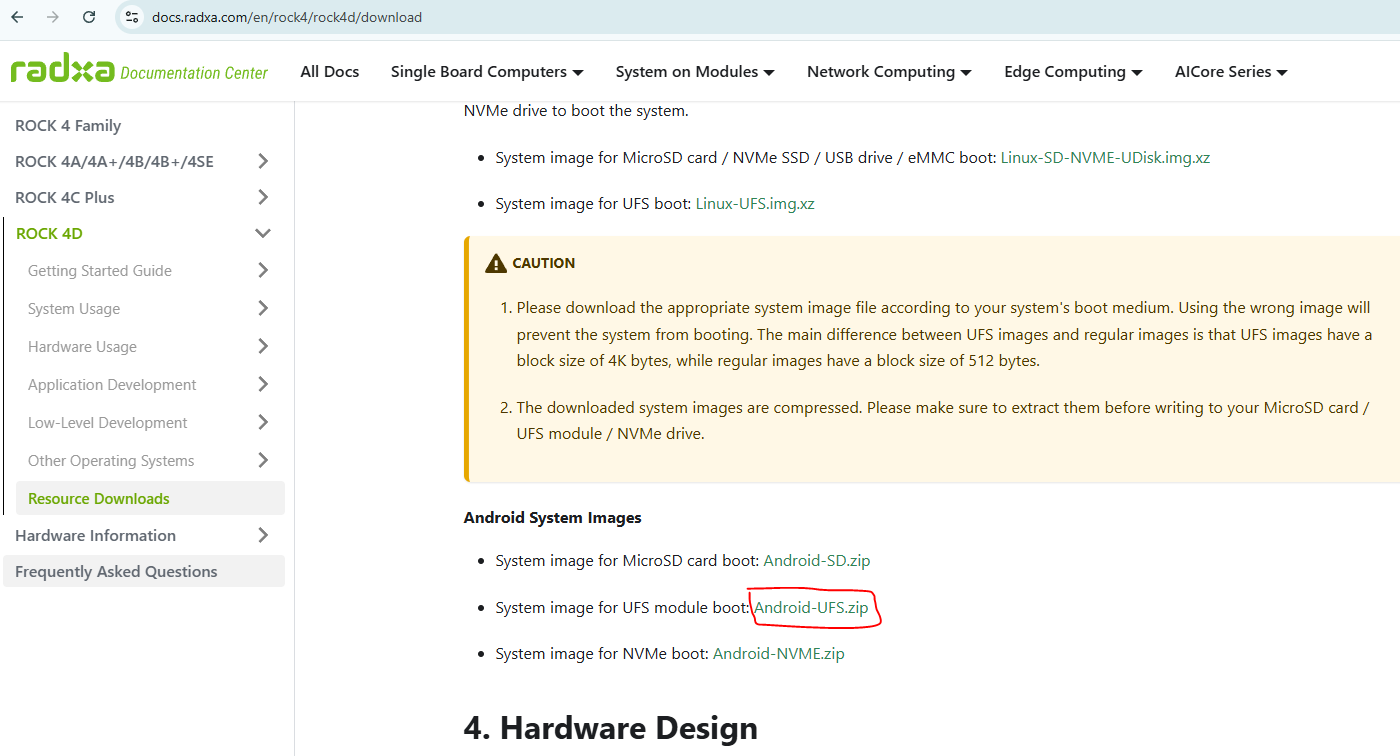
You are flashing an image not for UFS.

Hello, @amazingfate !
I downloaded image from this link https://github.com/radxa/manifests/releases/download/radxa-rock4d-20250528/Rock4d-Android14-rkr6-ufs-20250527-gpt.zip from this guide Resource Downloads | Radxa Docs

Is the file located at this link not for UFS?
Where can I get a file for UFS?

Then I have no idea. fdisk is using 512 sector by default. You can’t see partition table so I guess it is a 4096 sector disk.

@amazingfate , i see this sector size via parted:

Are there any engineers here who can help?

@amazingfate
I examined the partitions of the Android image supplied by Radxa using parted. Parted shows strange offsets that are not multiples of the UFS drive’s blocks:

sudo parted Desktop/Rock4d-Androod14-rkr6-ufs-20250527-gpt.img 
[sudo] password for radxa: 
GNU Parted 3.5
Using /home/radxa/Desktop/Rock4d-Androod14-rkr6-ufs-20250527-gpt.img
Welcome to GNU Parted! Type 'help' to view a list of commands.
(parted) print                                                            
Model:  (file)
Disk /home/radxa/Desktop/Rock4d-Androod14-rkr6-ufs-20250527-gpt.img: 4337MB
Sector size (logical/physical): 512B/512B
Partition Table: gpt
Disk Flags: 

Number  Start   End     Size    File system  Name           Flags
 1      4194kB  8389kB  4194kB               security
 2      8389kB  12.6MB  4194kB               uboot
 3      12.6MB  16.8MB  4194kB               trust
 4      16.8MB  21.0MB  4194kB               misc
 5      21.0MB  25.2MB  4194kB               dtbo
 6      25.2MB  26.2MB  1049kB               vbmeta
 7      26.2MB  93.3MB  67.1MB               boot
 8      93.3MB  194MB   101MB                recovery
 9      194MB   597MB   403MB                backup
10      597MB   999MB   403MB                cache
11      999MB   1066MB  67.1MB               metadata
12      1066MB  1067MB  524kB                frp
13      1067MB  1068MB  1049kB               baseparameter
14      1068MB  4331MB  3263MB               super
15      4331MB  4337MB  6292kB               userdata

gdisk shows the correct offsets:

sudo gdisk -l Rock4d-Androod14-rkr6-ufs-20250527-gpt.img
GPT fdisk (gdisk) version 1.0.8

Partition table scan:
MBR: protective
BSD: not present
APM: not present
GPT: present

Found valid GPT with protective MBR; using GPT.
Disk Rock4d-Androod14-rkr6-ufs-20250527-gpt.img: 8471587 sectors, 4.0 GiB
Sector size (logical): 512 bytes
Disk identifier (GUID): 7C49277B-F5C7-4D50-8D57-FD1C843AFA32
Partition table holds up to 128 entries
Main partition table begins at sector 2 and ends at sector 33
First usable sector is 34, last usable sector is 8471553
Partitions will be aligned on 1024-sector boundaries
Total free space is 8158 sectors (4.0 MiB)

Number  Start (sector)    End (sector)  Size       Code  Name
1            8192           16383   4.0 MiB     8300  security
2           16384           24575   4.0 MiB     8300  uboot
3           24576           32767   4.0 MiB     8300  trust
4           32768           40959   4.0 MiB     8300  misc
5           40960           49151   4.0 MiB     8300  dtbo
6           49152           51199   1024.0 KiB  8300  vbmeta
7           51200          182271   64.0 MiB    8300  boot
8          182272          378879   96.0 MiB    8300  recovery
9          378880         1165311   384.0 MiB   8300  backup
10         1165312         1951743   384.0 MiB   8300  cache
11         1951744         2082815   64.0 MiB    8300  metadata
12         2082816         2083839   512.0 KiB   8300  frp
13         2083840         2085887   1024.0 KiB  8300  baseparameter
14         2085888         8459263   3.0 GiB     8300  super
15         8459264         8471553   6.0 MiB     8300  userdata

who is right?

Because the USB UFS Reader cannot burn data to a UFS boot partition,There are two ways to solve this problem.

  1. Boot the Linux system from the SD card and use the dd command to burn bootloader.img to the /dev/sdb boot partition on the UFS file system. Then you can use a USB UFS Reader to burn the GPT version image normally.

  2. First, use RKDevTool v3.30 or later to burn the RKupdate version image. Then you can use a USB UFS Reader to burn the GPT version image normally.

Note that you must not format the UFS, otherwise you will need to repeat the above steps.

1 Like

It can handle native disk sizes for 4k. Since UFS is native 4k util-linux pre 2.41 should handle that just fine

Hi @wei_yan @avayte I’m currently facing this issue with my Rock4D + UFS module. Can you please help me with the following - where do I get the bootloader.img for the UFS boot partition or where can I find the android RKupdate image? so far i am only able to find the android gpt image.

For people who face this issue, here’s how I solved it -

  • You’ll need the rkdeveloptool (Windows GUI or Linux CLI both work) to flash/erase the SPI, and an SD Card running Radxa OS (linux)

  • Firstly, make sure the on-board SPI is flashed using the spi bootloader [https://dl.radxa.com/rock4/4d/images/rock-4d-spi-flash-image.img\]. If not, refer to the documentation [ Erase/Flash SPI Boot Firmware | Radxa Docs ]

  • Insert the SD card and boot into linux

  • Once into linux you’ll need the following files - idbloader.img, uboot.img, resource.img, misc.img, dtbo.img, vbmeta.img, boot.img, recovery.img, baseparameter.img, super.img. You’ll have to compile AOSP using the Radxa android manifest to get these files or I will upload these files later here from my build system if you wanna use that.

  • Fetch the required tools using apt sudo apt install gdisk android-sdk-libsparse-utils

  • Now, the super.img file is an Android sparse image, we need to convert it to raw format, do it by running the command - simg2img super.img super_raw.img

  • Run the lsblk command and ensure the UFS storage is detected. There should be 4 partitions on the storage - [sda - 119.1GB, sdb - 4MB, sdc - 4MB, sdd - 8MB]

  • Now, we first create the GPT with 4K sectors
    sudo sgdisk -Z /dev/sda

    Then run -

sudo sgdisk -o /dev/sda \
 -n 1:2048:4095 -c 1:"security" \
 -n 2:4096:6143 -c 2:"uboot" \
 -n 3:6144:8191 -c 3:"trust" \
 -n 4:8192:10239 -c 4:"misc" \
 -n 5:10240:12287 -c 5:"dtbo" \
 -n 6:12288:12799 -c 6:"vbmeta" \
 -n 7:12800:35583 -c 7:"boot" \
 -n 8:35584:59135 -c 8:"recovery" \
 -n 9:59136:157439 -c 9:"backup" \
 -n 10:157440:255743 -c 10:"cache" \
 -n 11:255744:272127 -c 11:"metadata" \
 -n 12:272128:272255 -c 12:"frp" \
 -n 13:272384:272511 -c 13:"baseparameter" \
 -n 14:272640:1329407 -c 14:"super" \
 -n 15:1329408:1330943 -c 15:"userdata"
  • Now, run the sync command in terminal, then run sudo pastprobe /dev/sda, then verify the partitions are visible using the lsblk command
  • The partition tables are ready on the UFS, we can now write the .img files to the paritions
  • Run the following commands sequentially -
sudo dd if=uboot.img of=/dev/sda2 bs=4M conv=fsync status=progress 
sudo dd if=resource.img of=/dev/sda3 bs=4M conv=fsync status=progress 
sudo dd if=misc.img of=/dev/sda4 bs=4M conv=fsync status=progress 
sudo dd if=dtbo.img of=/dev/sda5 bs=4M conv=fsync status=progress 
sudo dd if=vbmeta.img of=/dev/sda6 bs=4M conv=fsync status=progress 
sudo dd if=boot.img of=/dev/sda7 bs=4M conv=fsync status=progress 
sudo dd if=recovery.img of=/dev/sda8 bs=4M conv=fsync status=progress 
sudo dd if=baseparameter.img of=/dev/sda13 bs=4M conv=fsync status=progress 
sudo dd if=super_raw.img of=/dev/sda14 bs=4M conv=fsync status=progress
  • Now, we write the bootloader to the correct partition using sudo dd if=idbloader.img of=/dev/sdb bs=512 conv=fsync

  • Now, turn off the SBC and put it in maskrom mode and then erase the SPI Flash, refer to the documentation [ Erase/Flash SPI Boot Firmware | Radxa Docs ]

  • Once the SPI is wiped out, remove the SD card and restart the SBC. You should now be able to boot into Android.